
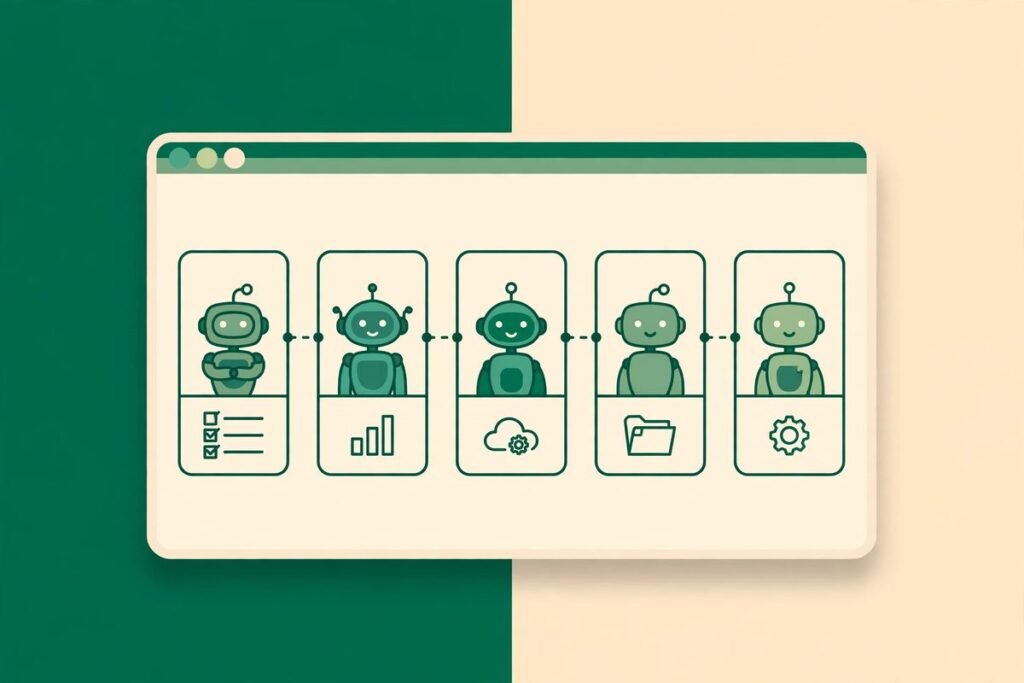
If you have ever juggled three AI coding assistants at once, you know the pain: three browser tabs or terminals, three conversations, three sets of files, and no memory of who was doing what. A local-first AI teammate workspace open source project called OpenBot tries to fix exactly that. Built by Nightly Labs, it has already picked up more than 3,300 GitHub stars, and it puts Codex, Claude, Grok and several other agents into one desktop app, each with its own persistent workspace, its own conversation, and its own task queue. This is a hands-on deep-dive: what OpenBot does, how it works, where it shines, and the two honest caveats you should know before you install it.
What OpenBot actually is
OpenBot is a desktop workspace for persistent AI teammates. Instead of treating an AI assistant as a chat box you open and close, it treats each assistant as a team member with a desk: a dedicated workspace folder, a long-running conversation, editable instructions, an avatar, and a queue of tasks. You can create agents from prompts, give each one a role, and come back days later to find its work, its files, and its conversation history intact.
The app is local-first, which is the key design choice. Your agents, queues, workspaces and conversations live on your own machine rather than on a vendor server. That does not mean offline: Codex still talks to OpenAI, Claude still talks to Anthropic, Grok still talks to xAI, and any page an agent visits still uses the network. Local-first here means your working state is yours, stored locally, and not locked inside somebody else’s cloud dashboard.
Technically, OpenBot is an Electron desktop app written in TypeScript. It runs on macOS 13 or newer (Apple silicon and Intel), Windows 10 or newer, and Linux as an AppImage, with a browser client and mobile app alongside.
What it can do
The feature list is unusually complete for a project at this stage. The headline capabilities are:
- Persistent agents across providers. Run the local Codex App Server, Claude Code and Grok CLI side by side, plus OpenCode, Gemini, Cursor CLI and Cline CLI through the Agent Client Protocol (ACP). Each agent keeps its own session and workspace.
- Per-agent workspaces and task queues. FIFO message queues with pause, resume, cancellation and crash-safe persistence, so a crashed session does not eat your task list.
- Agent-to-agent collaboration. Agents can message each other, reply, react, share images and transfer files, and a shared channel chat supports explicit delegation with one task owner and Stop, Resume, Reassign, Archive and Restore controls.
- An embedded browser agents can control. Agents can open, inspect and drive a persistent browser inside the app, which is what makes web research and form-driven tasks possible without leaving the workspace.
- Optional Computer Use. Through a bundled driver, agents can operate the desktop itself on macOS, Windows and Linux. Powerful, and the feature that most demands caution.
- Context management. Per-agent context monitoring with automatic compaction before long threads exhaust the model window, which matters a lot when an agent works on a codebase for hours.
- Local skills and custom endpoints. Agents can build reusable skills from workflows, and you can use custom OpenAI-compatible endpoints or local model servers such as Ollama and LM Studio.
- Import from Grok Bot. An export flow moves agents, instructions, skills, routines and memories from Grok Bot into OpenBot, with workspace files copied into an imported folder.
How it works under the hood
OpenBot does not re-implement the AI models. It orchestrates the command-line tools you already trust: it starts the provider CLIs (or downloads a managed copy when you ask it to), connects over the Codex App Server protocol or ACP, and gives each agent a workspace directory and a session to live in. Your existing CLI logins are used; OpenBot states clearly that it does not copy provider credentials, and that per-session tokens are never persisted or logged.
That architecture explains both the strengths and the rough edges. Because agents are real CLI sessions, you get the full capability of Claude Code or Codex, including their tools and model choices. Because the app is a fast-moving preview, setup still involves real decisions: which CLI to install, how to authenticate each provider, and on Linux, an AppArmor profile on Ubuntu 23.10 and newer or Debian 13 before the AppImage will launch. None of this is hard for a developer, but it is not a one-click consumer install.
Why it is trending now
Three shifts explain why a project like this is gaining stars so quickly. First, developers no longer use one AI assistant; they use several, and each has different strengths. Codex, Claude and Grok genuinely do different work well, and switching between them in separate windows wastes the context that makes them useful.
Second, the work itself has changed. A multi-hour task, such as refactoring a module or building a feature across several files, needs persistence: memory, files, and a queue that survives a restart. That is precisely the gap OpenBot targets.
Third, local-first tooling is having a moment. Developers who are happy to pay model providers still want their working data, prompts, and project files under their own control rather than inside another SaaS dashboard. OpenBot’s pitch, a desktop app where the workspace is a folder on your disk, lands well with that audience. With more than 3,300 stars and 320 forks, it is clearly catching that wave.
The licence question you should not skip
Here is the honest caveat. OpenBot’s code is public, but it is licensed under PolyForm Noncommercial 1.0.0, not under an OSI-approved open-source licence. In plain terms, you can use it freely for noncommercial purposes, but commercial use falls outside that licence and needs separate terms. If you plan to deploy it across a business, read the LICENSE file in the OpenBot repository on GitHub first and get the commercial position confirmed. Calling it “open source” without that footnote would mislead a business reader.
From our experience: where it helps, and where it bites
At MTD Technologies, we have spent nine-plus years shipping software across more than 300 projects, and the pattern OpenBot addresses is one we recognise immediately. The moment a team runs two or three AI assistants in parallel, the failure mode is almost never the model. It is coordination: two agents editing the same files, a task list that lives only in somebody’s head, and a conversation that resets every time a window closes. Separate workspaces, explicit queues, and one owner per delegated task prevent that mess, and OpenBot bakes them into the tool instead of leaving them to willpower.
The flip side is maturity. OpenBot is openly a development preview, with more than 300 open issues at the time of writing. Expect rough edges and breaking changes. Our advice: pilot it on a side project or a disposable worktree first, not on a client codebase. Give each agent a narrow role and a bounded workspace, keep repositories in version control with clean commits before an agent touches them, and review diffs before merging anything it produced.
There is also a cost reality to plan for. OpenBot itself is free to download, but the models are not free. You still need a ChatGPT, Claude, Grok, Cursor, or Gemini plan, or API credits, for each provider you actually use, and a multi-agent setup can burn through usage faster than a single chat window because several agents can be working at once. OpenCode’s free models, which need no sign-in, are a sensible way to test the workspace mechanics before committing spend. If you want this kind of multi-agent workflow wired into real business processes rather than just explored, our n8n workflow automation service is the natural next conversation, and you can see related tools in our AI Tools Directory.
A responsible-use note before you hand it the keys
This section matters more than the feature list. OpenBot’s own README warns, in plain language, that agents currently run with full access and no per-action approval after an explicit first-launch consent. That means an agent can read and modify files, run commands, use the network, and control the embedded browser without asking again. Run only agents and tasks you trust, keep backups, and read the Security documentation before use.
In practice, that means three rules. First, never point a full-access agent at a directory containing production credentials, private client data, or an uncommitted repository you cannot afford to lose. Second, treat Computer Use as a supervised feature: useful for demos and controlled tasks, not something to leave running unattended. Third, treat agent output the way you would treat a junior developer’s pull request: review it, test it, and own the merge decision yourself.
Getting started with OpenBot
- Download the latest release for your platform from the OpenBot releases page: a disk image for macOS, an installer for Windows, or an AppImage for Linux. On Linux, make the AppImage executable, plus the supplied AppArmor profile on Ubuntu 23.10+ or Debian 13.
- On first launch, read the consent screen carefully. You are granting agents full access from that point on, so make sure you understand what that means before you confirm.
- Install or connect at least one provider CLI. OpenBot can download a managed copy, or it can use a CLI you already installed and authenticated, such as Codex, Claude, or Grok.
- Create your first agent with a narrow role and a dedicated workspace. Give it clear instructions, a small first task, and a repository that is safely committed in version control.
- Try the queue: send two or three tasks, pause and resume one, and watch how the agent’s context and files persist across sessions. That persistence is the whole point of the tool.
- Only then expand: add a second provider, try agent-to-agent messaging on a small task, and explore the embedded browser and local skills once you trust the setup.
Frequently asked questions
Is OpenBot really open source?
Its code is public, but it uses the PolyForm Noncommercial 1.0.0 licence, which permits noncommercial use. That is source-available rather than OSI-approved open source, so commercial deployments need separate terms. Check the LICENSE file before using it in a business.
Which AI assistants does OpenBot support?
Codex, Claude Code and Grok CLI natively, plus OpenCode, Gemini, Cursor CLI and Cline CLI through the Agent Client Protocol. You can also use custom OpenAI-compatible endpoints, and it can detect local model servers such as Ollama and LM Studio.
Does OpenBot work offline?
Not fully. It is local-first, not offline-only: your agents, queues and workspaces live on your machine, but the providers still connect to their clouds, and pages agents visit still use the network. Local models through Ollama or LM Studio are the closest route to offline work.
Is OpenBot safe to run on my main machine?
It is a development preview, and agents run with full access and no per-action approval after first-launch consent. Run only tasks and agents you trust, keep backups, use a separate workspace, and do not point it at production credentials or uncommitted work you cannot afford to lose.
What does OpenBot cost?
The app itself is free to download under its noncommercial licence. You still pay for the providers you use, whether subscriptions or API usage, and multi-agent setups can consume usage faster than a single chat. OpenCode’s free models, which need no sign-in, are a good way to try it first.
OpenBot is not the finished answer to multi-agent development, and its preview status and noncommercial licence mean it is not a fit for every team yet. But its core idea is right: persistent teammates, separate workspaces, and a queue that survives a restart are what parallel AI work has been missing. Pilot it on a disposable project, respect the full-access warning, and judge it on whether your agents stop stepping on each other. If you want help turning that kind of AI workflow into something your business can rely on, talk to us.