
Most AI agent tools still ask you to assemble the machine before you can use it: install a CLI, wire up model keys, configure a harness, then figure out why nothing talks to anything else. Cindy takes the opposite bet. This open source AI agent out of the box ships as a finished desktop and mobile app, lets you bring the subscriptions you already pay for, and puts Claude Code, Codex and Pi behind one shared interface across your computer and your phone. With 7,428 GitHub stars since its July 2026 launch, it is one of the fastest-growing agent projects of the year — and it is worth a hard look before you hand it your files, your browser and your desktop.
In this deep-dive we cover what Cindy actually is, what it can do, how to set it up, and — just as important — where its “out of the box” promise stops.
What an open source AI agent out of the box really means
“Out of the box” gets thrown around a lot in agent tooling, and most of the time it means “out of the box, after you read 40 pages of docs.” Cindy’s version is closer to the literal meaning. You download the app from cindy.app/download, sign in or choose Skip Sign-In, connect a model provider you already use, and start giving it work. There is no server to rent and no self-hosting setup: your own computer becomes the server, and the phone app connects back to it.
The project, makecindy/cindy on GitHub, contains the open-source desktop and mobile clients and their shared packages, organised as a pnpm monorepo. The desktop client is built with Electron and the mobile client with Expo and React Native, all in TypeScript, and the client code is licensed under Apache 2.0. One honest caveat, stated in the README itself: the backend service lives in a separate repository and is not part of this monorepo. The client is open; the hosted service behind it is not fully.
What Cindy can do
Cindy’s headline idea is that all your devices belong to one agent. Your work computer, home desktop, laptop and phone share sessions, so you can open a session from another device, continue the conversation and reach its files without copying everything into a new chat.
- One agent across devices. Pick up the same work from your phone that you started on your desktop, with shared memory, skills and attachments for cloud companions.
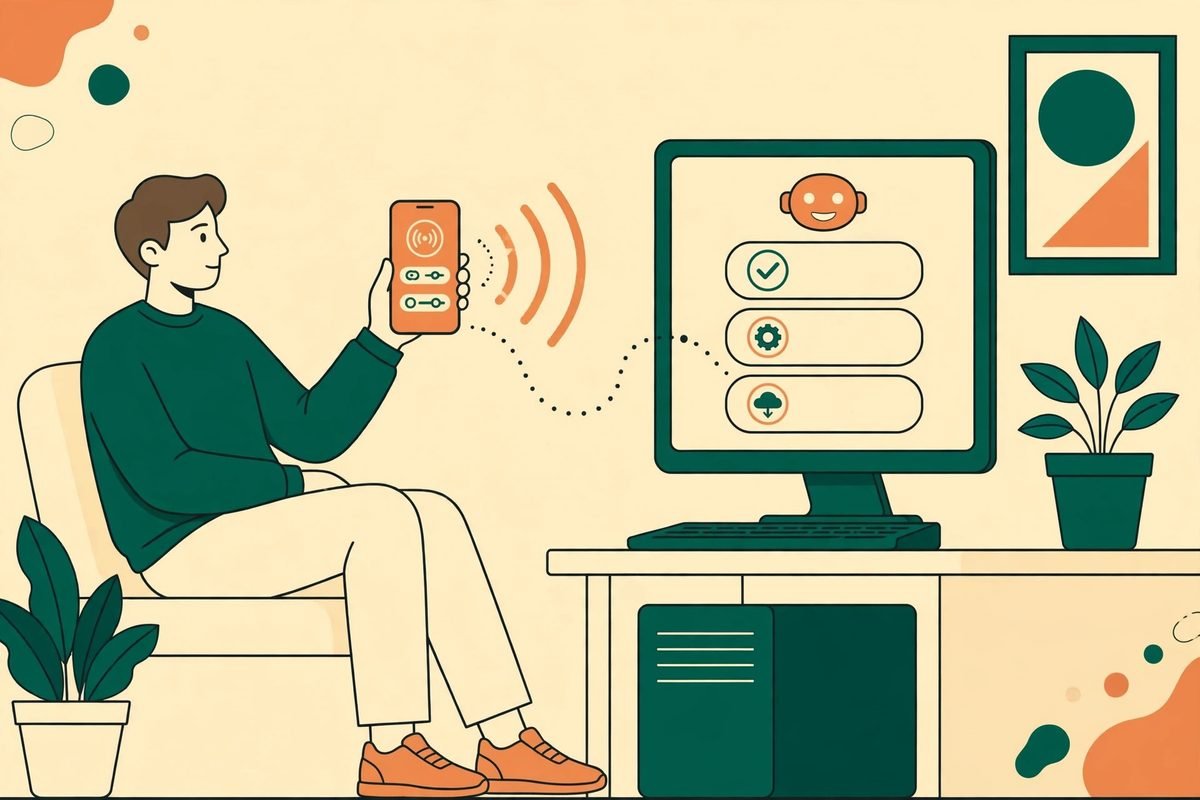
- Remote desktop from your phone. Open apps, type and operate a connected computer when a chat is not enough. Project files stay on their own computer — this is remote access, not whole-disk sync.
- Three harnesses, one interface. Claude Code, Codex and Pi behind one shared interface; change the combination as the work evolves.
- Agent teams. Different agents handle planning, parallel implementation and independent review, with a shared goal and clear acceptance criteria.
- Real work in real tools. Agents work with your files, browser and apps, and answers can include charts, interactive controls and rich HTML.
- Automations and channels. Recurring routines with automations, or hand work over through Slack and Telegram.
- Custom companions. Give a companion a role, instructions, skills and recurring work — a reviewer, a researcher, a project partner — and turn a good way of working into a reusable Skill.
- SkillHub extensions. Discover Skills and plugins in SkillHub, connect your own tools, or build on the official plugins repository.
How it works: harnesses, models and your own subscriptions
Cindy does not ask you to pick a single agent religion. Its harness table is refreshingly honest: Claude Code contributes its agent workflow, Codex its coding workflow, and Pi a lean, open-source, extensible agent with support for multiple model providers. Your session stays in Cindy while you switch harnesses, although switching hands off or rebuilds the engine context rather than making the harnesses’ internal states identical. Teams should know that before building a workflow that assumes seamless handoffs.
On models, the deal is bring-your-own. The client itself is free, and you authorise a supported subscription you already pay for — Claude Code or Codex plans, for example — connect your own API keys, or use a local model. You can also use Cindy’s managed model service, with pricing at cindy.app/pricing. Provider limits and billing still apply: a free client does not mean unlimited model usage.
Why Cindy is trending now
Cindy launched in July 2026 and, at the time of writing, holds 7,428 stars and 884 forks, with its most recent commit landing on 27 October 2026. The first wave of agent tools was built for developers who enjoy configuring things; Cindy belongs to the second wave, built for people who want the agent to just work on the devices they already own.
There is also a timing factor. Teams spent 2025 learning that a single agent in a single terminal does not scale to real work: work lives across machines, it gets interrupted, and it needs review. Cindy’s answers — multi-device sessions, agent teams with acceptance criteria, and a phone app that can actually drive a desktop — map directly onto those frustrations. The 2,082 open issues on the repository are the other side of that coin: this is a young, fast-moving project, and fast-moving projects ship rough edges.
From our experience: where the promise stops
At MTD Technologies we have spent 9+ years shipping software across 300+ projects, and the pattern with “works out of the box” tools is consistent: the box is real, but it has edges. Here is where Cindy’s edges are, based on its own documentation rather than marketing copy.
- The hosted service is not the open repo. The clients are Apache 2.0, but the backend service sits in a separate repository. If your compliance story depends on “everything is open source,” Cindy does not fully deliver that today. Audit what you can see, and treat the hosted parts as a vendor service.
- Skip Sign-In costs you features. Choosing Skip Sign-In runs local agents without a Cindy account, but server-backed capabilities are unavailable in that state. Decide up front whether your team needs cloud companions and cross-device sync, because that choice has real consequences.
- Analytics default to on in official builds. Official builds include TapDB usage analytics for aggregate product statistics, associated with your account ID after sign-in. They do not collect chat, file or working-directory content, and you can disable them in Settings — but do it deliberately, on every machine.
- Remote desktop is powerful access. An agent that can open apps and type on your computer from your phone is an agent with the keys to the building. Gate it behind the same discipline you would give a human contractor: least-privilege accounts, reviewed permissions, and no production credentials in the working directory.
- Young project, big issue backlog. 2,082 open issues against a three-month-old codebase means you should pilot before you standardise: run one team on it for a month and measure what actually got done.
Responsible use: an agent with desktop access deserves guardrails
Any tool that combines an AI agent with remote desktop access deserves a short, written policy before it touches a work machine. Keep credentials out of the agent’s working directories. Review what the agent changed before it moves on. Keep the analytics setting and sign-in mode consistent across the team, so one person’s “local only” setup does not silently become another person’s cloud-synced one. And report security issues privately through the project’s security policy rather than opening a public issue.
Getting started with Cindy
- Download the app. Get the build for macOS, Windows, Linux, iOS or Android from cindy.app/download. Linux users should follow the project’s Ubuntu, Arch Linux and Omarchy installation guide for keyring setup and updates.
- Choose your sign-in mode. Sign in with a Cindy account for the full hosted service, or choose Skip Sign-In to run local agents only, knowing server-backed capabilities will be unavailable.
- Connect a model. Authorise a subscription you already use, add your own API keys, point at a local model, or try the managed model service. Check the provider’s limits before you run anything large.
- Pick a harness. Start with the harness your team already knows — Claude Code or Codex — and add Pi when you want a leaner, multi-provider option.
- Set your privacy defaults. Decide on usage statistics in Settings on every device, and confirm who can reach each computer remotely before you enable remote desktop.
- Run one real job end to end. Give Cindy a bounded task with clear acceptance criteria, inspect the result, and only then hand it recurring work through automations.
- Extend deliberately. Add Skills and plugins from SkillHub one at a time, so you can tell which extension caused a problem when one appears.
To build on Cindy, clone the repo and run the contributor setup (Node.js 22.x, pnpm 10.x — version 11 is not yet supported — and Git LFS):
git clone https://github.com/makecindy/cindy.git, then cd cindy, git lfs pull, and pnpm install. Full contributor, validation and submission workflows live in the project’s contributing guide, and every pull request needs a Developer Certificate of Origin sign-off.
Who should — and should not — adopt Cindy
Cindy fits teams that already pay for Claude Code or Codex, work across more than one device, and want agent help without a platform project. It fits agencies and small product teams that value a finished app over a configurable framework. It does not fit teams that need a fully self-hosted, auditable-everything stack today, teams with strict no-cloud policies, or anyone who expects a free client to mean free model usage. For those teams, a local-only harness plus local models remains the honest answer, and Cindy is a tool to watch rather than adopt.
Our n8n workflow automation service covers the scheduled, repeatable side of agent work, while our AI integration and automation service connects models and tools into systems your team actually runs. Browse the AI Tools Directory for more reviewed tools, or contact us for help piloting an agent setup.
Frequently asked questions
Is Cindy really free?
The Cindy client is free and open source under Apache 2.0, but model usage is not. You bring your own subscription, API keys or local model, or you pay for Cindy’s managed model service. Provider limits and billing still apply, so budget for model costs separately from the app itself.
Is Cindy fully open source?
Not entirely. The desktop and mobile clients are open source in the makecindy/cindy repository, but the backend service lives in a separate repository. Treat the hosted service as a vendor service.
Which devices does Cindy support?
macOS, Windows, Linux, iOS and Android. Sessions can move between devices, and the phone app includes remote desktop access to a connected computer, with project files staying on their own machine rather than syncing wholesale.
Can I use Cindy without a Cindy account?
Yes. Choosing Skip Sign-In on the login screen runs local agents without signing in, shown in the app as Not signed in. The trade-off is that server-backed capabilities, including cloud companions and cross-device sync, are unavailable in that state.
Should a business adopt Cindy now or wait?
Pilot it now, standardise later. It is a three-month-old project with a large open-issue backlog, so run one team on a bounded workload for a month and check the privacy and sign-in defaults across every machine before rolling it out wider.
Cindy earns its tagline in the ways that matter most: it installs like an app, it respects the subscriptions you already pay for, and it treats your phone as a first-class part of your work. Its rough edges — a separate hosted backend, analytics that default on, and a young codebase — are all visible in its own docs, which is itself a good sign. Download it, pilot it on real work, and judge it by what it finishes. If you want a hand setting up that pilot, talk to MTD Technologies.