

If you liked the idea of Grok Bot — a persistent AI teammate that keeps working while you do something else — but you did not like the idea of handing your work, your credentials, and your data to a closed, hosted product, then this open source Grok Bot alternative deserves your attention. Rakazo is a self-hosted AI assistant you run on your own machine, with your own choice of model and sandbox. At the time of writing it has 5,689 stars and 1,009 forks on GitHub. In this deep dive you will learn what Rakazo does, how to install it, and where its limits are, so you can decide whether it belongs on your machine, on a team server, or nowhere near production work yet.

Rakazo: an open source Grok Bot alternative, explained
Rakazo is an open source AI agent for persistent teammates. The short version from its own README is: bring your own model and computer provider, or run the complete stack locally. It is available on the web, as an Electron desktop app, and on iPhone and Android, so the same bots follow you from your desk to your phone.
The comparison the project draws for itself is specific. It positions itself as an open source, self-hosted alternative to Grok Bot, Meta Muse, OpenAI Dots, Instinct, OpenClaw, Hermes Agent, and Claude Duet. Some of those are hosted assistants and some are open source agents you run yourself. Rakazo sits firmly in the second camp: the code is public under the Apache 2.0 licence, the project is written in TypeScript, and nothing about the core product is sold by the seat.
The author is Elie Steinbock, the developer behind Inbox Zero, who built the first version in a single day. That speed is part of the appeal and part of the warning label: the README states plainly that Rakazo is in beta. Treat it as a powerful tool under active development, not finished enterprise software.
What Rakazo can do
The core idea is a persistent bot, not a disposable chat. Each bot keeps its own conversations, memory, routines, and history, so it picks up where it left off instead of starting cold. That persistence is what turns a chatbot into something closer to a teammate, and it matters most for business use.
- Persistent bots with routines. Bots keep memory and routines across sessions, and they can run scheduled work rather than only answering when prompted.
- Voice mode. Speak replies, dictate, and call a bot, using your own ElevenLabs, OpenAI, Cartesia, or Fish Audio key.
- Shared Team Computers and isolated Private computers. Share a bot computer across a team, or confine a bot to a private machine.
- Browser, terminal, file, and graphical desktop access. Bots open browsers, run terminal commands, work with files, and operate a graphical desktop inside their sandbox.
- Delegation. Bots can hand work to peer bots or to short-lived subagents, which is how a single request can fan out into parallel work.
- Bring your own model. Model credentials come through Pi, so you choose the model for each bot rather than accepting whatever a hosted product assigns you.
- App integrations. Integrations arrive through Composio or Pipedream Connect, plus user-installed Treg endpoints, remote MCP servers, and OpenAPI tool sources.
- Sandbox providers. Docker, E2B, Daytona, CreateOS, and Boat are supported, alongside trusted local-computer operation.
The ready-made bot patterns show the intended uses: an inbox manager, a sales outbound bot that researches accounts overnight, a talent scout, a bug triage bot that reproduces reports in a real browser, an expense manager, and a chief of staff bot. Routines are stored as plain Markdown, so you can read, edit, and version-control them like any other configuration — a design choice that makes Rakazo far more auditable than a black-box assistant.
How Rakazo works under the hood
Rakazo runs on a standard TypeScript stack: React 19, Vite, and Tailwind on the front end, Electron and Expo for desktop and mobile, Hono and oRPC for the API, and PostgreSQL with Prisma for storage, with Better Auth, Graphile Worker, and Pi for model access. A team that already runs TypeScript and Postgres can therefore read the code and operate the system without learning an exotic platform, and no piece locks you into a proprietary runtime.
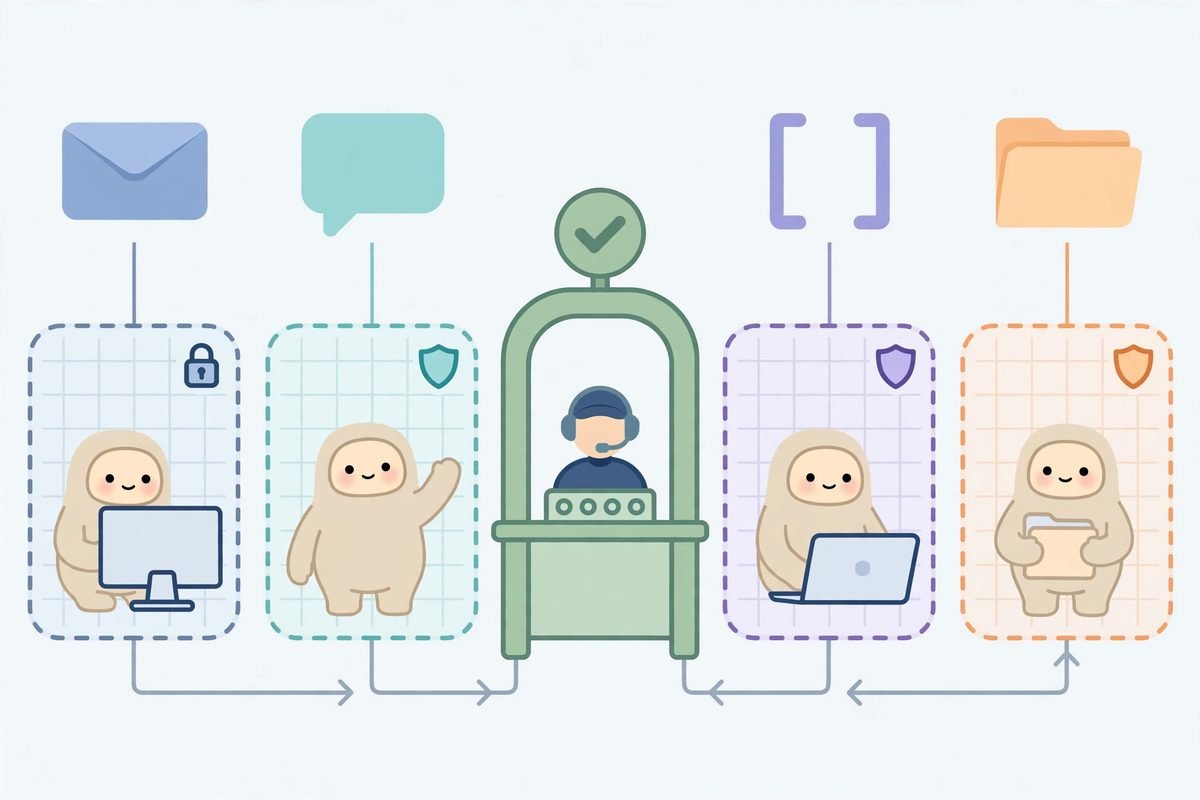
The architecture has three layers: the web and API layer you talk to, the worker layer that runs scheduled routines and long-lived bot work, and the sandbox layer where bots touch a computer — a Docker container, a cloud sandbox from E2B or Daytona, or a trusted local machine. That separation lets the chat interface run on your laptop while the bot works inside a disposable container that cannot see your real files.
One note on credentials: connector credentials are encrypted on the server and never returned by the API, and the installer generates its own secrets for the database, authentication, encryption, and sandbox supervisor. Guard that environment file like production credentials, because it is: the encryption key protects every stored credential in the system.
Why Rakazo is trending right now
Rakazo solves a frustration that has been building all year. Hosted AI teammates ask you to accept a single vendor model, data on someone else’s servers, and a subscription meter on every seat. Rakazo answers all three: open code, your deployment, your model choice. When a hosted product changes pricing or policy, self-hosted users are unaffected; when a better model appears, you switch the key, not the product.
The timing helps too. Persistent, computer-using agents went from research demo to daily tool during 2026, and the open source side has moved fastest. A repository created in August 2026 reaching 5,689 stars by late October, with commits landing on the day of writing, is a project riding that wave, and its new Chinese and Japanese documentation points to an already international contributor base.
There is also a quieter reason teams are paying attention: auditability. A bot that can read your inbox, move files, and spend API budget needs to be inspectable, and plain-Markdown routines plus readable source code let a team answer, with evidence, what the bot did and why. For regulated or client-facing work, that answer is often the difference between approval and rejection.
From our experience: the honest picture
At MTD Technologies we build AI integrations for clients every week, and the pattern with fast-moving open source agent projects is consistent: the demo thrills, the first week is productive, and the real cost shows up in week three, in operations. Planning for that honestly is what separates a successful Rakazo pilot from an abandoned install.
First, beta means beta. The default published image tag tracks the main branch, so updates arrive continuously and occasionally break things. If you deploy Rakazo for a team, pin a known-good image tag for production use and test new releases on a separate instance first. Never let an automatic pull restart the system your team depends on during a workday.
Second, free software is not free operation. You still pay for model API calls, a sandbox provider or VPS, and the engineering time to keep the stack updated, backed up, and monitored. One bot on a laptop costs almost nothing; ten bots around the clock on cloud sandboxes should be budgeted like any other always-on service, with spend metered in the first month.
Third, the sandbox boundary is the whole security model. A bot inside a disposable container is a productivity tool; the same bot pointed at your real machine, mailbox, and production credentials is a risk you chose. Start every bot isolated, grant integrations one at a time, and widen access only after a month of boring, correct behaviour.
When not to use Rakazo is equally clear. Do not put it in front of regulated client data until you have reviewed its data handling yourself, do not let it act on financial transactions without human approval, and do not build a client deliverable on a beta project without telling the client and keeping a fallback workflow ready. Those are the rules for any agent that can act, and Rakazo is powerful enough that they apply in full.
A responsible-use note for computer-using agents
Any agent with a computer, a browser, and your credentials can cause real damage by misunderstanding an instruction, not just by malfunctioning. Keep approvals on for irreversible actions such as sending mail, deleting files, or changing production systems, use scoped credentials for bot work, and review the action log weekly during a pilot. Treat the first surprising action as a signal to tighten permissions, not as a funny story.
Getting started with Rakazo
- Prepare your machine. Install Docker Engine with the Compose plugin, plus curl and OpenSSL. No source checkout or Node install is needed for the published-images route.
- Run the installer. Create a folder, download the installer script, and run it. It downloads the Compose files, creates an environment file with random secrets, and starts Rakazo:
mkdir -p rakazo && cd rakazo && curl -fsSLO https://raw.githubusercontent.com/elie222/rakazo/main/infra/compose/install-images.sh && bash install-images.sh - Open the app and create your account. Visit http://127.0.0.1:5173, create an account, and connect a model. Local Docker computers are enabled by default.
- Start with one low-risk bot. Give it a read-only or reversible job first, such as summarising a mailbox folder or drafting replies for your review, and watch its action log for a few days.
- Go always-on only when ready. For a server deployment, run the installer with the prepare-only flag, set your domain and a sandbox provider such as Boat, E2B, or Daytona with its API key, put HTTPS in front of the service, and connect from the desktop or mobile app to the existing instance.
Full details, including the Railway template deployment and the self-hosting hardening guide, live in the project repository. Start from the Rakazo repository on GitHub and the official Rakazo website, and treat third-party setup guides as helpful but unofficial.
Frequently asked questions
Is Rakazo really free?
The software is free under the Apache 2.0 licence, with no seats or pricing tiers in the core product. You still pay for model API usage, a VPS or sandbox provider, and your own operating time. A managed cloud option is planned, but self-hosting is the product today.
Do I need to know Docker to run Rakazo?
You need Docker Engine and the Compose plugin, but the published-images installer does the rest without a source checkout or Node install. A public server takes more care, including HTTPS and host hardening, so treat the laptop install as the learning environment and the server install as a small infrastructure project.
Which AI models does Rakazo work with?
You bring your own model credentials through Pi, so the choice is yours rather than the vendor — the main practical difference from hosted teammates locked to one provider. Model quality, cost, and rate limits are then yours to monitor, so start with a model you already know.
Is it safe to give Rakazo access to my computer?
It is as safe as the sandbox you put it in. Inside an isolated container or cloud sandbox, a bot mistake is contained and disposable; on your real machine with real credentials, it is not. Use isolated sandboxes, approvals for irreversible actions, and scoped credentials, and review beta updates before deploying them to a shared instance.
How is Rakazo different from Grok Bot?
Grok Bot is a proprietary, hosted product tied to xAI models, while Rakazo is open source and self-hosted with your choice of model and sandbox. If you want a managed product that just works, hosted is easier. If you want to inspect the code, control where data lives, and run unlimited bots without per-seat pricing, Rakazo is built for that trade-off.
Rakazo is not a finished product, and that is precisely why it is interesting: it shows where the category is heading — persistent, auditable, self-hosted teammates that teams can actually own. Run the pilot, keep the sandbox tight, and measure the real costs. If you would like help evaluating Rakazo safely, explore our AI Tools Directory, see what we build in AI integration and automation, or talk to our team.