
A static site vs CMS business website decision is rarely about which technology is “better” in the abstract. It is about who will look after the site after launch, how often its content changes, and what a month of neglect actually costs. A brochure site that changes twice a year does not have the same maintenance profile as a site with daily publishing, logins, and a shop, and the wrong model leaves you paying a care fee for a site you barely touch, or begging a developer for every small change.
This guide compares build cost, editing, security, speed, and three-to-five-year total cost, so you can match your site to the right model and avoid the two most common mistakes: buying a CMS you do not need, and building a static site your team cannot update.
Static Site vs CMS Business Website: How the Two Models Differ
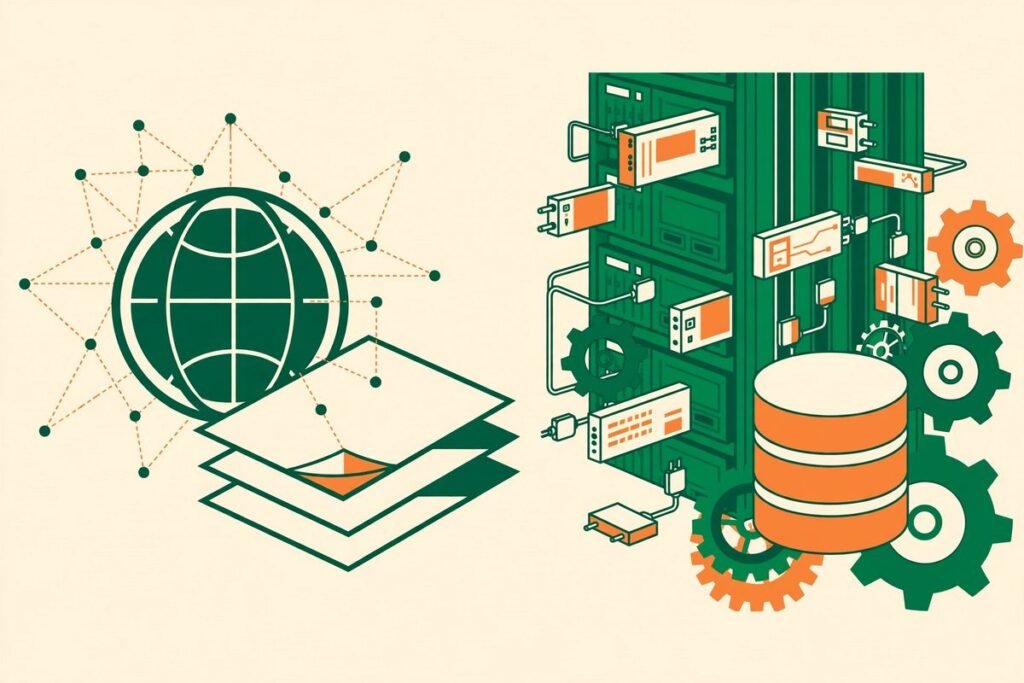
A static site is built ahead of time. A tool such as Astro or Next.js turns your content into finished HTML files, served directly to visitors, usually from a content delivery network. There is no database to query and no server-side code running on every visit. A dynamic CMS site, by contrast, assembles each page when requested: WordPress runs PHP code, pulls content from a MySQL database, applies the theme and plugins, then sends the page. Caching can store a finished copy, but the database, code, and plugins still sit on the server.
That single difference explains almost every maintenance difference that follows. A static site has very little running software to patch, break, or attack. A CMS has a great deal of running software, which is precisely what makes it flexible: editors get a visual admin area, plugins add forms, bookings, shops, and memberships, and non-technical staff can publish without code. Flexibility and maintenance are two sides of the same coin; the right choice depends on how much flexibility you will use.
What a CMS Actually Gives You
A CMS earns its keep when content changes often, several people publish, or the site needs more than pages. A team publishing weekly posts and landing pages will live inside the editor. Selling online needs product, inventory, pricing, and checkout logic a static file cannot provide alone. Membership or booking needs user accounts, permissions, and server-side rules.
WordPress remains the default CMS for most small and mid-sized businesses for a practical reason: the ecosystem. Need a form, a multilingual setup, an SEO toolkit, or a shop? There is usually a mature plugin for it, and a large pool of people who know how to run it. That is why we still build many business sites on WordPress. But every plugin is also a dependency with its own update cycle, security history, and chance of conflicting with something else. A site with forty plugins is forty small software projects sharing one server, and somebody has to keep them in agreement.
What a Static Site Actually Gives You
A static site earns its keep when the content is mostly pages, speed and security matter, and the team accepts a developer-led publishing workflow. Prebuilt pages load fast without caching and performance plugins. With no public database or admin login to attack, the attack surface is far smaller. And hosting is just serving files: published 2026 breakdowns put a simple static site at roughly $0 to $25 per month on platforms such as Vercel, Netlify, or Cloudflare Pages, against roughly $35 to $200 for managed WordPress hosting.
The trade-off is editing. In the classic static workflow, content lives in files or a separate headless CMS, and publishing means a rebuild and a deploy. Modern headless and Git-based editors have closed much of that gap, letting editors change text in a friendly interface without code. But it is still a pipeline, not a single “Publish” button, and if nobody owns it, small changes queue behind a developer. A static site nobody can update quickly is a fast site with stale content, and stale content costs more than a slow page.

The Maintenance Bill, Line by Line
Build quotes get the attention; maintenance is where the money goes. Split the bill into four lines: infrastructure, software upkeep, human time, and risk.
- Infrastructure. Static hosting is usually the cheapest line, often a few dollars a month. CMS hosting costs more because it needs PHP, a database, and headroom for spikes, and climbs with managed features such as staging and backups.
- Software upkeep. A CMS needs regular core, theme, and plugin updates, tested before they go live, because an untested update can break a layout or a checkout. A static site needs far less runtime upkeep, but its build tools and headless CMS still need periodic developer-led upgrades.
- Human time. This is the line businesses underestimate. Published 2026 breakdowns put a typical small-business WordPress care plan at roughly $75 to $200 per month, and broader plans at $100 to $500. At $150 a month, that is $9,000 over five years, often more than the site cost to build. A static site needs less of this, but still needs someone to own deploys and content changes.
- Risk. A neglected CMS is a security liability: most disclosed WordPress vulnerabilities are found in plugins and themes rather than core. A neglected static site is mostly a stale-content risk, which is embarrassing but rarely a breach.
The honest total is not “static is cheap, CMS is expensive.” A CMS has a predictable monthly care cost that buys editing freedom, while a static site has a low monthly cost plus lumpy developer costs when the pipeline, design, or content model changes. Publish rarely, and the static total is lower. Publish often, and the CMS fee is money well spent, because the alternative is paying a developer by the hour for every change.
Editing and Publishing: Who Can Change What, and How Fast
Ask this before you choose anything: who will change the site next Tuesday, and what will they need? If the answer is “the marketing manager, in ten minutes,” a CMS is the safer bet. If it is “a developer, once a quarter, as part of a planned release,” a static site will serve you well and cost less to run.
Three editing realities decide this. First, approvals: a CMS gives you roles, drafts, revisions, and scheduled publishing out of the box, while a static setup needs those designed in. Second, preview: a good static pipeline provides preview deploys, but a bad one makes editors guess. Third, content shape: pages and posts suit either model, but structured data such as listings needs a CMS or headless CMS with a proper content model. Decide the workflow first.
Security, Speed, and SEO in Practice
Security favours static, but not by as much as its fans claim. A well-maintained CMS on managed hosting, with updates applied, backups tested, and a disciplined plugin list, is secure enough for most businesses, while a static site removes whole categories of attack. The danger is the unmaintained middle: a CMS with no update discipline is slow and exposed. On speed, prebuilt pages start with a Core Web Vitals advantage, and a CMS can match it with caching and disciplined plugin use, but that work drifts with every new plugin. On SEO, both models can rank well if the basics are done consistently: clean URLs, proper titles and descriptions, structured data, fast pages, and content that answers the searcher’s question.

From Our Experience: The Mistakes We See Most
After nine years and more than 300 projects, the pattern is consistent: the most expensive mistake is not picking the “wrong” technology, but a model nobody owns. We have inherited CMS sites with no update history, no tested backup, and a plugin list nobody can explain, and static sites whose only developer left years ago. In both cases the rebuild cost more than the maintenance would have.
Three gotchas deserve a plain warning. First, judge a CMS not by its launch-day plugin count but by who reviews that list every quarter. Second, judge a static site not by its hosting bill but by the cost of the next design change, which is developer work, not a theme swap. Third, do not migrate platforms to fix a content problem: if nobody publishes useful content, a faster platform only delivers thin content faster. Fix the habit first, then choose the platform that supports it.
There is also a middle path: headless WordPress, or a headless CMS such as Sanity or Payload paired with Astro or Next.js. Editors keep a familiar experience while visitors get prebuilt pages. It fits content-heavy sites where brand and performance both matter, but you run two systems and need someone who understands both. For a five-page brochure site, it is overkill.
A Decision Checklist You Can Use This Week
- Choose a static site if content changes rarely, pages are mostly informational, you have developer access, and you want the lowest running cost and smallest security surface.
- Choose a CMS if non-technical staff publish often, you need forms, bookings, memberships, or a shop, or you want scheduled publishing, roles, and a plugin ecosystem rather than custom development.
- Choose headless if editors need a real CMS but visitors need prebuilt speed, and you have the budget and team to run two systems properly.
- Do not choose yet if you cannot name who will update the site, how often, and what a tested backup looks like; answer those first, because they decide the maintenance bill whatever you build on.
Whichever model you pick, get three things in writing: who applies updates and how often, how backups are tested (not just taken), and what happens when you leave, including who owns the domain, content, and code. Those clauses are worth more than any platform promise.
If you are weighing this decision, our web development team can audit your setup and give a straight answer on whether a CMS, a static build, or a headless setup fits your habits and budget. If you already run WordPress, our guide to WordPress plugin development cost will help you price custom work against plugins honestly. Or contact us and tell us how often your content actually changes; that one fact usually settles the decision.
Frequently Asked Questions
Is a static site cheaper than a CMS for a business website?
Usually, yes, on running costs alone. But if every change needs paid developer time, a CMS with a monthly care plan can work out cheaper overall than a “cheap” static site that is expensive to update.
Can non-technical staff edit a static site?
Yes, with the right setup. A headless CMS or Git-based editor gives editors a friendly interface and preview deploys without code. They cannot improvise a new page layout like a CMS page builder, so the content model must be designed well up front.
Is WordPress still a good choice for a business website in 2026?
Yes, when it is maintained. WordPress wins on editor experience, plugin ecosystem, and hiring pool. It becomes a poor choice only when nobody owns updates, backups, and plugin hygiene.
What is a headless CMS, and when is it worth it?
A headless CMS stores content but does not render the website; a frontend such as Astro or Next.js builds the pages visitors see. It is worth it for content-heavy sites where editorial quality and speed both matter. For a simple brochure site, it adds complexity without a matching payoff.
How do I switch from a CMS to a static site without losing SEO?
Keep your URL structure or set up 301 redirects, carry over titles, descriptions, and structured data, preserve internal links, and submit an updated sitemap. Done carefully, rankings usually hold and often improve. The risky part is changing URLs, content, and design all at once without a redirect map.
The platform is not the strategy. The strategy is a publishing habit your team can sustain, a maintenance owner, and a total cost seen in writing over three to five years.