
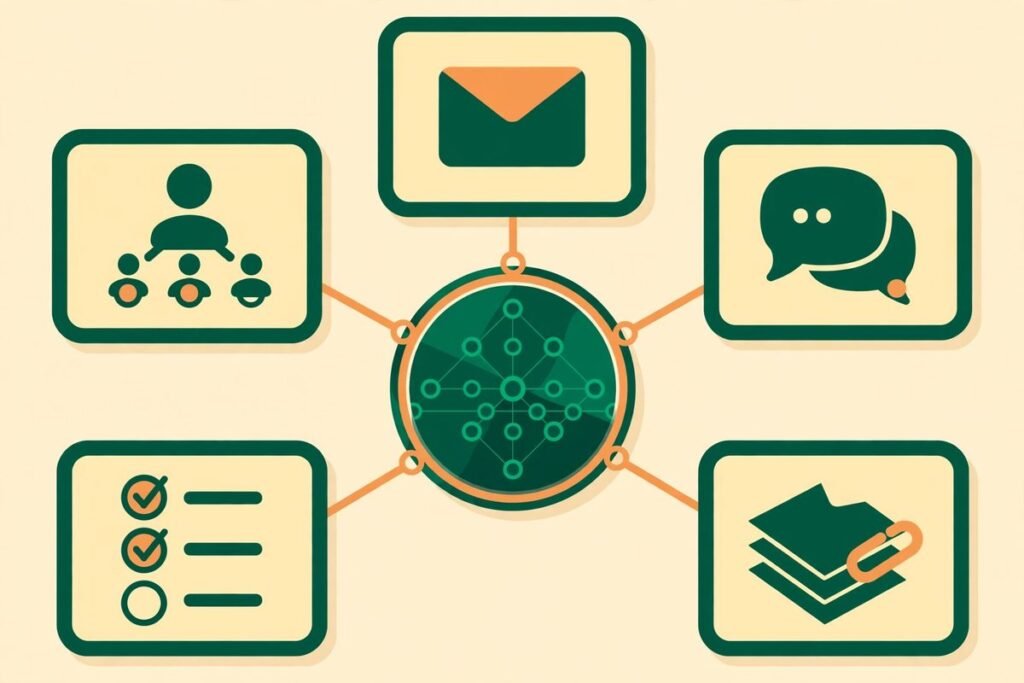
Macro is a unified AI workspace for teams that puts email, chat, docs, tasks, agents, calls and CRM into a single system instead of six separate subscriptions. Built by macro-inc/macro on GitHub, it has gathered more than 5,700 stars, is written mostly in Rust with a SolidJS front end, and is fully open source under the AGPLv3 licence. This deep-dive explains what it actually does, how it works, where it helps a real team, and where you should hold back.
If your team lives across Slack, Notion, Linear, Superhuman and HubSpot, you already know the tax: the same conversation exists in four places, the task tracker is out of date by Thursday, and nobody can answer “what is the latest on this customer?” without messaging three people. Macro is a bet that the fix is not another integration layer, but one system where everything is linked from the start.
What it is
Macro describes itself as an all-in-one workspace for you and your team, and the repository backs that up: email, messages, docs, tasks, a canvas board, agents, calls, file storage, pull requests and CRM, all sharing one backend. The team behind it, based in New York and Toronto, built it after scaling a previous venture to around 20 people and watching each team adopt its own tools until, in their words, the company was held together by integrations and was no longer computable as a system. They have dogfooded Macro with a team of about 15 for two years.
The headline numbers, checked against the live repository on 30 October 2026, are: 5,711 stars, 536 forks, 291 open issues, first created in November 2025, and actively updated (the latest commit landed the same day we checked). The licence matters here: Macro is fully open source under AGPLv3, not “open core” with the useful parts held back. That means you can self-host it, but if you run a modified version as a network service, the AGPL requires you to offer the source to users of that service. For most teams evaluating it, the practical choice is the hosted app at macro.com, with self-hosting as a real but serious option, discussed below.
What a unified AI workspace for teams actually has to do
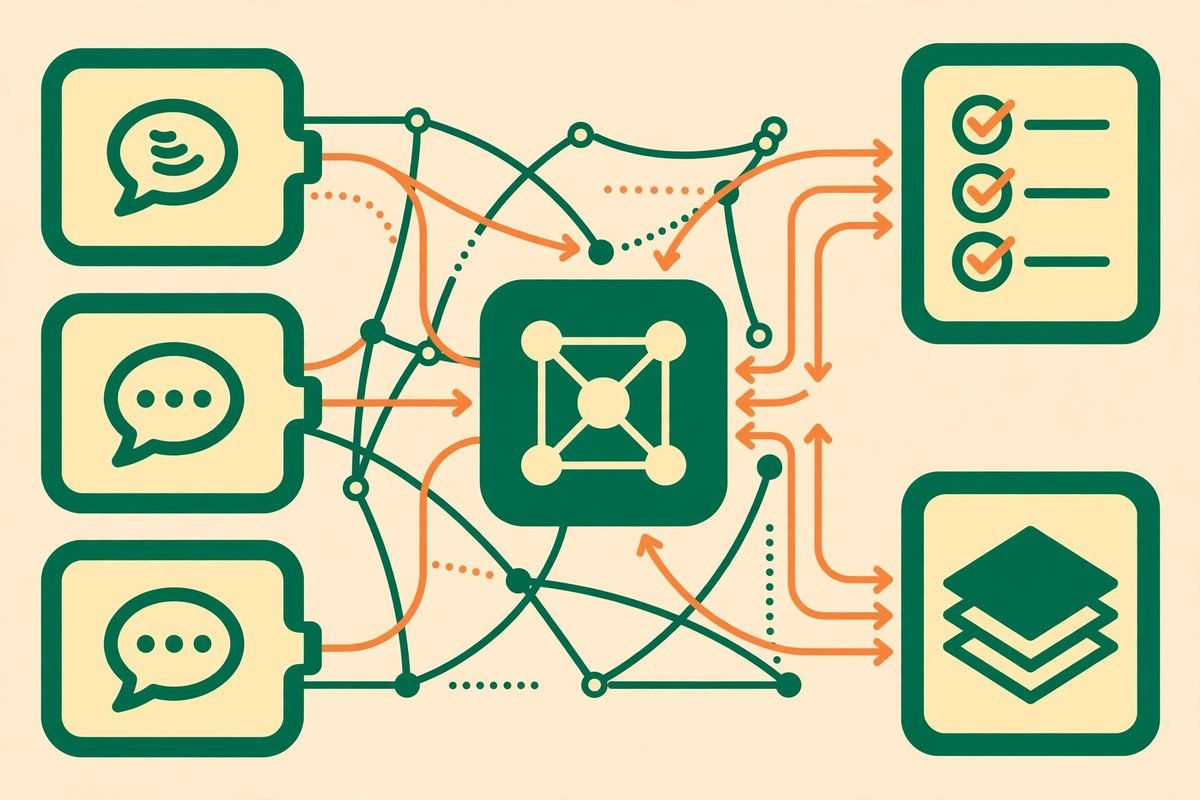
A unified workspace earns the name only if work flows between its parts without copy-pasting. Macro’s answer is “blocks”: each surface (email, chat, tasks, docs, CRM and the rest) is purpose-built for its job, but every surface shares the same backend, and cross-references are stored as a bidirectional graph. Mention a document in a message and both sides know about each other. Create a task from an email and the chain from customer message to task to pull request stays auditable in one place.
The blocks, taken from the project’s own documentation, are:
- Email: a multi-account unified inbox with keyboard-first triage, shared inboxes and Gmail support, inspired by Superhuman.
- Messages: channels and direct messages designed for focused technical discussion, with threads that stay readable instead of sprawling.
- Tasks: Linear-inspired tasks tightly integrated with channels, email and agents, creatable from almost anywhere in the app.
- Docs: real-time collaborative, markdown-native documents built on CRDTs, with @mentions linking to anything in the workspace.
- Canvas: a 2D board with embedded @links to tasks, files and emails.
- Agents: team-level agents with shared memory that can take action on your behalf.
- Calls: recorded, transcribed calls logged to team memory for agents.
- File storage: files auto-imported from email and channels, fully searchable.
- Pull requests: GitHub pull requests linked to tasks and embeddable in channels.
- CRM: customer and contact objects with custom properties, email sync and enrichment, kept up to date by the conversations around them.
How it works in practice
Three ideas do most of the work. First, bidirectional @linking: @mention anything — a doc, a task, a company, a contact, an email — and the link runs both ways, so a workspace becomes a web of context you can navigate in either direction. Second, channel-based permissions: anything @mentioned in a channel is automatically shared with its members; join a channel and you gain access, leave and you lose it, with no permission-request dance. Third, one inbox: emails, channel messages, task assignments, @mentions and agent responses land in a single keyboard-first list, split into Signal and Noise.
The email experience shows the philosophy clearly. Macro Mail triages multiple Google accounts in one inbox, with the same tagging and sharing system across them, and lets you draft, edit and send emails from inside an AI chat without opening a separate mail app. A built-in window manager supports three or more splits, so you can draft while reviewing prior threads. From any email you can create a linked task — for example, a ticket for an engineer from a customer support message — or share the email directly to a DM or channel instead of screenshotting it.
The agent story is equally central, and it is where Macro differs most from a Notion-plus-Slack stack. Agents have unified, team-level memory that refreshes nightly, rather than each person having a private chat history. Your coding agents can use Macro too: point Claude Code, Codex or any MCP client at your workspace with the project’s MCP server, and agents can search across file attachments parsed from email, draft messages, and edit documents as peers in the same CRDT collaboration system as human editors. One published example from the team is a daily automation that scans channels and updates a shared document, skipping the update if a human already edited it, with conflicts handled natively by the CRDT layer.
The CRM follows the same logic. Standalone CRMs go stale because the real conversation about a deal happens in chat, not in the CRM record. In Macro, @mentioning a company record in a message links the message to the record, so opening the record later shows the conversations that shaped it, and email aggregation by company or contact is available to agents answering CRM-type questions. Hit Cmd+K on a contact and you see every email between you and that person; @mention a company domain and you see everything between your team and theirs.
Why it is trending now
Macro is trending for a structural reason, not a novelty one. Two shifts collided in 2026. First, teams are tired of paying for five tools that do not share context, and of maintaining the Zapier-and-MCP glue between them. Second, AI agents made that fragmentation expensive in a new way: an agent that can only see one tool’s history gives worse answers than an agent with team-level memory across email, chat, docs and calls. A workspace built as one system with an MCP surface from the start is a natural fit for that world, and the star count — from launch in late 2025 to over 5,700 within a year — reflects that timing.
The repository’s own framing is also part of the appeal. This is a team rebuilding work software from the ground up in Rust and SolidJS for speed and reliability, with 42 deployable services, 167 Rust crates and a hexagonal service layout, rather than bolting an AI sidebar onto an existing product. For technical buyers, that architecture is a signal: the project is designed to be computed over, by humans and agents alike, rather than merely displayed.
From our experience: where it helps, and where it does not
We build and integrate business software for clients, so we read projects like this through an operator’s lens, not a demo’s. Here is our honest assessment.
Where Macro is genuinely strong. The linking model solves a real, daily pain. In client work we constantly see the same failure: the decision lives in chat, the task lives in a tracker, the document lives elsewhere, and a new joiner cannot reconstruct why anything was done. A bidirectional graph across all three is a better primitive than another integration. The CRM argument is similarly sound: colocating CRM with email and chat is the most credible answer we have seen to the “CRM is always out of date” problem, because it removes the separate-system step where staleness creeps in. And the agent story is coherent — team-level memory plus an MCP surface plus CRDT-based agent editing is a real architecture, not a chatbot pasted on top.
Where to be careful. First, maturity. This is a young, fast-moving project: 291 open issues and same-day commits mean the surface you adopt this month will change. That is fine for a pilot team, risky as a company-wide migration on day one. Second, self-hosting is not a weekend project. The local stack involves dozens of services and a large Rust codebase, plus Pulumi infrastructure definitions; budget real engineering time, or use the hosted app. Third, the email story is Gmail-centric today — teams on Microsoft 365 should verify current support before committing. Fourth, mobile is iOS plus web for now, with Android still coming. Fifth, the AGPL licence is a genuine commitment: it protects your freedom to self-host, but if you plan to build a commercial service on modified Macro code, take legal advice first. Finally, the project holds SOC 2 Type II certification and states zero data retention with model providers, including no training on customer data — verify those claims against your own compliance needs rather than taking any blog post’s word for it.
A note on responsible use. Giving agents team-level memory across email, calls and CRM is powerful, and that is exactly why permissions deserve attention before rollout. Channel-based sharing means access follows conversation membership, which is convenient but also means a mis-scoped channel can expose more than intended. Start agents in read-only or approval-gated modes, audit what they can draft and send, and treat recorded-call transcription as personal data with retention rules, not as a free by-product.

Getting started
- Try the hosted app first. Sign up at macro.com and connect a Gmail or Google Workspace account. The project’s getting-started guide takes a fresh account to a working setup in about 15 minutes.
- Import one real workflow, not everything. Pick a single team and move its channels, one inbox and its active tasks. Migrate docs second, CRM third.
- Teach the @link habit. The system only pays off when people @mention docs, tasks and companies instead of pasting screenshots and links. Make it part of onboarding.
- Connect one agent, read-only first. Point Claude Code or Codex at the workspace via the MCP server, let it search and summarise, and only then enable drafting and actions.
- Run it for a month before migrating the company. Watch for the failure modes that matter to you: search quality, mobile gaps, self-hosting appetite and whether the team actually lives in one inbox.
- Only then evaluate self-hosting. Follow the project’s running-locally documentation, and cost the 42-service footprint honestly against the hosted plan.
Frequently asked questions
Is Macro really open source?
Yes. Macro is fully open source under the GNU Affero General Public License v3.0, not open core. You can self-host it under AGPLv3 terms; the project’s FAQ covers what that involves, and commercial licensing is available by contacting the team.
What does Macro replace?
In one system it covers the jobs of Slack-style chat, Superhuman-style email, Notion-style docs, Linear-style tasks and a lightweight CRM, plus agents, calls, canvas boards and file storage. It does not replace specialised tools your team may still need, such as a full enterprise CRM or a dedicated design tool.
How do AI agents use Macro?
Agents get team-level shared memory across email, messages, tasks, docs and calls, refreshed nightly, and can connect via MCP. They can search attachments parsed from email, draft and send messages, and edit documents as peers in the CRDT collaboration system.
Can a small team self-host Macro?
Technically yes, but it is a substantial deployment: dozens of services and a large Rust codebase. Small teams are usually better served by starting on the hosted app and only self-hosting once they have a clear privacy or control reason and the engineering time to run it.
Who should not adopt Macro yet?
Teams that need Android apps today, deep Microsoft 365 email integration, or a frozen, long-term-supported platform should wait and watch. Macro is best suited right now to technical teams willing to pilot a fast-moving open-source workspace and shape it as it matures.
Macro’s bet is simple and worth taking seriously: work software should be one computable system, not a bundle of subscriptions stitched together with integrations. For teams drowning in tool sprawl — and for teams whose agents need shared memory to be useful — a unified AI workspace for teams like this is the direction worth piloting. If you want help evaluating it against your stack, or building the integrations and workflows around it, talk to our team or contact us — we have spent 9+ years shipping this kind of system for clients, and we can tell you quickly whether Macro fits your team or whether a simpler stack wins.