
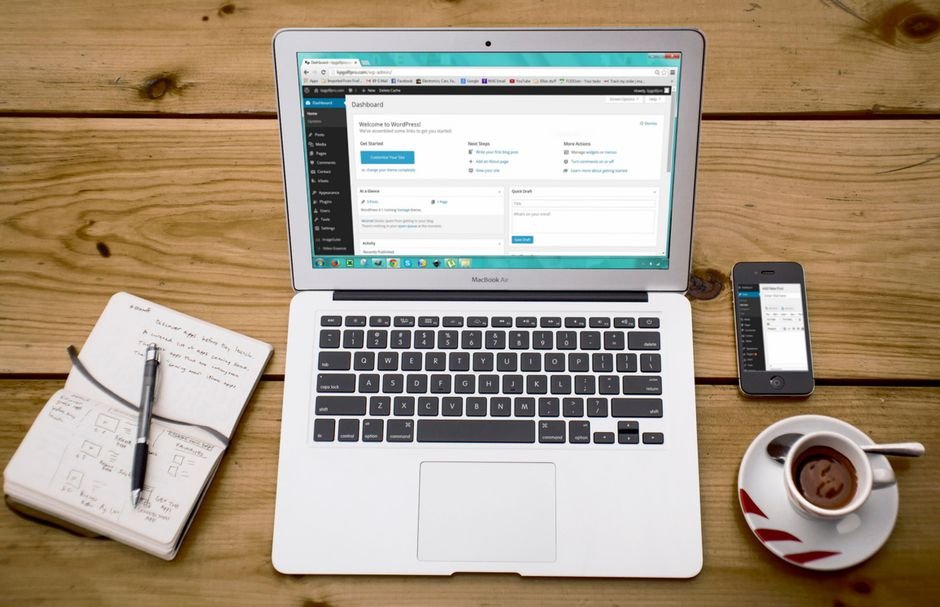
For most businesses building or rebuilding a website, the first real decision isn’t about design or hosting. It’s about the foundation: do we use WordPress, or do we build something custom? It’s one of the most common questions we’re asked, and the honest answer is that it depends entirely on what you’re trying to build, how much you want to own, and where your business is headed.
WordPress powers roughly forty percent of the web for good reason. It’s mature, flexible, well-documented, and supported by a massive ecosystem of themes and plugins. Custom development, on the other hand, offers complete control and can be tailored to exact requirements. Neither is universally better. This guide breaks down the real trade-offs so you can make an informed call.
What You’re Really Choosing Between
The WordPress versus custom development question is often framed as a simple either/or, but the two approaches sit on a spectrum. WordPress itself can be heavily customised, and custom projects often reuse established libraries. The meaningful distinction is about where the architecture comes from and how much control you trade for convenience.
With WordPress, you adopt an existing platform with established conventions, a content model, an admin interface, and a plugin ecosystem. With custom development, you design those things from scratch to fit your needs. The right choice hinges on how closely your needs match what WordPress already provides.

The Case for WordPress
WordPress shines when your requirements overlap heavily with what it already does well:
- Content-driven websites: Blogs, marketing sites, publications, and brochure sites are WordPress’s home turf.
- E-commerce with WooCommerce: For online stores that don’t need exotic functionality, WooCommerce is fast to launch and easy to manage.
- Teams that need to self-manage content: The admin interface lets non-technical staff update pages, posts, and products without involving a developer.
- Tight budgets and timelines: WordPress gets you live quickly at a fraction of a custom build’s cost.
- SEO foundations: With plugins like Rank Math, WordPress handles technical SEO basics well.
If your website is primarily about publishing content and converting visitors, WordPress is usually the pragmatic choice.
The Case for Custom Development
Custom development earns its place when your needs diverge from what any platform cleanly supports:
- Web applications: Portals, dashboards, booking systems, marketplaces, and SaaS products where WordPress would be stretched thin.
- Complex, bespoke workflows: When the business process itself is the product and needs to be mirrored exactly in software.
- Differentiated customer experiences: When the website is a core competitive advantage and a generic platform won’t set you apart.
- Heavy integrations: Deep connections to internal systems, proprietary APIs, or unusual data sources.
- Performance and scale demands: High traffic, strict response time requirements, or unusual infrastructure needs.
Head-to-Head: Where They Differ
Speed to Launch
WordPress wins decisively. A configured WordPress site can launch in days or weeks. A custom build typically takes months. If time-to-market is critical, that gap matters.
Total Cost of Ownership
WordPress is cheaper to start but carries ongoing costs: hosting, premium plugins, maintenance, security monitoring, and periodic rebuilds when the platform or plugins shift. Custom costs more upfront but is typically more predictable to maintain because you control the entire codebase. Over a five-year horizon, the totals can be closer than they first appear.
Flexibility and Customisation
WordPress is flexible within the boundaries of its architecture. You can extend it extensively with custom themes, plugins, and custom post types, but you’re always working within its conventions. Custom development has no such ceiling. If you can specify it, you can build it.
Performance
Out of the box, WordPress carries overhead from its plugin architecture and database-driven rendering. It can be made fast with careful optimisation, but it’s rarely as lean as purpose-built code. For sites where milliseconds matter, custom usually wins.
Security
WordPress’s popularity makes it a frequent target, and plugin vulnerabilities are the leading cause of WordPress compromises. Custom code has a smaller attack surface but isn’t inherently secure, it still requires careful engineering. Both can be secured well; both can be done poorly.
Ease of Content Management
WordPress’s admin interface is its quiet superpower for non-technical teams. Custom applications need their own admin tools built, which adds scope and cost. If empowering your team to manage content independently matters, factor this in.
Long-Term Ownership and Control
Custom code is fully yours. WordPress is yours, but sits on a platform and ecosystem you don’t control. Major WordPress updates, plugin deprecations, or licensing changes can affect your site. With custom, the only long-term risk is your own codebase’s maintainability.
Common Scenarios and the Right Call
Abstract comparisons only go so far. Here’s how the decision typically plays out in real situations.
Scenario 1: A Professional Services Firm Needs a Marketing Site
A law firm, consultancy, or agency needs a polished site to showcase expertise, publish thought leadership, and capture leads. Recommendation: WordPress. This is exactly what WordPress does well, and a custom build would be over-engineering.
Scenario 2: An Online Store with Standard Retail Needs
A retailer selling physical products with typical shipping, payments, and inventory needs. Recommendation: WordPress with WooCommerce, unless the catalogue or workflow is unusual. For standard e-commerce, WooCommerce is fast, capable, and well-supported.
Scenario 3: A SaaS Startup Building a Product
A company building a software product customers log into and use daily. Recommendation: Custom development. WordPress is not the right foundation for a web application of this kind, and forcing it leads to pain.
Scenario 4: A Business with a Complex Internal Workflow
A logistics company needs a portal where staff, drivers, and customers interact with live data, custom statuses, and integrations to internal systems. Recommendation: Custom development. The workflow is the product, and it needs to be built precisely.
Scenario 5: A Hybrid Need
A growing business wants a strong marketing site and a custom customer portal. Recommendation: Hybrid. Use WordPress for marketing, build the portal as a custom application, and integrate them. This captures the strengths of both.
The Hybrid Approach: Often the Best of Both
In practice, the WordPress-versus-custom debate often resolves to “both.” A common and effective pattern is WordPress for the public-facing marketing site, where its content management and SEO strengths shine, paired with a custom application for the parts of the business that need precise control. The two integrate through APIs, giving you a marketing site your team can manage and a custom system that does exactly what your business requires.
This approach avoids the trap of forcing one tool to do everything. It respects what each does well and combines them into something more capable than either alone.
How to Decide: A Simple Framework
If you’re still weighing the decision, work through these questions honestly:
- What is the website fundamentally for? Content and conversion lean WordPress. Application and workflow lean custom.
- How unique are the requirements? Generic needs favour WordPress. Bespoke needs favour custom.
- What is the timeline and budget? Tight constraints favour WordPress. Room to invest favours custom.
- Who will manage it day to day? Non-technical teams benefit from WordPress’s admin. Developer-led teams can handle custom.
- Where will the business be in three years? If you anticipate significant complexity, custom may save re-platforming later.
If most answers point one direction, the decision is clear. If they’re mixed, a hybrid approach is likely the answer.
Mistakes to Avoid
- Choosing custom to look sophisticated. Custom is a tool, not a status symbol. If WordPress meets the need, use it.
- Choosing WordPress because it’s cheaper. Cheap today can mean expensive tomorrow if the platform can’t support where you’re heading.
- Ignoring the maintenance question. Both approaches need ongoing care. Budget for it either way.
- Letting a vendor’s preference decide. Some agencies only do WordPress; some only do custom. Choose a partner that recommends what fits your needs, not theirs.
How MTD Technologies Approaches the Decision
We build both. That independence matters because it means our recommendation follows your requirements, not our capability list. For content-driven marketing sites, we build on WordPress and customise it intelligently. For web applications and complex workflows, we build custom. And for businesses that need both, we design hybrid solutions that combine a WordPress front-end with a custom back-end.
Our process starts with understanding what you’re actually trying to achieve, then recommending the foundation that serves that goal. We won’t push custom where WordPress would do, and we won’t force WordPress where it would hold you back.
Frequently Asked Questions
Is WordPress or custom development better for SEO?
Both can achieve strong SEO. WordPress with a plugin like Rank Math handles technical SEO fundamentals well and is easier for content teams to optimise. Custom development allows finer control over performance and markup, which also benefits SEO. SEO success depends more on content quality and strategy than on the underlying platform.
Can WordPress handle a web application?
It can, but rarely well. WordPress was designed for content management, not application logic. Forcing it into a web application role usually leads to fragile, hard-to-maintain code. For genuine web applications, custom development is the more reliable foundation.
Is WordPress free? What are the real costs?
WordPress itself is free, but a production site carries real costs: hosting, premium themes and plugins, security, maintenance, and developer time. These ongoing costs are typically lower than a custom build but should be planned for.
When should I move from WordPress to custom?
When your requirements exceed what WordPress can support cleanly: complex workflows, heavy integrations, high performance needs, or a unique application experience. If you’re constantly fighting the platform with workarounds, it’s time to evaluate custom.
Make the Right Choice for Your Business
The WordPress versus custom decision isn’t about which is better in the abstract. It’s about which is better for your business, your requirements, your budget, and your trajectory. The wrong choice wastes money and time; the right choice becomes a foundation that supports growth for years.
If you’re weighing the decision, talk to MTD Technologies. We’ll listen to what you’re building, give you an honest assessment, and recommend the approach, WordPress, custom, or hybrid, that genuinely fits. No bias toward one solution, just the right one for you.