
If your inbox has been filling up with pitches for agentic AI customer support this year, you are not alone. Every support software vendor now claims their product is “agentic” — but the word covers everything from a slightly smarter chatbot to a system that can investigate an order, check stock, issue a refund, and send the follow-up email without a human lifting a finger.
This guide is written for business owners and operations managers trying to see through the hype. After reading it, you will know exactly what agentic support bots do differently from traditional chatbots, where they genuinely save money, the ways these projects fail in practice, and how to scope one sensibly for your own business. No vendor pitch, no science fiction — just the practitioner’s view from a team that builds this stuff.
Chatbots answer questions. Agentic bots complete work.
The difference is architectural, and it matters because the two fail in completely different ways.
A traditional chatbot operates on request-response. You ask a question, it answers. You ask a follow-up, it answers again, often forgetting what was said two messages ago. Its knowledge comes from canned replies or a search over your help articles. The interaction ends when the answers run out — at which point the customer is usually handed to a human who starts from zero.
An agentic bot is given a goal, not a question: “resolve this ticket”. It plans a sequence of steps, executes them using real tools (your CRM, order system, knowledge base, calendar), evaluates the intermediate results, handles errors, retries when something fails, and only stops when the goal is reached — or when it decides it genuinely needs a human. Think of it this way: a chatbot is a knowledgeable assistant you give instructions to; an agent is a capable worker you give goals to.
Here is how the two compare in practice:
- Scope: chatbots answer; agents resolve. A chatbot tells a customer their order shipped; an agent notices it shipped to the wrong address, cancels the shipment, re-books delivery, and confirms the correction.
- Tools: chatbots typically have none beyond a knowledge search; agents call APIs, update records, and trigger workflows.
- Memory: chatbots work turn by turn; agents carry context across the whole ticket, including the systems they have already checked.
- Failure mode: chatbots fail in loops (“I didn’t understand — please rephrase”); agents fail by escalating, ideally with full groundwork done so the human picks up mid-stream.
- Best for: chatbots suit simple FAQs with stable answers; agents suit multi-step issues like order problems, booking changes, and account troubleshooting.
What a ticket’s journey looks like with an agentic bot
The abstract description only goes so far. Here is a concrete example from the kind of work we scope for clients — a customer writes in: “My order arrived but it’s the wrong size, and I need the exchange before Friday.”
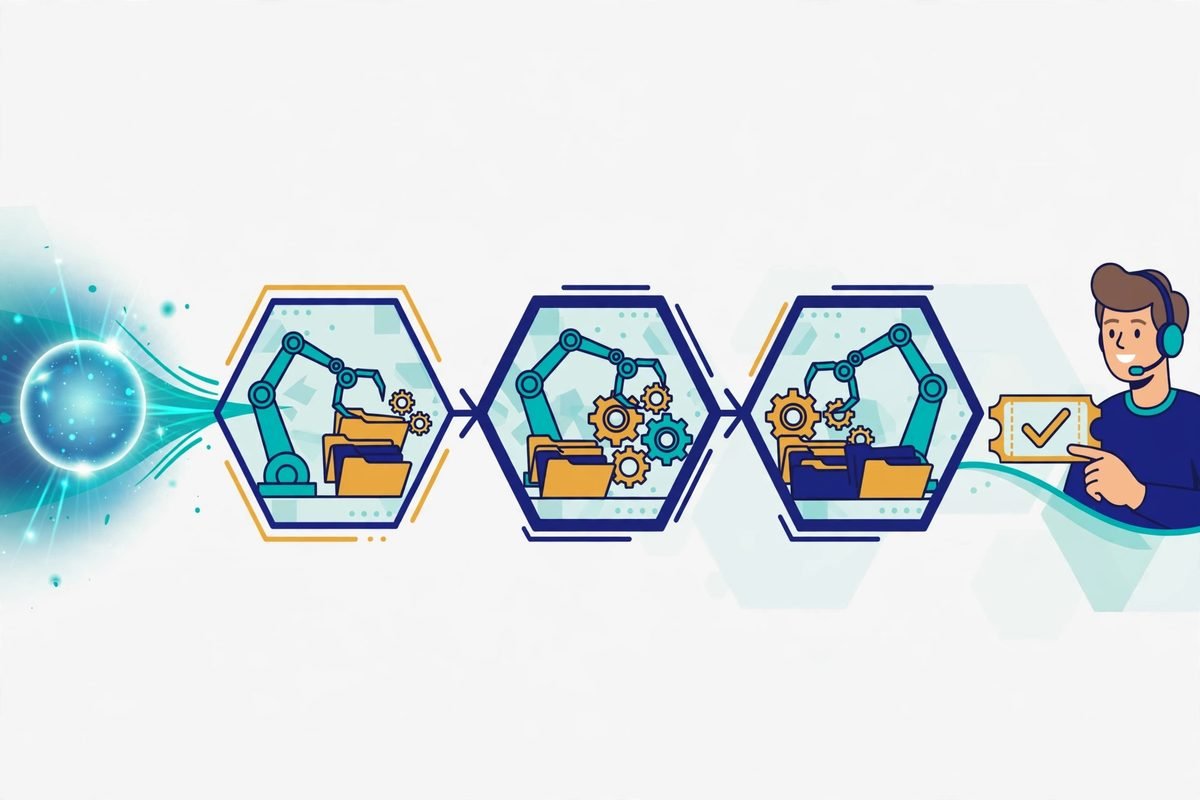
Step 1 — Intake and classification. The agent reads the message, identifies two intents (wrong-item return + time-sensitive exchange), and pulls the customer’s identity and order history from the CRM.
Step 2 — Context gathering. It checks the order record: what was ordered versus what shipped, the tracking status, your return policy, and current stock of the correct size. This is the step a human agent spends most of their time on — clicking through four different systems.
Step 3 — Planning. The agent decides: verify the item qualifies for exchange, generate a return label, reserve the correct size from inventory, and book the outbound shipment. If stock is unavailable before Friday, the plan changes — and this is where a good agent diverges from a bad one: it does not invent a shipment date, it escalates.
Step 4 — Action. Working within the permissions you defined, it issues the return label, reserves the exchange, and emails the customer with tracking details and a realistic delivery estimate.
Step 5 — Verification and handoff. It confirms each action succeeded (the label generated, the stock reserved), logs everything on the ticket, and only then closes. If any step had failed — say, inventory was short — the human agent would receive the ticket with all the groundwork already done: order checked, policy verified, customer already informed of the situation.
What is actually changing in 2026
The market has visibly shifted this year from deflection chatbots (“how can we avoid answering this?”) to investigation-style agents that work across systems. A concrete example landed on 12 October 2026, when Hiver announced Hiver Omni, an agentic omnichannel platform built for complex support. The positioning is telling: its AI agents “investigate issues, gather context and take action across systems”, while people bring judgment where it matters. The industry message has moved from “the bot answers” to “the bot does the groundwork”.
Meanwhile, what real customers are saying should shape how you deploy. Across social channels, the dominant complaint is not that companies use AI — it is that bots pretend to be human. In one widely shared exchange, a customer asked a support agent directly whether it was human; the agent insisted it was. The frustration was not about the automation itself, but about the deception. Our practitioner takeaway is blunt: disclosure is a feature, not a footnote. Say upfront that the customer is talking to an AI agent, and say when a human takes over. Trust survives automation; it does not survive being misled.
The second consistent thread in customer feedback: endless loops and unreachable humans. Speed of reply is not value — resolution is. An agentic bot that answers in two seconds but cannot actually fix anything is just a faster way to annoy people. Judge every vendor demo on one question: show me the ticket it resolved end to end, not the conversation it handled.
From our experience: where agentic support projects go wrong
Over 9+ years and 300+ projects, we have learned that AI projects rarely fail on the model — they fail on everything around it. Agentic support is no exception. Here are the failure modes we watch for:
An agent without tool access is just an expensive chatbot. The “agentic” part is the integrations, and each integration is real engineering: authentication, error handling, rate limits, idempotency so a retried action does not issue two refunds. If a vendor’s “agentic” product cannot write to your systems, you are buying a nicer prompt, not an agent.
Stale knowledge produces confident wrong actions. A chatbot with outdated docs gives a wrong answer; an agent with outdated docs takes wrong actions — refunds against the wrong policy, addresses pulled from old records. Cleaning the knowledge sources the agent relies on is unglamorous and non-negotiable.
Write actions need guardrails from day one. Start the agent read-only: it can look up orders, check stock, and draft responses, but a human approves anything that moves money or changes a record. Expand permissions gradually, with explicit caps (maximum refund value, for example) and full audit logs. Every action an agent takes should be traceable to who authorised what.
The escalation design is the product. An agent that cannot escalate cleanly — with the full context, the steps already taken, and a clear summary — is worse than a chatbot, because it burns the customer’s patience before the human even arrives. Define escalation triggers before launch, not after the first disaster.
Watch the metric trap. “Containment rate” — the share of tickets handled without a human — rewards the bot for not escalating, even when it should. We have seen teams celebrate high containment while customer satisfaction quietly drops. Measure first-contact resolution, satisfaction on bot-handled tickets, and the quality of escalations alongside it.

How to scope an agentic support bot properly
If you decide to move ahead, here is the sequence we recommend to clients — it keeps the project bounded and the risk manageable:
1. Pick one ticket type. Choose something high-volume with clear steps: order status, booking changes, account access issues. Do not start with “all of support”. One well-automated workflow beats five half-working ones.
2. List the tools it needs — and mark each read versus write. Every integration is a cost and a risk surface. Read access first; write access only where the business case demands it.
3. Write the escalation policy before anything else. What triggers a handoff? What context does the human receive? What does the customer see during the transfer? This document is more important than the bot’s personality.
4. Clean the knowledge sources. Audit the help articles, policies, and product data the agent will rely on. Archive the outdated, fix the contradictory.
5. Run in assist mode first. For two to four weeks, the agent drafts responses and proposes actions while a human approves them. You get real performance data with a safety net, and your team learns to trust (or correctly distrust) the system.
6. Define the metrics up front. First-contact resolution rate, share of escalations arriving with complete groundwork, customer satisfaction on bot-handled tickets, cost per ticket, and hours returned to your human team. Review them monthly; the bot’s behaviour drifts as your business changes.
Cost and effort: what to actually budget
Honest numbers are hard because the range is wide, but here is how the tiers break down. A retrieval-based FAQ chatbot is the cheapest option and the least capable. An agentic bot with three to five real integrations is a genuine software project: integration engineering, guardrails, testing, monitoring, and the knowledge cleanup described above. Then there is the ongoing cost: model and token usage scales with ticket volume, and the system needs maintenance every time your underlying tools change their APIs or your policies change.
The rule of thumb we give clients: if a vendor quote seems surprisingly cheap, check what “agentic” actually means in their product. API access and audited write actions cost real engineering; a nicer prompt does not. And budget for the human side too — someone on your team owns the escalation queue, reviews edge cases, and keeps the knowledge fresh. The bot does not eliminate the support operation; it changes what the humans in it spend their time on.
When an agentic bot is the wrong choice
Not every business should build one, and saying so is part of the job:
- Low ticket volume. If your team handles a few dozen tickets a week, humans are cheaper, better, and more flexible than any automation project.
- Judgment-heavy conversations. Disputes, complaints from vulnerable customers, and anything where empathy is the product should stay human-led.
- No clean systems to act on. If order data lives in spreadsheets and institutional memory, the agent has nothing reliable to work with. Fix the data first.
- Nobody to catch the escalations. The bot needs humans behind it. Automation without staffing is just a fancier way to ignore customers.
Frequently asked questions
What is the difference between an AI chatbot and an agentic AI support bot?
A chatbot answers questions one message at a time, usually from a knowledge base. An agentic support bot works toward resolving the whole ticket: it plans steps, pulls context from your systems, takes actions like issuing labels or updating records, and escalates with the groundwork done when it gets stuck. The difference is doing versus telling.
Can agentic bots replace my support team?
No — and vendors who suggest otherwise are selling you a future support crisis. What they replace is the repetitive groundwork: looking up orders, checking policies, drafting replies. Your team shifts toward exceptions, judgment calls, and the conversations where empathy matters. Plan for a smaller, more senior support function, not an empty one.
How much does an agentic customer support bot cost?
It depends almost entirely on integrations. A bot that only reads your help centre is inexpensive; one wired into your CRM, order system, and payment platform with audited write actions is a real software project. Get quotes broken down by integration, and ask what happens to pricing as ticket volume grows — token costs scale with usage.
Is it safe to let an AI agent issue refunds or change orders?
It can be, with guardrails: start read-only, add write permissions gradually, cap the value of autonomous actions, log everything, and keep a human approval step for anything irreversible or high-value. The unsafe version is an agent with broad write access and nobody reviewing its decisions. Most sensible deployments land somewhere in between.
Do customers mind talking to AI instead of humans?
Customers mind being deceived and being stuck far more than they mind AI. Disclose that they are talking to an AI agent, make the handoff to a human obvious and fast, and resolve the issue — satisfaction follows resolution, not the identity of who resolved it. The fastest way to lose trust is a bot that pretends to be human while failing to help.
Agentic bots are a genuine step forward for customer support — not because they chat better, but because they work. The businesses that benefit most will be the ones that scope them tightly, wire them into real systems, design the escalation path first, and stay honest with their customers about what is automated. If you want help scoping an agentic support workflow for your own operation — including the integrations and guardrails this article describes — talk to our team. We build these systems inside automated workflows and AI integrations every week, and we will tell you honestly when a simpler chatbot is all you need.