
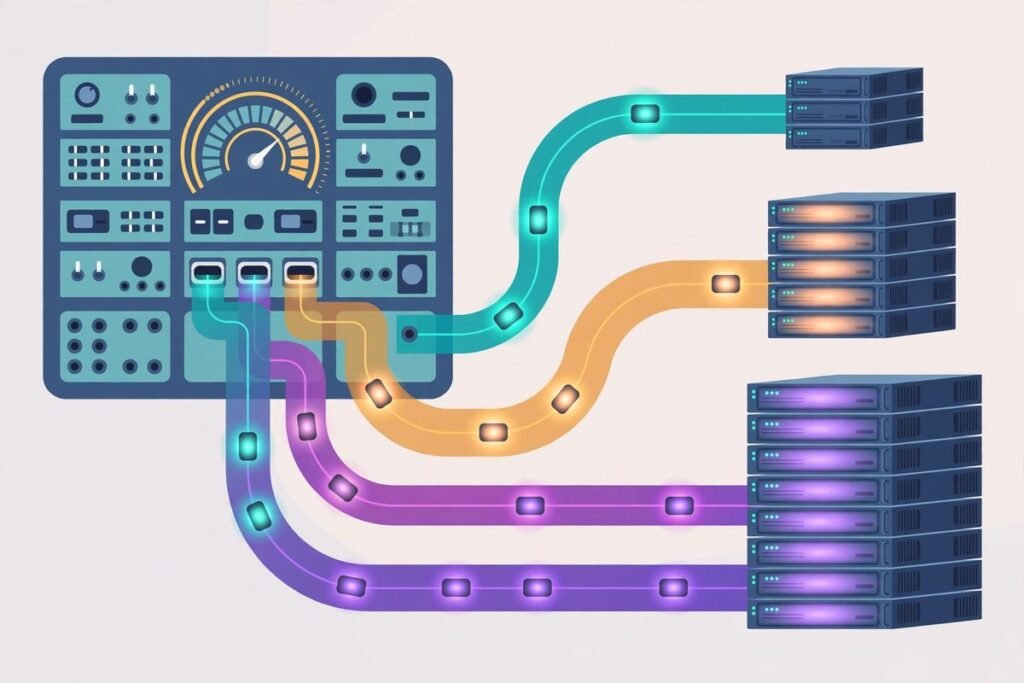
AI model routing for business apps is the discipline of sending each task to the cheapest model that can do it well, instead of sending everything to your most expensive model by default. If your app, chatbot or automation pipeline calls a frontier model for every classification, extraction and short reply, you are paying premium rates for work a small model handles just as reliably. Routing fixes that waste without asking your users to accept worse answers, provided you build the quality checks that make it safe.
Why one model for everything is the expensive default
Most teams do not choose a single-model setup deliberately. They start with the strongest model available because it is the safest way to get a first version working, and then nobody revisits the choice. Every feature inherits the same model, the same price and the same latency, whether the task is sorting a support ticket or drafting a complex contract summary.
The price gap is what makes that default so costly. Public list prices in late 2026 put small-tier input roughly in the range of twenty to sixty cents per million tokens, while frontier-tier output runs around ten to fifteen dollars per million tokens, with premium reasoning models higher still. That is not a rounding difference. On output-heavy work, the expensive tier can cost ten to twenty-five times as much as the cheap tier for the same routine request. When most of your traffic is routine, the bill is decided by the model you chose for the easy work, not the hard work.
How AI model routing for business apps actually works
At its simplest, a router sits between your application and your model providers. Your application declares what it needs, for example the task type, a quality tier and a latency budget, and the router decides which model satisfies that need this month. That indirection is the whole point. Model fleets churn constantly: new checkpoints ship, providers change prices, and endpoints are deprecated. A routing layer lets a platform team swap models under stable product behaviour instead of editing model choice in every feature.
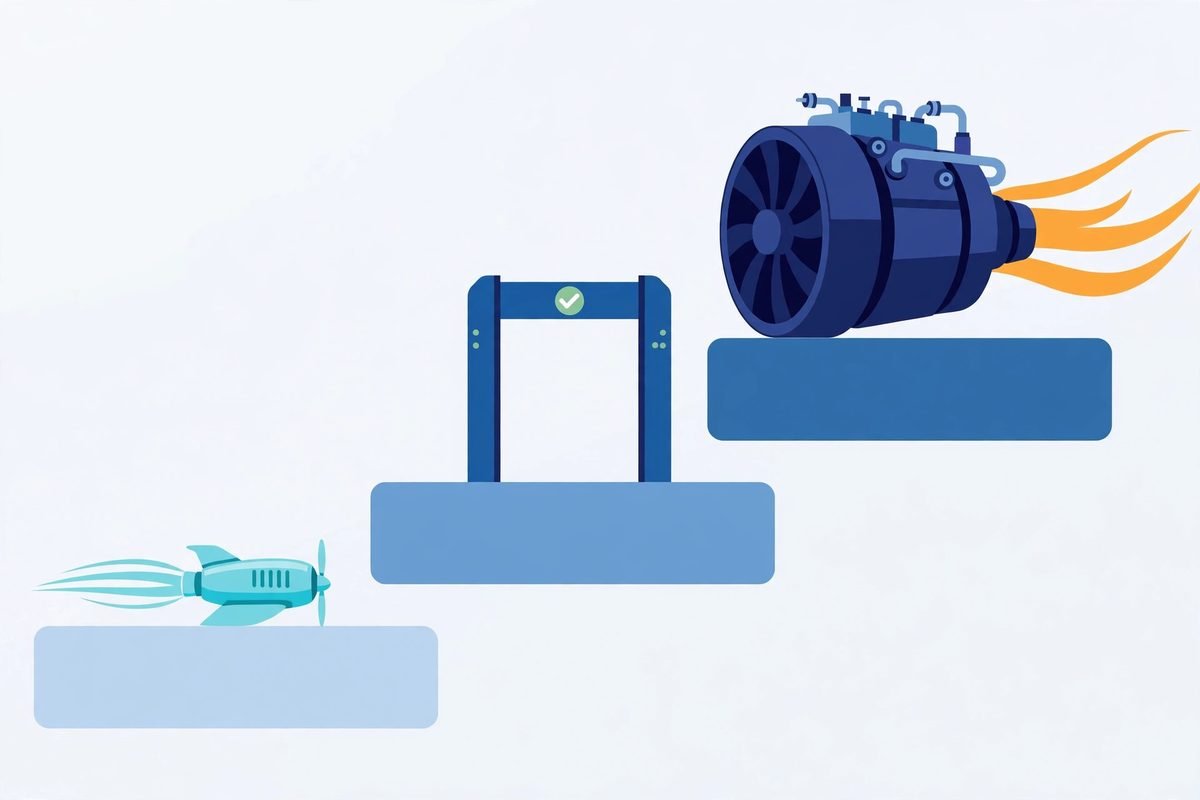
In practice, most production setups settle into three tiers:
- Small tier: classification, extraction, tagging, formatting, routing decisions and short routine replies. This is where the volume lives, and where the savings are won or lost.
- Middle tier: summarisation, translation, moderate reasoning, general writing and multi-step tasks that need judgement but not frontier capability.
- Frontier tier: complex reasoning, long multi-step work, difficult code generation and high-stakes decisions where a wrong answer is expensive.
The three routing patterns teams actually use
1. Static routing by task type
Static routing is a rule table: ticket triage goes to the small tier, document summaries go to the middle tier, contract analysis goes to the frontier tier. It is simple, predictable and easy to audit, and it is the right starting point for most teams. Its weakness is that it cannot adapt when a task turns out harder than its label suggests. A short-looking support message can hide a refund dispute, and a static rule will never notice.
2. Predictive routing by complexity
Predictive routing classifies each request before it runs, using signals such as task type, input length, the presence of structured reasoning markers, or a lightweight classifier score, and sends it straight to the predicted tier. It avoids a second model call on the common path, so latency stays low. Its risk is misclassification: an easy-looking query sent to a small model can produce a confident wrong answer. Predictive routing therefore needs calibrated confidence, not just a best guess, and a clear escalation path when confidence is low.
3. Cascade routing with a quality gate
Cascade routing sends every request to a cheap model first and only escalates to a stronger model when the first answer fails a quality check, when a verifier flags low confidence, or when the task itself demands escalation. The check might be schema validation, a self-consistency test, a judge model scoring the answer, or unit tests for generated code. Cascades never under-route silently, because everything gets checked, but they pay double latency on escalated traffic. For asynchronous pipelines, where latency is nearly free, cascade freely. For synchronous user-facing requests, cascade only where the latency budget allows.
Research on cascaded serving backs up the intuition. A 2026 cascaded framework study, Cluster, Route, Escalate, combined clustering-based routing with a quality-estimation cascade and retained 97 to 99 percent of the strongest model’s accuracy on its test datasets while reducing time per output token. That is a research result on test data, not a promise for your workload, but it shows why the pattern is taken seriously: the expensive model only sees the hard cases.
A worked example: what routing does to a support inbox
Consider a support assistant handling 100,000 requests a month. In the single-model setup, every request goes to a frontier model. In a routed setup, 80 percent of requests are handled by a small-tier model, 15 percent by a middle-tier model and 5 percent by the frontier tier. Independent guides on multi-model routing strategy report blended savings of 40 to 80 percent for teams that implement this well, and our own arithmetic on the price bands above points the same way: moving four-fifths of traffic from a tier costing an order of magnitude more to a tier costing a fraction of it cuts the blended bill roughly in half before any other optimisation.
That example is illustrative, not a quote for your product. Your actual saving depends on four things: the share of traffic that is genuinely routine, the token length of your prompts and answers, your escalation rate, and how much retry and judge-model work the cascade adds. A team that routes 80 percent of traffic but escalates half of it back to the frontier model has not saved 80 percent of anything. Measure the blended cost per resolved request, not the headline price of the cheapest model, and compare it with the same metric before routing.
From our experience: the failure modes that actually bite
Over nine years and more than 300 projects, we have seen the same routing mistakes repeat across teams that are otherwise careful engineers. None of them are exotic. All of them are avoidable if you watch the right metric.
Escalation rate is your routing health metric. Track it per feature, not globally. A feature with a 90 percent escalation rate does not have a bad cheap model; it has wrong routing signals for that task type. Either the task is harder than labelled, the quality gate is too strict, or the small model was never a fit. Fix the signal before you blame the model.
Silent under-routing is worse than over-routing. Over-routing wastes money in a straight line: an easy query sent to a big model costs extra and nothing else. Under-routing produces a wrong answer, a frustrated user or a silent hallucination, and those costs are non-linear and reputational. If you must err, err towards the stronger model on anything involving money, refunds, account changes, legal wording or safety advice, and keep a human review step in place.
When NOT to route
Routing is not always worth building. If your total AI spend is small, the engineering time will cost more than the saving. If your traffic is uniformly hard, for example every request is a long reasoning task, there is no cheap tier to route to. If your latency budget is extremely tight and every millisecond counts, a cascade’s second hop may be unacceptable. And if your team cannot yet measure answer quality per feature, do not route: you would be optimising a number you cannot verify. In each of these cases, a single well-chosen middle-tier model, reviewed quarterly, beats a routing layer nobody maintains.
Getting started in five steps
- Measure the baseline. For one month, or one representative week at minimum, record cost per request, tokens per request, latency and a quality sample per feature. Without this, every later claim about savings is guesswork.
- Classify your traffic honestly. Sample real requests and label them by task type and by the cost of being wrong. You will usually find that 60 to 80 percent of traffic is routine, which is higher than most teams expect until they measure it.
- Start static, on one low-risk feature. Pick ticket triage, internal summarisation or another feature where a wrong answer is cheap and visible. Route it by task type, keep the frontier model as the fallback, and run it for two weeks.
- Add a quality gate before you add prediction. Schema validation, confidence thresholds and a small evaluation set catch more problems than a clever classifier. Only add predictive routing once the gate is proven.
- Review monthly. Re-run the evaluation set, check escalation rates per feature, reprice the tiers against current provider prices, and retire any route that no longer earns its complexity.
Frequently asked questions
How much can AI model routing for business apps actually save?
Published guides report 40 to 80 percent, and our worked example lands in the same range when most traffic is routine. Treat that as a plausible band, not a guarantee. Your saving is decided by your traffic mix, your escalation rate and your token lengths, so run a two-week pilot on one feature and measure blended cost per resolved request before forecasting anything company-wide.
Does routing make answers worse?
It should not, if the quality floor is enforced. A cascade with a real quality gate checks every cheap answer and escalates failures, so routine requests keep their quality and hard requests still reach the strong model. Routing without a gate, or with a gate nobody monitors, will degrade quality silently. The gate is not optional decoration; it is the mechanism that makes routing safe.
Should a small business build its own router?
Usually not at first. Start with static routing in your own code or in an existing gateway, which is a rule table rather than a product. Build or buy a dedicated routing layer only when you have several features, several providers and a monthly bill large enough that a 30 percent saving pays for the maintenance. For many small teams, a quarterly model review beats a router nobody owns.
What about data privacy when routing across providers?
Each provider in the route receives your prompt content, so each one needs a data-processing agreement and a retention policy you accept. Keep sensitive task types on approved providers, avoid routing personal or regulated data to a new cheap provider just because the price is attractive, and document which tier handles which data type before you go live.
How do I know my routing signals are wrong?
Watch escalation rate per feature and quality scores per tier. A rising escalation rate, a quality gap between routed and unrouted traffic, or a tier that never gets used are all signals that the classification is wrong. Re-label a fresh sample of real requests, adjust the signals, and re-run the evaluation set. Routing policy is a living configuration, not a one-time decision.
AI model routing for business apps rewards the teams that treat it as engineering, not as a pricing trick. Start with measurement, route one low-risk feature, enforce a quality floor, and let the savings prove themselves before you expand. If you would like help designing a routing layer for your own product, our AI integration and automation team builds these systems for clients, and you can explore our broader custom software development work or talk to us about your use case. You can also browse the AI Tools Directory for tools that fit a routed setup.