

The SKI voice-first coding harness is a free desktop app that gives your AI coding agent a voice in both directions: you talk instead of typing, and the agent talks back when it finishes a task or needs a decision. Our verdict up front: if you already live in Claude Code, Codex or Cursor all day, SKI is worth a free trial, because it removes the type, wait and check loop that quietly eats a developer’s attention. If you only dip into an agent occasionally, or you work in a shared office without headphones, it will not change your week. This review covers what SKI does, what it costs, where it fits beside built-in voice features, and the limits the makers state themselves.
SKI comes from the team behind the heyski.io app, and it relaunched on Product Hunt on 31 October 2026 as a voice-first coding harness. It first reached number one Product of the Day at its July 2026 launch, and the October relaunch adds realtime multilingual voice. That relaunch claim matters for teams outside English-speaking markets, and we flag below what is announced versus what the earlier, longer-running version documented.
What the SKI Voice-First Coding Harness Actually Does
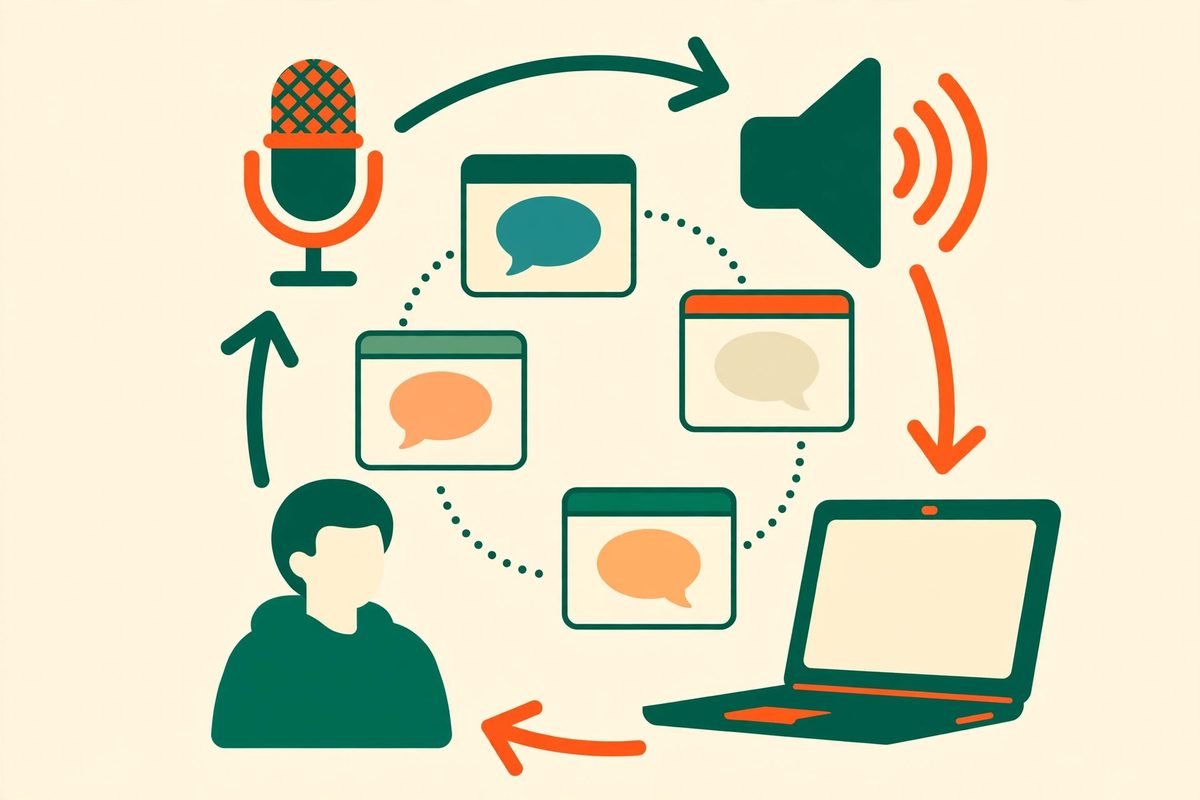
Most voice tools for developers are one-way dictation: you speak, text appears, and you are still the one watching the terminal. SKI is built around the other half of the loop. You hold a key, say what you want, and SKI transcribes it locally and hands it to the agent exactly as if you had typed it. When the agent finishes, or when it hits a decision point, it speaks up, for example to say tests pass and ask whether to commit. You can answer by voice without walking back to the terminal.
That distinction sounds small until you run several agents at once. The makers describe the real tax as context switching: one agent on a repository, another on an API server, and a developer tabbing between terminals to check whether either has finished. A spoken interruption changes that pattern. You can be reading documentation, reviewing a pull request or making coffee, and still hear that a job is done or blocked. Full-duplex barge-in means you can interrupt SKI mid-sentence on open speakers and it will still hear you, rather than making you wait out a long spoken reply.

Which Agents and Machines It Works With
SKI is the voice channel, not the model. Whatever you say still goes to the reasoning of the agent you are already using, exactly as it would if you had typed it. That is an important framing, because SKI does not replace your Claude Code, Codex or Cursor subscription, and it does not change which model answers. It changes how the prompt gets in and how the answer gets back to you.
- Claude Code, Codex, Cursor, Gemini CLI and Windsurf, plus roughly a dozen more agents through a shared skill file rather than a separate integration per tool.
- Multiple projects at once, each with its own agent and its own voice, so you can tell by sound which project is talking to you.
- A small desktop widget: a floating pill, or on a MacBook a notch bar docked under the camera housing.
- Mac on Apple Silicon running macOS 14.4 or later, and Windows on x64. There is no Linux build yet and no Intel Mac build.
The October 2026 relaunch announcement describes realtime multilingual voice, with support for more than 85 languages and more than 28 voices, so you can speak in the language you are comfortable in and hear the agent reply in the same language. Treat that as the current announced position: the makers’ earlier, detailed write-ups described the original version as English only, with more languages planned. If multilingual support is the reason you would adopt SKI, test it in your language on a real project before rolling it out to a team.
How SKI Works, Step by Step
Setup is deliberately short, and that is part of the appeal. There is no new IDE to learn and no workflow to rebuild around a different editor.
- Download it. Get the build for your machine from the official SKI site, heyski.io, for Mac (Apple Silicon) or Windows.
- Run onboarding. Pick a widget style, choose a speech model, and install SKI’s skill into your coding agents in one click. That skill install is what lets an agent understand voice input and know it can speak a reply.
- Connect a project. Open your normal agent session inside your project folder and type ski once. The agent connects itself, and the widget shows the project name with a green dot.
- Talk. Hold the fn or Globe key, or click the widget, say what you want, and let go. SKI transcribes locally and passes the text to the agent.
- Listen for the answer. When the agent finishes or needs a decision, it speaks. Reply by voice, or step in with the keyboard when precision matters.
- Mute properly. Mute with the fn or Globe key, a hotkey, or the widget’s own mute button. The makers note that muting actually releases the microphone at operating-system level, so the macOS orange indicator turns off.
Two smaller features deserve mention because they affect daily use. Screenshot-to-agent lets a hotkey grab the screen and attach it to your next spoken request, which is genuinely useful when the bug is visible but hard to describe. Approve-before-send is an optional per-project setting if you would rather review the transcript before the agent sees it, which is the right default for sensitive repositories or for developers still learning to trust voice transcription.
Pricing: Free Core, Paid Meeting Add-On
The core voice loop is free for life, with no card and no word or time caps, according to the makers. That is the whole product for most developers: speak to the agent, hear it answer, run several projects, and use the local meeting recorder. There is no paid tier for the basic loop in the sources we checked, which makes the trial cost effectively zero beyond the time to install it.
The one paid piece is AgentCall, a separate product. It sends your agent into a live Zoom, Meet or Teams call as a speaking participant or a silent notetaker. Running a bot in a live cloud call costs real infrastructure, so meeting participation has a free usage allowance and metered credits beyond that. We could not verify a flat published price for AgentCall from the sources checked, so do not budget from a guessed figure: check the current AgentCall terms before promising it to a client. The local meeting recorder is different and stays free and unlimited: it records microphone and system audio from any meeting app, produces an on-device, speaker-tagged transcript, and lets your agent turn it into notes and action items without a bot joining the call.
For a business, the honest cost picture is therefore not the SKI price, which is zero for the core, but the agent subscriptions underneath it. SKI does not reduce your Claude, OpenAI or Cursor bill. It may reduce wasted attention, but it will not reduce token usage, and spoken prompts tend to be longer and less precise than typed ones, which can push token use up if you are not disciplined about scope.
Privacy: What Stays on Your Machine, and What Does Not
Privacy is SKI’s strongest selling point, and also the claim to read most carefully. Speech-to-text and text-to-speech both run locally on your machine. Nothing about your voice or your code is uploaded as part of the voice loop, and it works offline. The things that do touch the network are the ones you would expect: signing in, checking for updates, AgentCall’s meeting bot when you use it, and optional anonymous analytics covering feature counts only, which can be opted out of during onboarding. Audio, code and transcript content are not part of that analytics data.
There are two limits to that picture. First, what you say to the agent still goes to that agent’s own large language model, under that provider’s terms, exactly as a typed prompt would. SKI being local does not make your Claude Code or Codex session local. Second, SKI is free but closed source. Its binaries are published on GitHub for distribution, which is not the same thing as open source, and teams with strict supply-chain policies should note that distinction before approving it. For most agencies, the practical conclusion is reassuring: voice audio itself is not shipped to a third-party server, but code and prompts still follow your existing agent provider’s data terms.

Who SKI Is For, and Who Should Skip It
SKI fits developers who already run an agent for hours a day, juggle more than one project, or work away from the keyboard while long agent jobs run. It also fits accessibility needs: a developer who finds long typing sessions painful, or who thinks faster out loud than through a keyboard, gets a real benefit from speaking prompts and hearing results. Solo founders and small teams get the same benefit without a procurement conversation, because the core is free.
Skip it, or at least delay it, if you work in an open-plan office without headphones, if your machine is an Intel Mac or a Linux workstation, or if you need general dictation into arbitrary apps. SKI is built for the agent loop, not for dictating emails, documents or chat messages. It also will not help a developer who has not yet settled on an agent workflow: voice amplifies a workflow you already use, it does not create one.
How SKI Compares to the Alternatives
The closest free alternative is Claude Code’s own built-in voice command, which records a prompt and sends audio for transcription. If you only use Claude Code, that may be all you need, and it costs nothing extra. SKI earns its place when you work across several agents, want the agent to speak its reply unprompted, or want speech processing to stay on your machine. General dictation tools such as Wispr Flow work across every app, which SKI deliberately does not, and they typically stream audio to remote servers, which is the opposite privacy trade-off. Tools in the same two-way category, such as Heard for narrating several agents at once, compete on multi-agent handling rather than on the single-agent loop. The right question is not which tool is best in general, but which half of the problem you have: dictation everywhere, or a voice conversation with the agents you already run.
From Our Experience: Where Voice Coding Helps, and Where It Hurts
Having built software for clients for over nine years across more than 300 projects, we have learned that developer tools succeed when they remove a waiting loop, and fail when they remove precision. Voice is excellent for the first kind of work and risky for the second. Use voice to kick off a well-understood task, to ask for a status check, to approve a commit, or to talk through a design decision while you look at the result rather than the terminal. Use the keyboard for exact file names, precise API signatures, long specifications, and anything where a misheard word changes behaviour. A spoken prompt that says the wrong table name or the wrong endpoint will produce confident, wrong code just as fast as a typed one.
Two practical rules make voice coding work on a real team. First, keep an approval gate: review the transcript or the diff before anything ships, especially on client code, and use SKI’s approve-before-send setting while the team is learning the tool. Second, keep spoken prompts short and scoped to one task. The developers who struggle with voice tools are usually not struggling with transcription accuracy; they are dictating a paragraph that contains three tasks, two caveats and a question, and then wondering why the agent picked the wrong one. Say one task, hear the result, then say the next. That discipline matters more than which microphone you buy.
There is also a team-culture point worth stating plainly. Spoken replies in a shared room are disruptive, and a developer narrating agent conversations all day will annoy colleagues faster than any tool benefit can repay. If your team adopts SKI, agree on headphone use, on muting by default, and on when a spoken interruption is welcome. The tool’s proper mute behaviour helps, but it does not replace that agreement.
Frequently Asked Questions
Is the SKI voice-first coding harness really free?
Yes, for the core voice loop. The makers state it is free for life with no card and no word or time caps. The only paid piece is AgentCall, which sends your agent into a live meeting as a participant or notetaker and uses metered credits beyond a free allowance. Your underlying Claude Code, Codex or Cursor subscription is still billed separately.
Does SKI send my voice or code to a server?
Speech-to-text and text-to-speech run locally, and the voice loop works offline. Signing in, update checks, AgentCall’s meeting bot and optional anonymous feature-count analytics do touch the network, but not your audio, code or transcripts. Your prompt still goes to your agent provider’s model, under that provider’s terms.
Which coding agents work with SKI?
Claude Code, Codex, Cursor, Gemini CLI and Windsurf, plus roughly a dozen more through a shared skill file. SKI is the voice channel, not the model, so it works with the agents you already pay for rather than replacing them.
Does SKI work on Linux or Intel Macs?
Not yet. SKI supports Mac on Apple Silicon running macOS 14.4 or later, and Windows on x64. There is no Linux build and no Intel Mac build at the time of writing, and the makers have not promised a date for Linux.
Is SKI open source?
No. SKI is free but closed source. Its binaries are published on GitHub for distribution, which is not the same as an open-source licence. Teams with strict supply-chain approval processes should treat it as a free closed-source desktop app, not as open-source software.
If your team is weighing voice coding, agent workflows or an AI integration that actually fits how your developers work, that is the kind of decision we help clients make every week. Browse more tools in our AI Tools Directory, or talk to us about building an agent workflow around your existing stack. The best tool is rarely the newest one; it is the one your team will still be using in three months, with its limits understood and its approval gates in place.