
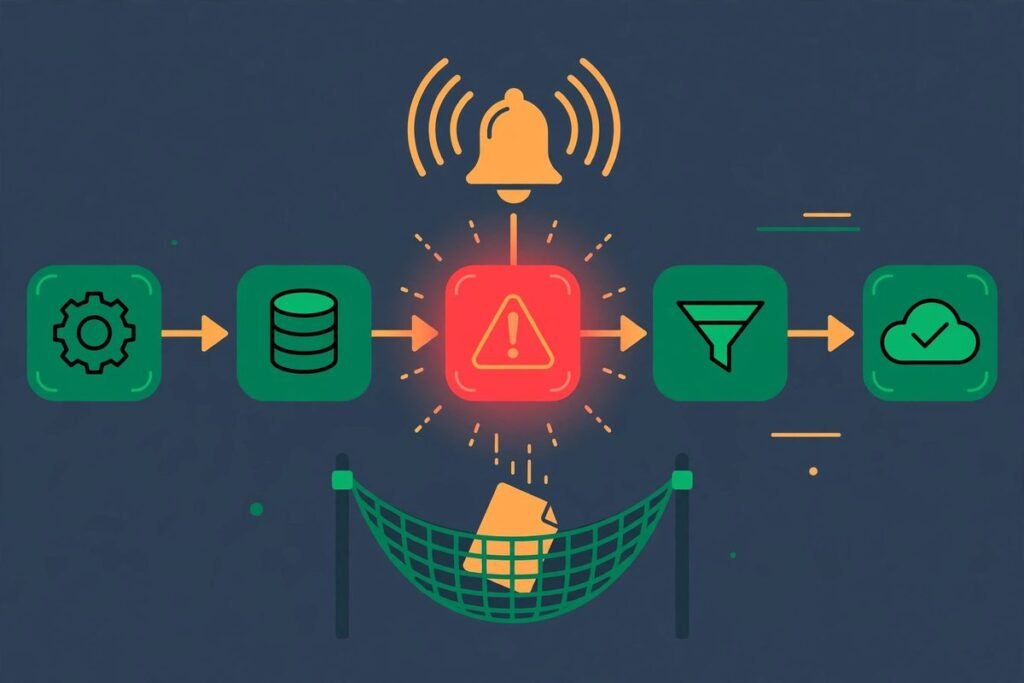
AI workflow error handling automation is the difference between a demo that impresses in a meeting and a system you can trust at 3 a.m. Most teams build the happy path first: a form comes in, a model classifies it, a CRM record appears, a Slack message goes out. It works beautifully — until an API times out, a model returns malformed JSON, or a rate limit quietly swallows a batch of leads. Nobody notices for nine days. That failure mode costs real money, and it is entirely preventable. This guide covers the four layers that make an AI workflow production-ready: retries with backoff, dead-letter queues, idempotency, and alerts that actually reach a human.
If you run automations that touch customers, money, or data your team relies on, this article is for you. By the end you will know how to classify every failure your workflows can hit, retry only the failures worth retrying, and set up alerting that pages a person instead of filling a log nobody reads. Everything here reflects patterns we use in production n8n workflow automation builds for clients, and the same principles apply whether your stack is n8n, Make, Zapier, or custom code.
AI workflow error handling automation: the failure modes that actually bite
AI workflows fail differently from ordinary software, and the first step is naming the failures honestly. Traditional automation inherits the usual infrastructure problems: network timeouts, service outages, and database connection failures. AI workflows add a second layer on top, and it is the second layer that catches teams out.
An LLM call can succeed in 200 milliseconds, time out after 60 seconds, return an empty response, or return a response that is technically valid but contextually wrong. A model asked for JSON may return Markdown; asked to summarise a document, it may invent a customer name that never existed. The most dangerous failure of all is partial: the workflow completes, every step reports success, and the result is wrong.
Then there is the cascade problem. AI workflows chain operations: the output of one agent feeds the next. An error early in the chain — a misclassified lead, a hallucinated figure, a truncated document — propagates and compounds, so the final result can be completely wrong even though no individual step failed. It is worth remembering that 84% of organisations lose at least $10,000 per outage incident, according to CockroachDB’s State of Resilience 2025 report. Silent automation failures are outages by another name.
Retries done right: backoff, ceilings, and what never to retry
Retries are the first line of defence, and most teams get them half right. The rule is simple: retry only failures that are both temporary and safe to repeat. A rate limit, a timeout, a brief 503 — these clear in seconds, and a retry recovers without any human involvement. A validation error, a missing field, a 401, or a 404 will fail the same way every time. Retrying those wastes executions, burns API quota, and can trigger account lockouts. Never retry a 4xx error except a 429.
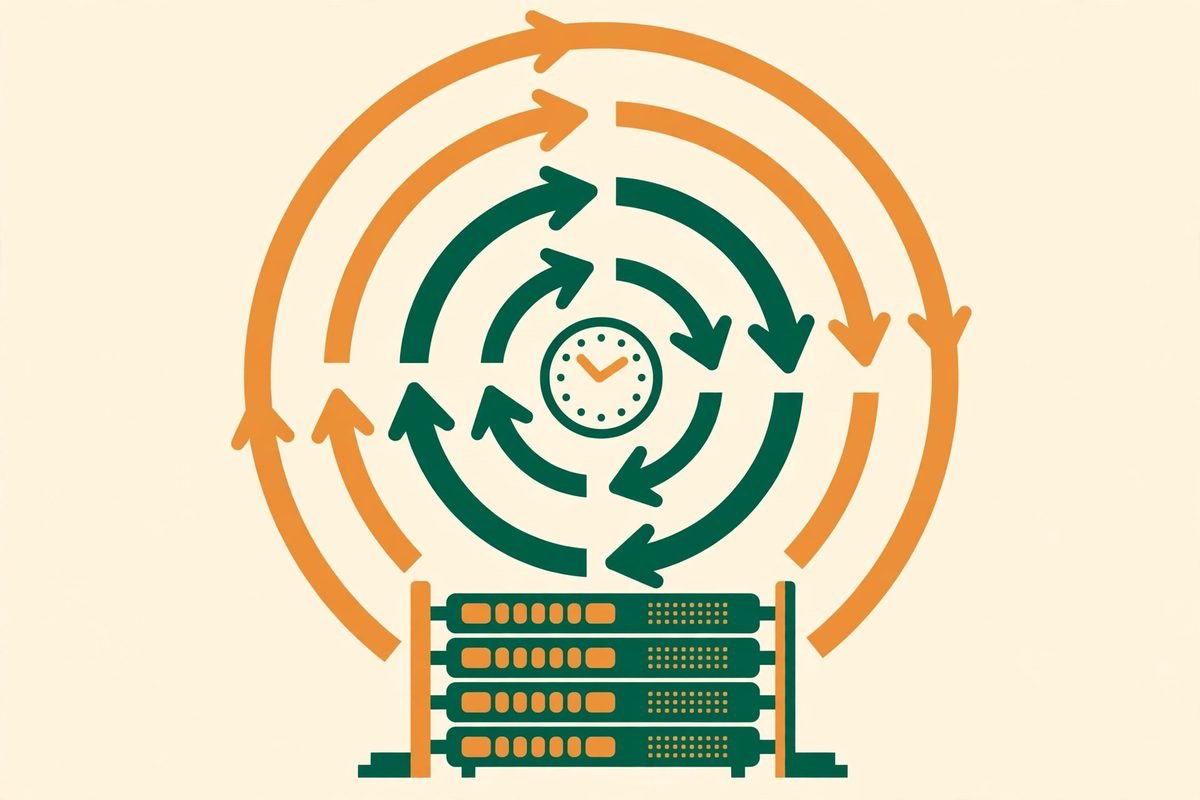
How you retry matters as much as whether you retry. Immediate retries are the naive fix: redialling a busy number every half second. Exponential backoff is the polite approach — wait 1 second, then 2, then 4, then 8, then 16 — giving the upstream service room to recover. Add jitter, a small random delay on top of each wait, so dozens of workflows failing at once do not all retry in the same second and hammer a recovering service back into the ground. That synchronised retry storm is a real cause of secondary outages.
In n8n, the built-in Retry on Fail setting covers the common case: set max tries to 3 and a wait of around 5 seconds for most APIs, and raise it to 5 tries for services known to rate-limit aggressively. The defaults are too tame for production — Stripe, for example, wants at least a 60-second wait after a 429. The important discipline is a ceiling: retries stop at a fixed number. Retrying forever is its own outage.
Every node that calls something external deserves a deliberate error path. In n8n, the node settings offer three behaviours: stop the workflow (the default), continue past the error, or continue using the error output — a second output branch that failed items flow down while successful items continue normally. That error branch is the powerful option: route it to a logger, an alert, a dead-letter store, or a fallback value. The discipline is that failure is handled by design on every external call, not left to chance. A useful reference is this power-user guide to n8n error handling and retries at scale.
The dead-letter queue: where failed items go to wait
Some failures should never be retried, and some exhaust their retry budget anyway. When that happens, the record must not disappear. It goes to a dead-letter queue (DLQ): a simple table, queue, or sheet that stores the raw payload, the error message, the workflow and node that failed, and a timestamp. The main workflow never stops because of one bad record; it captures the failure and keeps processing the good items.
A practical DLQ schema in Postgres is simple: an id, a timestamp, the workflow name, the failed item as JSON, the error text, a retry count, and a status column defaulting to open. A Google Sheet or an Airtable base works just as well for lower volumes. Tag each entry with a replay key so you can re-run that exact item later without re-running the whole batch.
The DLQ also gives you something no log file does: a countable measure of whether your system works. A dead-letter table tells you how many items failed this week, which workflow they came from, and whether the count is rising. In n8n, the cleanest way to populate it is a dedicated error workflow attached through the Error Trigger node: when any execution fails after exhausting its retries, the error workflow writes the failed payload to the DLQ and then raises the alert.

Idempotency: the rule that stops retries from doing damage twice
Retries have a dark side, and it is the one teams discover in production at the worst possible moment. If a webhook can be retried, it will be delivered twice. A timeout does not prove that a remote write failed — the request may have succeeded and only the response was lost — so replaying it can create a duplicate charge, a duplicate CRM record, or a duplicate message to a customer. The fix is idempotency, covered next.
The fix is idempotency: design every write so that doing it twice has the same effect as doing it once. Three habits make it work. First, retry only idempotent operations by default — retrying a GET is safe, retrying a node that creates a record or sends a message is not. Second, attach an idempotency key to every write: a stable key derived from the source record that the receiving system uses to deduplicate. Third, check before you act on replay: when a DLQ item is reprocessed, verify whether the downstream record already exists. A timeout on a payment call is not a green light to retry blindly — check the provider’s records first, then decide.
Alerts that actually wake someone
An error log nobody reads is a diary, not an alert. The most common alerting mistake we see in client automations is alerting on every event: a workflow that fails 200 times in a minute sends 200 messages, and within a week the team has muted the channel. Alert fatigue is how silent failures happen.
Alert on a rate, not an event. One failure at 3 a.m. is noise. Five failures in ten minutes is a page. A grouped alert — “workflow X failed 47 times in the last hour, first error: CRM returned 429” — is actionable; 47 identical messages are not. Rate-limit the alerts themselves, and include the context that lets someone investigate: workflow name, failed node, error text, and a direct link to the execution.
Split failures into classes inside the error workflow. Transient failures — 429s, 503s, connection resets — should have been caught by node-level retry, so if one reaches the error workflow it means the upstream is genuinely down. Permanent failures — bad data, missing fields, validation errors — need a different message: the data is wrong and a human has to fix it. And do not forget the alert most teams never build: the heartbeat. If a workflow that normally runs every five minutes produces zero executions in an hour, that is a silent death, and it deserves a message just as urgently as a failure. A small dashboard — executions, success rate, dead letters, last run — is what lets a client see, on a Tuesday morning without asking anyone, that their automation worked.
From our experience: the pre-launch checklist we run on every workflow
- Every network-facing node has Retry on Fail enabled, with backoff tuned to that API — not the platform default, and never an unlimited retry.
- Write nodes carry an idempotency key derived from a stable source id, so a retried or replayed item can never create a duplicate.
- An Error Trigger workflow is wired up and writes to a dead-letter table with payload, error, workflow, node, and timestamp — before it sends any alert.
- Alerts are rate-based and grouped, with a named owner who receives them, and a heartbeat alert fires when a scheduled workflow goes quiet.
- The failure path is tested deliberately. We break it on purpose: point a workflow at a dead endpoint, feed it malformed data, and confirm the retry, the DLQ write, and the alert all fire as designed. A failure path you have never triggered is a guess, not a safeguard.
- AI steps get output validation. Where a model must return JSON, we validate the shape before the next step runs, and route format violations to the DLQ instead of letting bad data cascade downstream.
Two honest limitations are worth stating. First, no error-handling pattern fixes a workflow whose design is wrong: if a process needs a human judgement call, automate around the decision, not through it — put an approval gate where the risk is. Second, error handling is not free: retries, DLQ storage, and monitoring add execution costs. The checklist above is for workflows that touch customers, money, or data other people rely on. For those, the safety net costs far less than a silent failure. If you want help applying this to your own stack, our AI integration and automation services cover exactly this kind of production hardening — and you can talk to us about the workflows you already run.
Frequently asked questions
What is AI workflow error handling automation?
It is the set of patterns — retries with backoff, dead-letter queues, idempotency keys, and rate-based alerting — that lets an AI workflow survive API failures, bad model output, and rate limits without losing data or failing silently.
How many times should an AI workflow retry a failed step?
Three attempts with exponential backoff is a sound default, rising to five for services known to rate-limit aggressively. Always set a ceiling, and only retry transient errors such as 429s, 503s, and timeouts — never validation errors or 401s and 404s.
What is a dead-letter queue in n8n?
A dead-letter queue is a store — a Postgres table, Google Sheet, or Airtable base — where items that exhausted their retries are written with their payload, the error, and a timestamp, so a separate workflow can reprocess them later using a replay key.
Why do AI workflows need different error handling from normal automation?
Because LLM calls fail in ways ordinary API calls do not: malformed output, hallucinations, context overflow, and partial failures where the workflow completes but the result is wrong. These need output validation on top of the usual retry and timeout patterns.
How do I stop alert fatigue from automation failures?
Alert on a rate, not an event: page a human when failures cross a threshold, such as five in ten minutes, and send one grouped alert instead of one message per failure. Add a heartbeat alert for workflows that go quiet.
AI workflow error handling automation is not glamorous work. Nobody applauds a retry policy. But trust in automation is not built by the automation working — it is built by the client being able to see that it worked, and by the system surviving the night it did not. Build the safety net first, test it by breaking things on purpose, and your workflows will keep earning that trust at 3 a.m., exactly when nobody is watching. That is the whole job.