
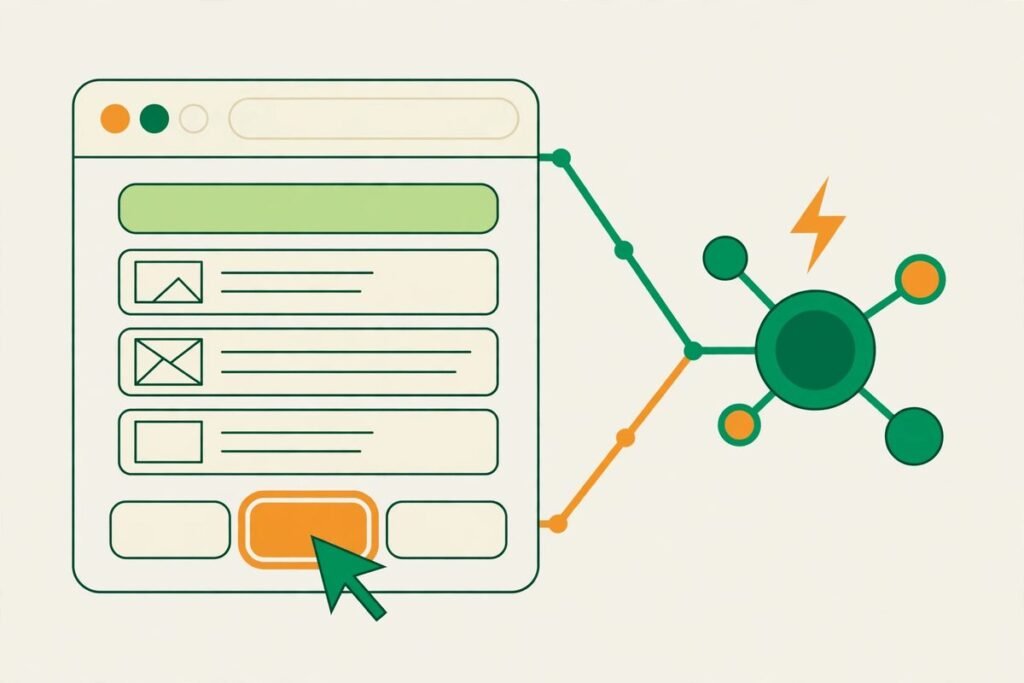
A fastbrowse open source browser agent is a different kind of browser automation: instead of showing a model screenshots and asking it to invent the next click, it reads the buttons, links and fields already on the page and lets a small choice model pick one of them. That one design decision is why its makers can claim such low costs, and why it is worth a serious look from any team that pays for browser agents by the token. In this review, you will learn what fastbrowse does, how its pick-instead-of-generate approach works, what its published benchmarks actually prove, what it costs to run, and where its limits sit today.
What fastbrowse does
Fastbrowse is an open-source browser agent, launched on Product Hunt on 28 October 2026 and published under the MIT licence, with its code, benchmark harness and raw results on GitHub. You give it a task in plain language, such as finding the title of the top story on a news site, and it drives a real Chrome browser to complete it. It can read pages and return answers with citations, sign in to sites, and work through multi-step flows such as a sign-in followed by an add-to-cart on a demo shop. It is also available as a Python package on PyPI, so you can try it without cloning a repository first.
The practical pitch is aimed at teams that already feel browser-agent bills. Screenshot agents send a large image to a model at every step, which is slow and expensive, and they can hallucinate a button that was never on the page. Fastbrowse avoids both problems by working from page structure, which should mean lower cost per task and fewer mysterious failures.
How the fastbrowse open source browser agent picks instead of generating
Most browser agents generate each action from a screenshot. Fastbrowse indexes the page into a list of candidates — every button, link and field it can see — and hands that list to a System One model, such as Jev, which picks the next step from the list. Because the model can only choose something that actually exists on the page, it cannot click a control that was never there. If the choice model is unsure, fastbrowse falls back to a standard language model to get the step right, with the makers naming cheap options such as Gemini Flash Lite or DeepSeek in their launch discussion.
Three supporting design choices matter as much as the picker. First, every claim in an answer cites a verbatim quote from the page, so you can check what the agent saw rather than trusting a paraphrase. Second, sign-in is handled so the model is not shown the password — code owns verification, safety and secrets. Third, the agent stops before anything irreversible, the kind of guardrail that separates a demo from something you would let near a real account.
The benchmarks: impressive, but read them like a buyer
Fastbrowse’s makers published two sets of numbers, and both deserve a careful reading. On a sign-in and add-to-cart task on a demo shop, run three times each, fastbrowse took 25.7 seconds at 0.020 dollars per run, against Browser Use at 42.2 seconds and 0.045 dollars per run, with both succeeding every time. On a wider 46-task benchmark against Browser Use’s hosted agent running Claude Opus, the makers report a median task cost of 0.026 dollars for fastbrowse against 0.284 dollars for the hosted agent, with fastbrowse passing 99.2 percent of tasks — 137 of 138 runs, against 133 for the comparison agent.
The PyPI documentation tells a consistent but slightly different story on a smaller answer-task suite: 14 tasks covering lookups, sign-ins, checkout and Google Flights, three passes each, on the same cloud browser with the same limits of 30 steps, 0.25 dollars and 300 seconds. There, fastbrowse passed 40 of 42 runs at a median of 17.0 seconds and 0.011 dollars, while every one of Browser Use’s 28 failures ran past the cost cap. A later single pass on the current main branch is reported as passing all 21 tasks at a 21.5-second median and 0.013 dollars. The direction is consistent across all of these: roughly an order of magnitude cheaper per task, with speed roughly halved.
The honest caveat is that these are the makers’ own benchmarks, run on their own task suite, against a hosted service running a premium model. That does not make the numbers false, but do not budget on them until you have run your own ten tasks through fastbrowse and your current tool. Benchmarks are a reason to trial a tool, not to migrate to it.
Pricing: free software, metered model costs
Fastbrowse itself costs nothing: it is MIT-licensed open source, listed on Product Hunt at zero dollars, and installable from PyPI. What you pay for is the model usage behind each run — the choice model, plus any fallback language model calls — through a provider such as AI Gateway or OpenRouter. That is exactly why the per-task figures above matter more than a subscription price: there is no seat fee to hide behind, so the unit economics are transparent. A task that costs two cents instead of twenty-eight cents changes what you can afford to automate, especially for high-volume jobs such as price checks, lead research or content monitoring.
Budget honestly, though. Published medians cover short, well-behaved tasks; long tasks, heavy dynamic pages or frequent fallback will cost more. Run a representative batch of your own tasks and compare median and worst case before migrating.
Who fastbrowse is for
Fastbrowse fits teams that already run browser automation and feel the cost. That includes agencies scraping or monitoring client sites, operations teams automating supplier portals and dashboards, and product teams building agent features where every cent per task flows straight into margins. It also fits developers who want an agent they can inspect: open code, a published harness and cited answers make debugging far less of a guessing game than a black-box hosted agent.
It is a weaker fit, today, for non-technical teams that want a polished product. You need uv, Chrome (unless you use the cloud option), and a model-gateway API key. If your team cannot run a command-line tool, a hosted browser agent with support will serve you better, even at a higher per-task price. The tool’s own documentation is blunt: the project is highly experimental and not yet recommended for production use.
Watch-outs and honest limitations
The experimental warning is the first limitation to take seriously. Fastbrowse is new — its Product Hunt launch was in late October 2026 — and early open-source agents change quickly, sometimes breaking existing setups. Do not build a revenue-critical workflow on it without pinning a version and keeping a fallback. The second limitation is the fallback itself: when the choice model is unsure, a full language model steps in, and that is where costs and unpredictability creep back. A task suite that constantly triggers fallback will not show the headline savings.
Third, picking from page elements works best on pages with clean, reachable controls. Heavily scripted interfaces, canvas-rendered apps and aggressive bot defences will still cause failures, just different ones from screenshot agents. Fourth, sign-in automation always carries account risk: some sites forbid automated access in their terms, and an agent that logs in as you can trigger security challenges or account flags. Test on demo or low-stakes accounts first, keep humans in the loop for anything involving money, and never hand an experimental agent credentials you cannot rotate.
How it compares to the alternatives
Against Browser Use, the best-known open-source browser agent, fastbrowse’s argument is cost and reliability on ordinary tasks: picking real controls instead of generating actions from screenshots removes an entire class of invented-selector failures, and the choice model is far cheaper than a frontier model at every step. Against jev-ultrafast, the navigation agent whose core technique fastbrowse shares, the difference is scope: fastbrowse adds cited answers, credential-safe sign-in and irreversible-action guards, turning a fast navigator into something closer to a complete task agent. Our earlier deep-dive on jev-ultrafast covers that navigation layer in detail.
Against hosted, closed agents, the trade is control against convenience: support and a dashboard against source code and far lower per-task costs, with you owning setup and breakage. For a team with engineering capacity, that trade is usually worth it; without it, it is not.
From our experience: where the savings are real
Having built browser automation and AI workflows for clients over 9+ years and 300+ projects, the pattern we see repeatedly is that browser-agent cost is rarely the headline model price — it is the retry loop. A screenshot agent that misreads a page burns tokens on recovery steps, and those steps are where budgets die. An architecture that cannot invent a control should, in principle, fail less often and fail more visibly, and that is the most believable part of fastbrowse’s story. Cited answers help for the same reason: when an agent returns a figure, you want the quote it came from, not a confident paraphrase.
The mistake to avoid is treating a cheaper agent as a cheaper project. Choosing tasks, handling logins and edge cases, monitoring failures and keeping human approval before irreversible actions cost the same whatever agent you pick. Fastbrowse lowers the metered cost; it does not remove the design work.
Getting started
- Install uv and make sure Chrome is available, or plan to use the cloud browser option.
- Get an API key from a supported gateway such as AI Gateway or OpenRouter and export it in your shell.
- Try a read-only task first with uvx, for example asking for the top story on a news site, and check the citations in the answer.
- Next, try a sign-in and form task on a demo or low-stakes account, and confirm the agent stops before any irreversible step.
- Run ten of your own real tasks, record median cost, worst-case cost and pass rate, and compare them with your current tool before migrating anything.
If you want help turning a tool like this into a reliable workflow — or deciding whether browser automation is even the right answer for your process — our team builds AI integration and automation systems for businesses, and you can browse more tools in our AI Tools Directory. For a scoped conversation, contact us with the task you want automated and the volume you expect.
Frequently asked questions
Is fastbrowse really free?
The software is free under the MIT licence, but you pay for the model calls behind each run through your gateway provider. Expect cents per task, not a subscription fee.
How is fastbrowse different from Browser Use?
Browser Use typically generates actions from screenshots, while fastbrowse indexes the page’s real controls and lets a small choice model pick one. That removes invented-selector failures and sharply reduces token use per step.
Is fastbrowse ready for production?
Not yet, by its own documentation, which calls the project highly experimental. Trial it on read-only and low-stakes tasks, pin a version, and keep a fallback before trusting it with anything critical.
Can fastbrowse sign in to websites safely?
It is designed to sign in without showing the model your password, and to stop before irreversible actions. Still, test on demo accounts first and check each site’s automation rules before using real credentials.
What do I need to run fastbrowse?
You need uv, Chrome unless you use the cloud option, and an API key from a supported gateway such as AI Gateway or OpenRouter. You can try it without installing anything using uvx.
Fastbrowse is a genuinely interesting answer to the most expensive problem in browser automation: models that guess at screens instead of reading pages. Its benchmarks are maker-run and its production warning is real, so treat it as a promising trial, not a proven platform. Run your own tasks, check the citations, and let the unit economics — not the launch hype — decide whether it earns a place in your stack.