
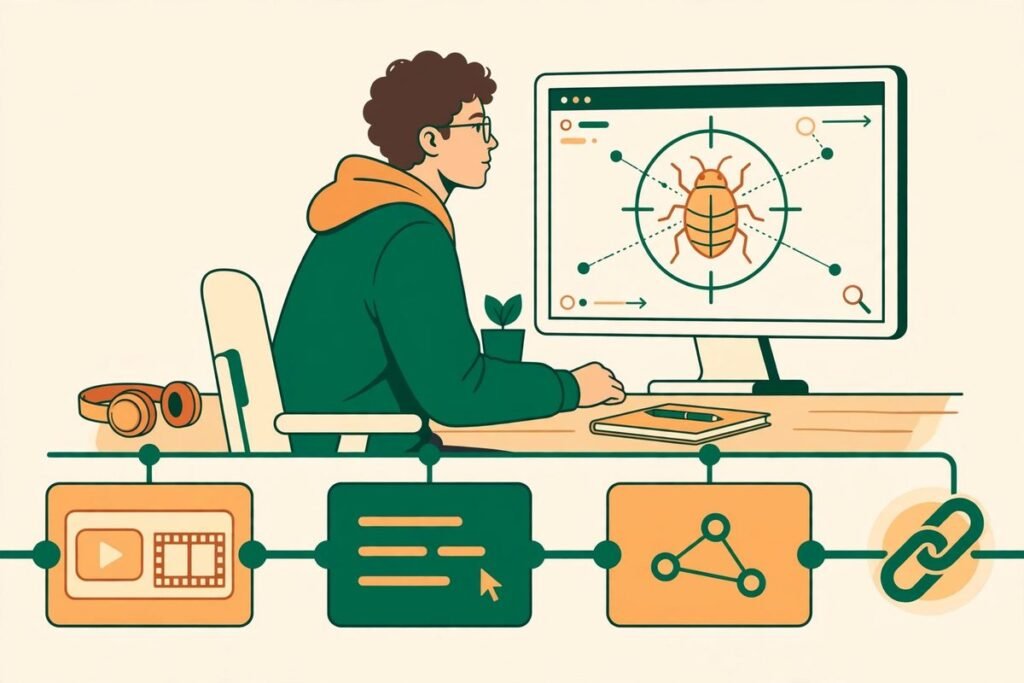
Faylee bug reports your coding agent can fix are the pitch of a tool launched on Product Hunt on 29 October 2026: instead of a ticket saying “it’s broken”, the reporter sends one link carrying the screen recording, console, network requests and click-by-click steps, all on a single timeline. Paste that link into Claude Code, Cursor, Codex or OpenCode, and Faylee’s MCP server hands the agent the full report so it can find the cause, fix the code and comment back. Our verdict up front: for teams already fixing bugs with a coding agent, this is the most practical bug-reporting upgrade we have seen this year — provided the fix still gets human review before it ships.
This review draws on Faylee’s official site, its Product Hunt launch post from maker Uros, and its public example report. Pricing and features are Faylee’s published ones; vendor claims are labelled as such. For the wider landscape, see our AI Tools Directory.
Faylee bug reports your coding agent can fix: what is inside the link
The problem Faylee attacks is one every agency recognises. The person who found the bug saw everything: what they clicked, what the page showed, what the console said. The developer gets one sentence, then spends days asking for the rest, and often closes the ticket as “cannot reproduce”. Faylee’s answer is to capture the whole session and keep it on one clock, so scrubbing to any moment lines up the video frame, the console output, the network requests and the steps at that exact second.
Open a Faylee link and the failing request is already highlighted. You see every request, every console error with its stack trace, and — when Sentry is connected — the server error behind the failed call, matched by trace. Copy any request as cURL or download the session as HAR. If your site serves source maps, minified traces resolve to the original file, line and function.
Capture works two ways. The reporter records a tab or the whole screen and talks through it, or takes a screenshot and marks it up. The more interesting mode is instant replay: Faylee keeps the last few minutes of every tab, so after a bug has happened the reporter hits one shortcut to save the run-up. That replay stays on their machine until shared — nothing uploads in the background. Customers need no extension: send them a recording link and they record in the browser, or add Faylee’s “Report a bug” widget to your site with one script tag and their reports land alongside the rest.
From link to fix: how the MCP loop works
What separates Faylee from a decade of screen-recording tools is the agent loop. Faylee runs an MCP server, connected once with a single command. The agent then gets dedicated tools: open the recording, pull any moment as a frame with its clicks, console logs and requests, read a specific request, and comment back on the recording at the moment that broke.
Faylee’s own worked example shows the loop end to end. A checkout spins forever after the customer clicks “Place order”. The agent opens the report, finds one failed request and two errors, lines the reporter’s words up with the click at 1:22, and traces the failure to a POST that sent an empty coupon field as null where the server required a string. The fix is a one-line change in the checkout submission code, and the agent comments on the recording explaining it. That is the ideal case — and the shape of bug that eats agency hours: not a hard problem, but missing evidence turning a ten-minute fix into a four-day thread.
Two details matter. First, the agent gets structured evidence it can query moment by moment, not just a video file — which is why it can point at a cause rather than guess from a transcript. Second, the loop closes: the fix is reported back on the same link, so QA or the customer sees what changed without chasing a separate ticket. Faylee also files issues with steps and failing requests included, syncs comments both ways, posts new reports to Slack, and lets support send a recording link from a Zendesk or Intercom ticket.

Pricing: what the free plan actually buys you
Faylee’s pricing is simple, and the free tier is usable rather than decorative: up to 3 members and 30 recordings a month, kept for 14 days. Team is $15 per member who records per month, with a 14-day trial and no card required. Viewers are free on every plan — rightly, since the people reporting bugs should never be per-seat charges.
For a small agency or single product team, the free tier supports a real pilot: three recorders, thirty reports a month, two weeks of retention. You pay when recording becomes a daily habit across a larger team, or when you need longer retention. Workspaces can also use their own S3-compatible bucket — S3, R2, B2 or MinIO — with deletion after 30, 90, 180 or 365 days. Faylee’s own comparison claims a typical report goes from 4 days and 9 follow-ups to 3 hours with none; treat that as vendor marketing, not an independent benchmark, until you measure it on your own queue.
Who it is for, and who should skip it
Faylee fits teams building web apps whose bugs arrive from QA, product people or customers, and whose developers already fix bugs with a coding agent. That combination is its stated target market. It fits agencies especially well: client-reported bugs are the worst kind, because the client cannot tell you what the console said, and the “cannot reproduce” close is a trust problem as much as a technical one. A link the client can open and watch back changes that conversation.
Skip it — or at least wait — if your bugs are mostly native mobile, backend-only or infrastructure: this is a browser-session tool, and its evidence model assumes a web page. The extension runs in Chrome and other Chromium browsers, though recording links and the site widget work in any modern desktop browser with nothing to install. Teams that do not use a coding agent yet will still get a good bug recorder, but they will pay for the MCP loop they are not using.
Watch-outs and honest limitations
- It is brand new. A late-October 2026 launch means integrations and support are unproven at scale. Pilot it on one repository first.
- The agent still needs a review gate. An agent that can edit code from a bug link can edit the wrong code confidently. Require tests and human diff review on every agent fix.
- Source maps have a gap. Minified traces resolve only if your site serves source maps, and maps behind a login or VPN cannot be fetched yet. If your production maps are private, expect raw traces on some reports.
- Privacy configuration is your job. Redaction is strong, but you must configure it: custom headers and fields, blur rules, the never-capture list, and retention policy.
- Free retention is short. Fourteen days suits active bugs, not an audit trail. For longer retention, budget for Team or your own bucket.

How it compares to the alternatives
Screen-capture bug tools are not new. Jam and Bird Eats Bug built the category: record the session, attach console and network data, send a link. They do that job well, and if your team fixes bugs by hand, they remain solid choices. What they do not do is hand the report to a coding agent in structured form and take a fix back. Faylee’s bet is that the agent loop, not the recording, is now the differentiator — and for agent-using teams, that bet looks right.
Two newer neighbours sharpen the comparison. Gleap’s Kai Resolve goes further up the stack: it investigates support tickets itself, reads recordings, logs and code read-only, and answers the customer or escalates with a diagnosis, at roughly $0.49 per investigation. That is a support-automation product; Faylee assumes a human or agent will do the fixing. PulseDev takes the opposite approach: a local desktop app where you point at a UI element on your running site, describe what is wrong, and your coding agent edits the real source, with nothing touching your files until you approve the diff. PulseDev is local-first and approval-gated; Faylee is link-first and collaboration-first. If your bottleneck is client and QA reports, pick Faylee. If it is your own UI tweaks, PulseDev may fit better.
From our experience: make the report the fix’s starting point, not its archaeology
Across 9+ years and 300+ projects, the pattern we see is consistent: bug-fix time is dominated not by writing the patch but by reconstructing what happened. A developer who gets the failing request, the console state and the exact click sequence in the first message fixes the bug in the same session. A developer who gets “checkout is broken” spends the session asking questions, and the bug rots while the thread grows. Faylee is worth trying because it attacks the reconstruction cost directly, and plugs into the agent workflow teams already use rather than asking them to learn a new dashboard.
Three practical recommendations if you pilot it. First, put the widget on staging and client-preview sites before production, and write the redaction rules on day one — tokens, auth headers and payment fields — rather than discovering a leak in a shared link. Second, wire the agent’s fix path through normal review: the agent comments on the report, a human approves the diff, tests run, then the fix ships. The comment-back feature is only a win if the comment describes a change a human actually approved. Third, measure the right thing: not just time-to-close, but reopen rate and follow-up messages per bug. If Faylee cuts follow-ups to zero but agent fixes bounce back, your review gate needs tightening, not your recorder. Teams that want help wiring this kind of agent workflow into delivery can talk to us through our AI integration and automation services.
Frequently asked questions
What is Faylee?
Faylee is a bug-reporting tool for web apps that records the screen, console, network requests and steps behind a bug and shares them as one link. Its MCP server lets coding agents such as Claude Code, Cursor, Codex and OpenCode read the full report, fix the bug and comment back on it.
How much does Faylee cost?
Faylee is free for up to 3 members with 30 recordings a month kept for 14 days. The Team plan costs $15 per member who records per month, with a 14-day free trial and no card required. Viewers are free on every plan.
Do customers need to install anything to report a bug?
No. Customers can record from a link in their browser without an account or the extension, or use the “Report a bug” widget added to your site with one script tag. The extension itself runs in Chrome and other Chromium browsers.
Is Faylee safe to use with customer data?
Faylee redacts tokens, cookies, passwords and card numbers in the browser before upload, lets you blur any part of a page or mark elements to mask, keeps instant-replay recordings local until shared, and supports a never-capture list. You still need to configure custom fields and retention to match your data policy.
Which coding agents work with Faylee?
Faylee’s MCP server works with Claude Code, Codex, Cursor and OpenCode. Connect it once with one command, paste a Faylee link into the agent, and it can read the recording, inspect moments and requests, fix the code and comment back on the report.
Faylee bug reports your coding agent can fix will not rescue a team with no review discipline or no agent workflow — but for teams that already live in Claude Code or Cursor, it removes the most tedious step between “it’s broken” and a merged fix. Start on the free plan, put the widget on one staging site, run ten real reports through the agent loop, and judge it on reopen rate, not on the demo. If you want help setting that loop up properly, talk to MTD Technologies — we build these workflows for client teams every week.