

The Genie 4 interactive world model is Google DeepMind’s newest attempt to answer a question that matters far beyond gaming: what happens when you stop generating a video and start generating a place? Announced on 27 October 2026 as a research preview, Genie 4 turns a text or image prompt into a photorealistic, three-dimensional environment you can move through in real time, while the scene keeps running. The headline change from its predecessor is sound. For the first time in this line of models, the world generates its own audio as it goes: ambient noise, music, and characters who speak and react to what you do.
This review is deliberately sober about what that means. Genie 4 is not a product you can buy today, and it is not a finished production tool. It is a research preview in the hands of a small group of trusted testers, with wider access promised but not dated. What follows is what DeepMind has announced, what launch coverage reports, where the honest limits sit, and what a business should do with this information now.
What a Genie 4 Interactive World Model Actually Does
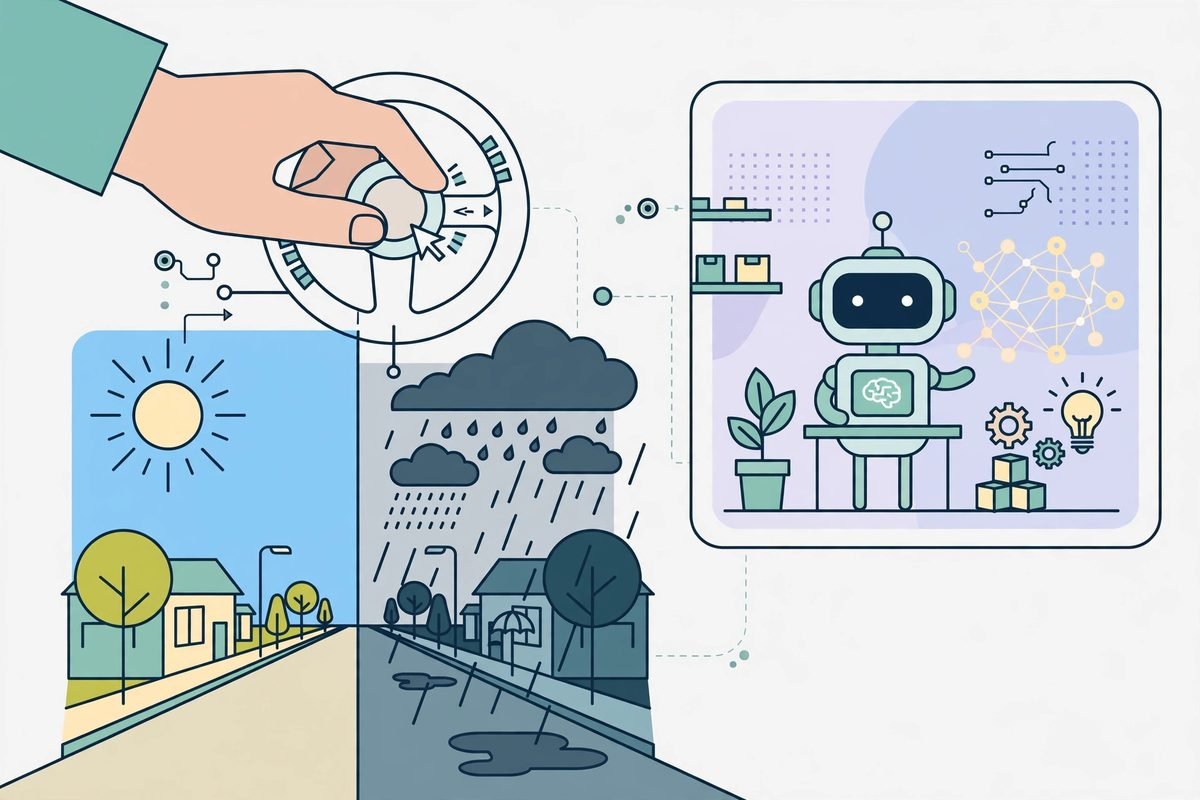
A world model is not a video generator with better marketing. A video generator renders a fixed clip: once it is done, the result is the result. A world model generates the scene frame by frame, in real time, while you move through it. You steer with the keyboard, and you change the scene with plain-language instructions while the simulation is still running. Move the camera, change the weather, add a character, introduce an object, and the world adapts without restarting.
That distinction drives everything else. Because the world is generated live, it can respond. Characters converse and react to your inputs or to events in the world, according to DeepMind, and sound is generated alongside the visuals rather than added afterwards. The model draws on the Gemini family: Gemini Omni anchors simulations in real-world appearance and behaviour, while other Gemini models supply the reasoning that helps a scene hold together. In DeepMind’s agent loop, Gemini 3.8 Flash watches incoming frames, breaks a goal into steps, and revises the plan when you intervene.
DeepMind also claims stronger physical realism, including aerodynamics and collisions, and more natural human movement, calling the rendering of people the most dramatic leap in this version. That matters because people are where generated worlds have always looked wrong: stiff walks, hands that dissolve, crowds that move like wallpaper. A world model that handles people convincingly is a different tool from one that renders empty landscapes beautifully.
What Is New Compared with Genie 3
Genie 3, previewed in August 2025, already showed a prompt turning into an explorable world, and it powers Project Genie, the Google Labs prototype where Google AI Ultra subscribers can build and explore worlds. Genie 4 builds on that foundation with four changes that compound rather than merely add up: native audio, live steering in plain language, more realistic people and physics, and a tighter loop with Gemini models acting as planner and observer. That last point is DeepMind’s answer to the coherence problem that has limited every world model so far.
The reported session length is also longer. Independent coverage reports that Genie 4 holds a consistent scene for up to two minutes, double the 60 seconds attributed to Genie 3. Treat that figure with care: DeepMind’s own announcement does not publish a session-length number, and the two-minute figure comes from launch reporting rather than a benchmark. Still, the direction is clear. A world that holds together for two minutes is a sketching tool. A world that holds together for twenty is a training environment. Genie 4 is, by its own description, still in the sketching phase.
Pricing and Availability: What Is Verified
Here is the pricing section in full, because there is less in it than most reviews will admit: Google has published no standalone price for Genie 4, no general release date, and no API price. It is a research preview for trusted testers. DeepMind says it will come next to Google AI Ultra subscribers in Project Genie, and to early-access partners through the Gemini API and Google AI Studio. A waitlist is open in Project Genie. That is the complete verified availability picture as of this writing.
Any article that quotes you a Genie 4 subscription price today is inventing it. The only cost you can plan around is the route, not the number: if your route in is an Ultra subscription or an API partnership, those have their own existing terms, and Genie 4 access will arrive inside them when DeepMind opens it. Treat Genie 4 as a zero-cost line item with an unknown date, and do not build a client commitment on top of it.
Who Genie 4 Is For
DeepMind names filmmakers, journalists, educators, games developers, and engineers among its testers, and that list maps the early use cases well. For filmmakers and creative teams, the value is rapid pre-visualisation: test a camera angle, change the lighting, alter the dialogue, and see the scene change while you are still in the conversation, rather than waiting for another render. For educators, it is an explorable historical or scientific setting that students can walk through and question. For games teams, it is a way to prototype a level or a mechanic from a sentence before committing art and engineering time.
For engineering and robotics teams, the use case is less photogenic and more interesting. DeepMind frames world simulation as a safe training environment for robots and agents: an agent can practise in a generated world where mistakes cost nothing, and where the environment can be steered to produce edge cases that real-world testing rarely supplies. Its launch material pairs Genie 4 with Gemini Robotics work, including a humanoid playing a game inside a simulated scene. That is research, not a deployment.
Watch-Outs and Honest Limitations
DeepMind is unusually direct about what does not work yet. The model stays coherent over short sessions, but details and object permanence can drift in longer runs, after several complex prompt edits, or while moving through the scene. Complex physical interactions, real-time audio accuracy, legible text, spatial accuracy, and long-term consistency are all open research problems. In plain terms: the cup on the table may not still be there after you have walked around the block and changed the weather twice. That is the central limitation of the category, and no serious production workflow should depend on a generated world staying faithful over a long session.
- Drift is the tax. Every edit and camera move is a chance for details to shift. Short, simple scenes hold up best.
- Audio is generated, not recorded. Native dialogue is a breakthrough, but real-time audio accuracy is still an open problem.
- Text will break. Legible text inside generated scenes remains unreliable. Any scene depending on readable signage or labels is a risk.
- Physics is a simulation, not a guarantee. Better collisions do not make the world physically trustworthy for safety-critical decisions.
- Access is gated and undated. Trusted testers first, then Ultra subscribers and API partners, with no published date.
There is also a provenance point worth noting. DeepMind says Genie 4 went through internal safety evaluations, that it is shipping first to trusted testers deliberately, and that all generated video and audio will carry its SynthID watermark, checkable with Google’s free detector. That gives you a provenance story when a client or a platform asks where a scene came from. It does not remove the need for human review.
How It Compares with the Alternatives
The comparison that confuses most buyers is with AI video generators. A video generator gives you a beautiful, fixed clip. Genie 4 gives you a rougher, explorable world. If your deliverable is a 30-second advertisement, the video generator wins today, and it is not close. If your deliverable is a space someone must explore, a training scenario, or a prototype level, the video generator cannot compete, because it was never trying to do that job. Compare on the deliverable, not on the demo reel.
Against game engines, the trade is control versus speed. A game engine gives you exact control, repeatability, and physics you can trust, at the cost of weeks of skilled work. Genie 4 gives you a world from a sentence, at the cost of drift and unpredictability. For prototyping, that trade is often worth it. For anything that must be identical every time, it is not. The sensible workflow is hybrid: generate in a world model to find the idea, then rebuild the keeper in an engine.
From Our Experience: How to Evaluate It Without Wasting a Quarter
We have watched enough AI launches to know the pattern: a spectacular demo, a wave of “we must adopt this” meetings, then a quiet retreat when the tool meets a real workflow. Our advice is boring and it works. When access opens, pick one real use case, one short scene, and one distinctive detail, and test whether that detail survives steering. Put a red cup on a table beside a doorway, walk through the door, change the weather, come back, and check whether the cup, table, and doorway still hold their relationship. That single exercise tells you more than a week of watching launch videos.
Budget the same way. Do not hire, promise, or price around a preview. Do allocate a small amount of senior time to testing when access opens, because the teams that understand steering early will write better briefs when the tool matures. And keep the human review step in every workflow that touches a client: a generated world is a draft, not a deliverable, until a person has checked it. For teams building AI features into their own products, our AI integration and automation work follows exactly that rule. You can also browse the wider landscape in our AI Tools Directory, or talk to us if a spatial or training use case is genuinely on your roadmap.
Frequently Asked Questions
Is Genie 4 available to the public yet?
No. As of this writing it is a research preview for trusted testers. DeepMind says it is coming to Google AI Ultra subscribers in Project Genie and to early-access partners in the Gemini API and Google AI Studio, with a waitlist open, but it has published no general release date.
How much does Genie 4 cost?
Google has published no standalone price for Genie 4. The announced route is through its existing Ultra subscription in Project Genie and through API and AI Studio partnerships, so treat any quoted Genie 4 price elsewhere as unverified until DeepMind publishes one.
What can you actually do with Genie 4?
You prompt a world into existence, move through it with the keyboard, and steer it live with plain-language instructions: change the weather, move the camera, add characters or objects, and hear native audio, including dialogue, generated with the scene. It is built for ideation, prototyping, education, and agent and robot training, not for finished production work.
How long do Genie 4 worlds stay consistent?
DeepMind says the model stays coherent over short sessions and is open that details and object permanence can drift in longer runs or after several complex edits. Launch coverage reports scenes holding for up to two minutes, but DeepMind’s own post publishes no session-length figure, so treat two minutes as reported, not benchmarked.
Genie 4 is the most convincing sign yet that the unit of AI creativity is moving from the clip to the world, and from rendering to steering. That shift will matter for training, prototyping, and creative exploration, and it will reach production tools more slowly than the launch headlines suggest. Watch it, test it properly when your turn comes, and build your plans on tools that exist today. Read more in our AI Tools Directory, or get in touch and tell us what you are trying to build.