
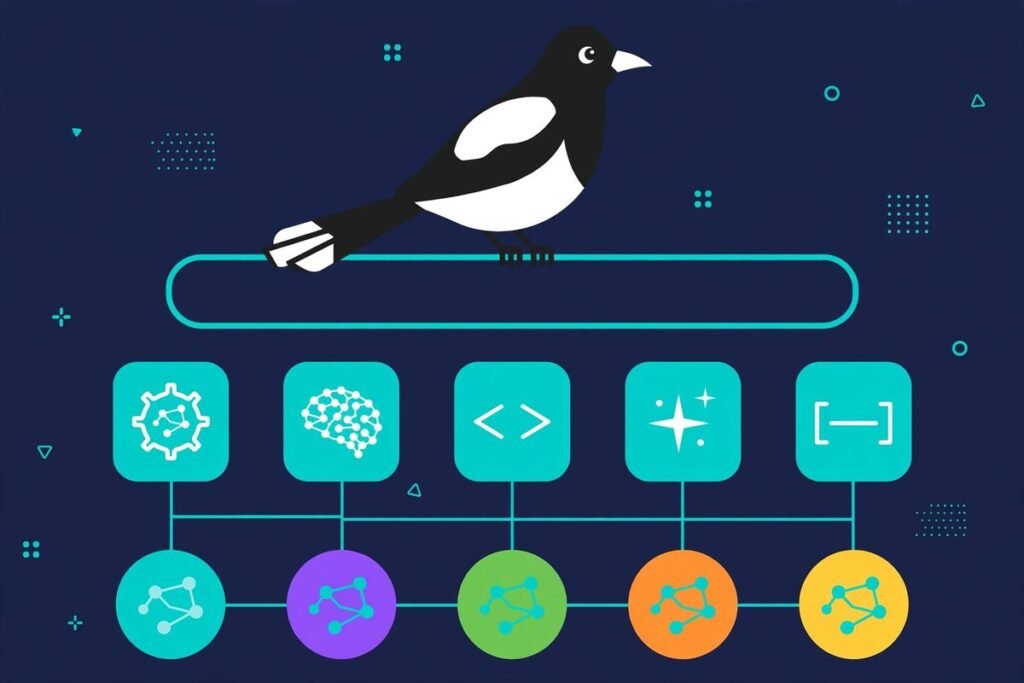
If you are trying to figure out how to run coding agents on cheaper models, the answer used to be tedious: hand-edit five different config files, juggle API keys across Claude Code, Codex and Gemini CLI, and watch the API bill climb anyway. Magpie — the open-source project at github.com/yetone/magpie, already past 15,900 stars less than a month after its first commit — takes a completely different approach. One menu-bar app and one local gateway let every coding agent on your machine run on any model you choose: Claude Code on Kimi, Codex on DeepSeek, OpenCode on the ChatGPT plan you are already paying for.
In this deep-dive we cover what Magpie actually is, what it can do, how the gateway works under the hood, the practical patterns teams use to cut their agent API spend, why it exploded on GitHub in October 2026, and where we would — and would not — reach for it. It is written for developers and technical founders who are already paying for coding agents and want the bill to stop growing faster than the output.
What Magpie actually is
Magpie’s tagline says it plainly: “Every agent’s model. One place.” The problem it solves is one every multi-agent developer knows intimately. Each coding agent keeps its model configuration in its own file, in its own format, with its own API keys and base URLs. A Claude subscription you pay for works in Claude Code and nowhere else. A ChatGPT plan works in Codex and nowhere else. Switching agents means switching models, and switching models means config-file surgery.
Magpie, built by developer yetone (the same engineer behind avante.nvim, the Cursor-style AI plugin for Neovim) and released under the MIT license, puts all of that behind a single app. You add a provider once — an API key, a local model, or a subscription you are already signed in to — and then pick any model for any agent from one searchable list. Magpie edits the one key that matters in the agent’s own config, atomically, preserving the file’s comments, order and formatting. It ships as a menu-bar app, a windowed app, a terminal UI, a web UI and a plain CLI, on macOS, Windows and Linux, plus Docker and even Termux. Independent reviews at andrew.ooo and getfoss.org confirm the core claim: if you run two or more agents with more than one provider, it removes a genuinely annoying class of busywork.
What it can do
The agent list is the first thing that gets your attention. Magpie detects what is actually installed on your machine — Claude Code, Codex, Gemini CLI, OpenCode, Cursor CLI, Cline, Zed, VS Code Chat, JetBrains AI, Goose, Crush, Devin and dozens more — and shows each one next to the model it is currently pointed at. Click a value, pick a model, start a new session, and the agent is on the new model.
- Providers, once: presets cover Anthropic, OpenAI, Google Gemini, DeepSeek, Kimi, Zhipu GLM, MiniMax, Qwen, Mistral, Groq, xAI, OpenRouter, Together, Fireworks, Ollama, LM Studio and any OpenAI- or Anthropic-compatible URL. Model lists refresh from the vendor with names and reasoning levels filled in from models.dev, so a model released this morning appears in your picker on the next refresh. Import pulls providers in from CC Switch, Claude Code, Codex and Alma.
- Subscriptions as providers: an agent you are signed in to becomes a subscription with models behind it — so your Claude Max subscription can drive Claude models in OpenCode or Goose, and your ChatGPT plan’s models can run in every other agent. Add several accounts per subscription and Magpie fails over between them. A daily warm-up feature starts each Claude and ChatGPT account’s five-hour window at times you choose, so less quota is wasted.
- Routing groups: bundle several models or accounts and pick them as one unit, such as
group/daily-coding. Five routing modes — smart, order, rotate, usage, pace — spread requests across members; smart uses whichever subscription renews soonest so less quota dies at reset. Groups can contain other groups, and a live Routing view shows every decision. - Intent routing: a small model of your choice reads each new turn and sends it to the right member — tests and complex refactors go to the strong model, quick questions go to the cheap one. This is where sustained cost savings compound.
- Profiles and quota: save every agent’s setup under one name (“Budget”, “Focus”) and switch them all back in one move.
magpie quotashows what is left on every plan, which turns quota management from a surprise into a dashboard. - Plugins and middleware: add OpenCode auth plugins or pi packages from npm, or write gateway middleware in JavaScript that sees every request and response — rewriting fields, masking sensitive words, or aliasing model names. It is the same extension philosophy that made New API popular, now running locally.
How it works
The trick is the local gateway at 127.0.0.1:3425. Codex normally speaks the OpenAI Responses protocol; Claude Code speaks Anthropic Messages. Magpie’s gateway speaks OpenAI Chat Completions, OpenAI Responses, Anthropic Messages and Gemini — and translates between them, with streaming, tool calls and reasoning metadata preserved. That is what makes the headline combinations possible: Codex on DeepSeek, Claude Code on Kimi, Gemini CLI on GLM, OpenCode on your ChatGPT plan, all without patching any agent. Anything else that accepts a base URL can use the gateway too, via environment variables:
export OPENAI_BASE_URL=http://127.0.0.1:3425/v1     OPENAI_API_KEY=<your key>
export ANTHROPIC_BASE_URL=http://127.0.0.1:3425     ANTHROPIC_API_KEY=<your key>
Because the gateway is local, your traffic never has to leave the machine to reach a routing decision. The model providers still bill you for the tokens — Magpie is a switchboard, not a reseller — but every routing, failover and translation decision happens on your hardware, which also keeps latency down.

How to run coding agents on cheaper models: the Magpie playbook
Here is the part that matters for your bill. Magpie itself is free — the savings come from the routing patterns it enables. These are the patterns we see working in practice, and they stack:
- Point flagship agents at cheaper strong models. This is the headline move:
magpie claude deepseek/deepseek-v4-proputs Claude Code on DeepSeek’s latest model;magpie codex moonshot/kimi-k2.5puts Codex on Kimi. DeepSeek and Kimi API rates are typically an order of magnitude below flagship-model API rates (always verify current pricing), and both models are genuinely capable coders — not degraded fallbacks. - Use intent routing for the long tail. Most agent sessions are a mix of quick questions (“why is this test red?”) and hard problems. Letting a small cheap model triage turns means the strong model only fires when the task justifies it. This is the single highest-leverage habit: it works every day without you thinking about it.
- Pool the subscriptions you already pay for. A ChatGPT plan or Claude Max subscription currently sits trapped inside its own agent. As Magpie providers, they serve every agent on your machine — and multiple accounts per subscription fail over silently when one hits its quota. You are not buying new capacity; you are finally using the capacity you already bought.
- Run a “Budget” and a “Focus” profile. Save routine work under a Budget profile (cheap models everywhere) and deep work under Focus (flagship models).
magpie save work && magpie use workswitches the whole fleet in one command. Runmagpie quotaat the end of the week and you will know exactly which lever to pull next. - Audit with the Routing view. Before changing anything, watch where your tokens actually go for a few days. Teams are usually surprised: a large share of spend comes from one agent on one expensive model for work a cheaper model handles fine.
One honest caveat, which the README states outright: if you use one agent on its vendor’s own plan and that is enough, you do not need Magpie. The savings appear when you have at least two of the following: multiple agents, multiple providers, or multiple accounts. That is also the profile of a working agency team — which is exactly who should be paying attention. This is the same cost discipline we apply to workflow infrastructure; if agent sprawl is eating your margins, our n8n workflow automation work solves the same problem one layer up, in your business processes.
Why it’s trending right now
The numbers are startling. Magpie was created on 2026-09-23. By 2026-10-19 it had roughly 15,900 stars and 1,150 forks, with more than 800 stars arriving in a single day at its peak. One early review noted 281 releases shipped in the project’s first five days — a release velocity that suggests an author who fixes issues within hours, which is exactly what developers want from infrastructure they depend on.
Three forces explain the timing. First, agent API bills became the new SaaS sprawl: teams woke up to multiple per-seat agent subscriptions plus metered API spend with no central control. Second, genuinely strong cheap models arrived — DeepSeek’s latest and Kimi’s K2.5 give teams a credible alternative to flagship pricing, which is precisely what makes a model router valuable instead of merely convenient. Third, coverage has been kind: write-ups on EveryDev and AlphaSignal amplified the GitHub trend, and the repo keeps climbing because the core loop — add provider, pick model, watch bill drop — works in the first ten minutes. If you track open-source tooling, you will also want our AI Tools Directory, where we curate this kind of launch for production use.
From our experience
We build and run AI infrastructure for clients, so we read tools like Magpie with a practitioner’s eye: what breaks at month three, not what demos well on day one. Here is our honest take.
What we like
The atomic config rewrites matter more than they sound. Every tool that edits your agent configs is a liability; Magpie preserves comments, ordering and formatting, which means you can remove it without your configs turning into a mess. The protocol translation is genuinely hard engineering done right — streaming plus tool calls plus reasoning across four protocol families is the kind of thing that usually breaks in edge cases, and the project’s issue velocity suggests those edges get fixed fast. And the subscription-as-provider model is the feature nobody else has nailed: turning a Claude Max seat into a shared model pool across your whole agent fleet is a real economic unlock.

Watch-outs and honest limitations
- Release velocity cuts both ways. Hundreds of releases in weeks means features land fast — and occasionally break. Pin a known-good version for team rollouts rather than tracking latest on production machines.
- Subscription discovery reads your sign-ins. Magpie finds the subscriptions your agents are signed in to by reading their sign-in files and the Keychain. That is how the magic works, but it is also privileged access — you can turn it off in Settings → Privacy → Subscription accounts, via
magpie accounts discovery off, or for a single run withMAGPIE_NO_ACCOUNTS=1. - Check your plan terms. Routing a consumer subscription’s quota through third-party agents via the gateway may sit outside what the vendor’s terms intend. We are not lawyers; read the terms of any plan you pool, especially for team-wide use.
- The gateway sees everything. All agent traffic flows through
127.0.0.1:3425, so keep it on localhost and treat middleware plugins like any code with access to your prompts and keys — audit before installing, especially third-party ones. - Secrets hygiene is yours. Keys live in
~/.config/magpie/providers.json. Protect that file like any secrets store: encrypted disk, no dotfile repos, no screenshots of the Providers page.
Getting started
- Install. Download the app from usemagpie.ai, or run the installer script:
curl -fsSL https://usemagpie.ai/install.sh | sh. Go users cango install github.com/yetone/magpie@latest; there is a Docker image too. Full walkthrough in the official docs. - Add a provider. Open Magpie, go to Providers → Add provider, pick a preset and paste a key — or sign in with a subscription you already hold.
- Pick a model per agent. On the Agents page, click the model next to each installed agent and choose from the unified list. Start a new agent session and it is on the new model. From the terminal:
magpie provider add deepseek sk-…thenmagpie claude deepseek/deepseek-v4-pro. - Set up failover. Create a routing group —
magpie group add "Opus anywhere" models=claude/claude-opus-5-5,copilot/claude-opus-5.5 routing=smart— and point your agents at it:magpie claude group/opus-anywhere. When a quota runs out, the group quietly moves to the next account. - Save profiles. Once you like a setup,
magpie save budgetandmagpie save focus, then switch between them withmagpie use budget. Runmagpie quotaweekly to see where your spend actually goes.
Frequently asked questions
Is Magpie free?
Yes. Magpie is MIT-licensed open source and costs nothing. You still pay the model providers for the API tokens you consume — the savings come from routing that consumption to cheaper models and pooled subscriptions.
Which coding agents does it work with?
Magpie auto-detects 70-plus agents on your machine, including Claude Code, Codex, Gemini CLI, OpenCode, Cursor CLI, Cline, Zed, VS Code Chat and JetBrains AI. Anything else that accepts a custom base URL can also route through the local gateway via environment variables.
How much can it actually save on agent API bills?
It depends on your mix of agents and models. The biggest lever is moving heavy agents off flagship-priced models onto strong cheap ones like DeepSeek or Kimi, then letting intent routing keep quick questions on the cheapest tier. Teams running several agents typically find 50–80% of their sessions are routine work that never needed a flagship model — that is the spend Magpie recovers.
Is it safe to give Magpie my API keys?
Keys are stored locally in ~/.config/magpie/providers.json and the gateway runs on your machine at 127.0.0.1:3425. Treat that file like any secrets store. Subscription discovery reads your agents’ sign-in files and Keychain entries — convenient, but you can disable it entirely in Settings → Privacy if you prefer to add providers manually.
What happens when a subscription quota runs out?
If you have set up a routing group, nothing visible happens: the gateway quietly moves the next request to another account or model in the group, and the agent never sees the error. A conversation stays with the account that answered it while the vendor’s prompt cache is worth keeping.
Magpie is the rare developer tool that pays for itself the afternoon you install it — one gateway, every agent, every model, and a bill that finally goes down. If your team is scaling up AI-assisted development and the agent spend is getting hard to explain, that is exactly the kind of infrastructure problem we solve. Our AI integration team helps businesses design agent workflows with the cost controls built in from day one — talk to us before the next invoice surprises you.