
Open source AI coworkers with their own computer are the idea behind CopilotKit OpenBot, a beta agent platform that has gathered more than 9,000 GitHub stars since August 2026. Instead of asking a chatbot to answer questions in a chat box, OpenBot gives each coworker a real computer of its own: a browser with its own logins, its own files, and only the tools you grant it. Every action then passes through one gateway that decides whether it is allowed and records it afterwards. This guide explains what OpenBot is, how it works, what it costs in practice, and when a business should — and should not — adopt it.
If you are evaluating agent tooling for a team, the question is rarely whether an agent can browse a page or draft a document. The harder question is whether you can let it near your systems, your logins and your files without losing control. OpenBot is interesting precisely because it starts from that second question.
What OpenBot Is
OpenBot is an open-source agent platform from CopilotKit, published under the MIT licence, written mainly in TypeScript. Its own description is deliberately plain: open-source AI coworkers that each get a computer of their own, with every action decided before it happens and recorded after. You bring any agent that speaks AG-UI, the open protocol for agent-to-user interaction, and OpenBot turns it into a coworker with a channel of its own.
Two points in the README deserve emphasis because they change how you should evaluate it. First, OpenBot is described as a template, not a product. There is no hosted version to sign up for, and nothing in the repository is published as a package to depend on. You clone it, replace the example tenant package under examples with your own coworkers, channels and skills, and run it. Second, it is in beta and under active development, so you should expect rough edges and breaking changes. That honesty is useful: it tells you this is a starting point for teams that want to own their agent infrastructure, not a finished service you can hand to non-technical staff tomorrow.
A deployment starts with two coworkers, defined as configuration rather than code: a General Assistant for everyday work and a Knowledge coworker for company questions. A Risk Analyst joins them once its endpoint is configured, and ten more example coworkers wait in the fintech catalogue, each doing one job — reading an expense claim against the policy as written, turning a meeting note into its actual follow-ups, drafting release notes from what shipped, triaging a ticket, answering a new starter from the handbook, writing a brief that names what it could not find, writing up an interview, handing an on-call shift over, assembling what is known before a renewal, and grouping customer feedback into themes it can cite. Copy one into the agents folder to add it, write your own, or create one from the bots screen in the interface.
Open Source AI Coworkers with Their Own Computer: Why the Computer Matters
Most agent demos show a chat window. OpenBot shows you a screen. You can watch a coworker work on its own screen, take the wheel when it reaches something it should not do alone, then hand it back. It answers with components rather than only prose, and the whole thing runs on your own machine.
The computer is not a metaphor. The supervisor gives each person their own container, with a folder and browser profile for each of their bots. Mark a bot as Isolated and it gets a container of its own. On supported hosts you can run those containers under gVisor by setting COMPUTER_RUNTIME to runsc, adding another isolation layer. The data sits in your PostgreSQL database, and the model is yours to choose: no model ships in the box, and an administrator supplies the credential, which is encrypted at rest and never logged.
What It Can Do
OpenBot ships with a wide surface, and the README lists it plainly. In practice, the capabilities that matter most for a business team are these:
- Browse with its own logins. Each coworker drives its own Chromium browser, so it can open a site, read a page and fill a form, with logins saved per coworker rather than shared across the team.
- Work with files and a shell. A bot can run a command in its workspace, install what it needs and process a file it saved, through the same gateway as everything else, so a rule can refuse a shell outright or refuse particular commands.
- Connect your apps. Connections let bots work with the tools your team already uses, and MCP servers can be configured and their tools granted to specific bots.
- Talk across channels. Conversations can continue in Slack, Microsoft Teams or by text message, and group channels let two or more bots work in the same conversation.
- Carry responsibilities and routines. A bot can hold a lasting goal, follow its progress, and run standing routines, which moves it from answering questions to owning recurring work.
- Remember, with controls. Memory and personal skills can be created and enabled per deployment, and administrators can assign learning containers or pause automatic learning.
How It Works: The Gateway Is the Product
OpenBot is built on AG-UI, so a bot can be any endpoint speaking that protocol: agents built with LangGraph, Mastra, CrewAI, Pydantic AI, Google ADK, or written by hand all arrive the same way. That framework neutrality matters because it stops you being locked into one agent framework to get the governance. The governance rides the protocol rather than the framework.
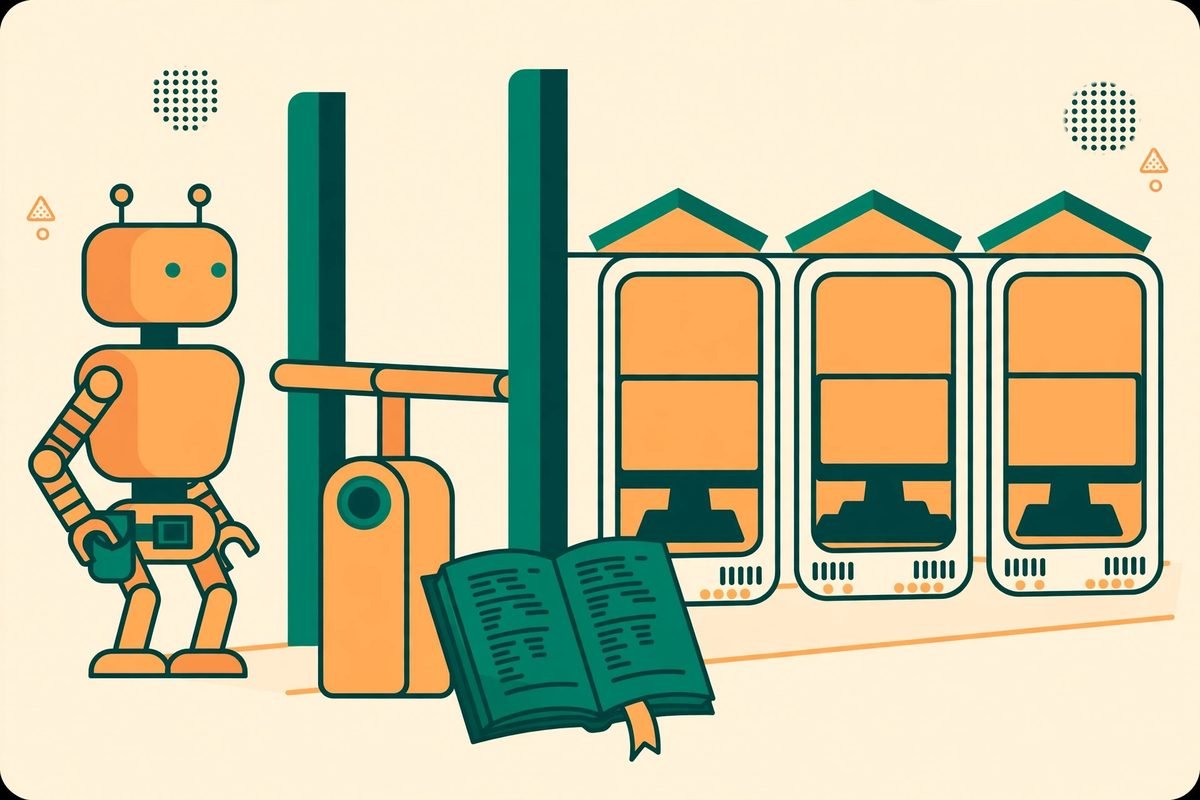
The flow is straightforward. You talk to the server, which sends the turn to a bot over AG-UI. Every tool call the bot makes comes back through the gateway, which resolves the target, decides it against your policy, records an audit row, and only then acts — or refuses and names the rule. Allowed browser and file actions reach that bot’s own computer, one container each with its own Chromium, logins and workspace, built by the supervisor. Decisions land in PostgreSQL and threads in CopilotKit Intelligence.
Try it the way the README suggests and the design becomes concrete. Ask a bot to open a news site and report the top story. Ask it to fill out a test form, then inspect the audit screen. Add a deny rule on the boundaries screen and retry the same browser action to see it refused with the rule named. That loop — act, audit, restrict, retry — is the whole pitch. If you cannot see why an action was refused, or cannot find it in the audit log afterwards, the governance is theatre. OpenBot makes both visible.
Getting Started: Setup in Practice
OpenBot runs on your infrastructure. Docker Compose brings up every part of it, and the documented requirements are Docker, Bun 1.4 or later for the app, API server and tests, a CopilotKit Intelligence project and licence, and a model key. The proof-of-concept bot uses OpenAI, while the LangGraph bot can use OpenAI, Anthropic or Google. A free CopilotKit Developer plan covers running Intelligence locally in Docker on a Mac, which is the sensible way to evaluate it before committing to a managed project.
- Create your environment file from the example, then install dependencies: copy .env.example to .env and run bun install.
- Connect a fresh managed Intelligence project with the CopilotKit CLI, or point INTELLIGENCE_API_URL at a self-hosted deployment, then run the setup-learning helper script to provision the runtime key and learning container.
- Fill in the remaining required values, notably your model key, and generate your own key-encryption key rather than relying on the public example value for anything beyond a local trial.
- Start everything with the provided start script, which starts Docker services, applies migrations, starts the API server, the routine worker and the app, and checks that services answer their health routes.
- Open the app on your local port, try the news and form examples above, then open the boundaries and audit screens before you connect any real system.
One warning from the README is easy to miss and important to respect. The example environment ships with single-user mode on, which admits every request as one administrator, so a fresh clone reaches the product without registering an OAuth client first. Sign-in configuration turns that off, and it is required before anybody else can reach the deployment. Never expose a single-user-mode instance to a network you do not control. Treat the first run as a local evaluation, and treat identity configuration as part of the deployment, not an optional extra.
Why It Is Trending
For MTD Technologies clients, the relevance is practical. If you are building AI integration and automation into a business, the question your stakeholders will ask is not whether the demo worked but whether every agent action is decided, recorded and reversible. OpenBot gives you an architecture you can show them. Browse the AI Tools Directory for related agent platforms, and talk to us if you want help evaluating whether this template fits your stack.
From Our Experience: Honest Limitations
After nine years building web, mobile and AI systems for clients, and more than 300 projects shipped, our honest read is this: OpenBot is a strong architecture and a beta template, and both halves of that sentence matter. Do not budget it as a product you install in an afternoon. Budget it as a platform you adopt, configure and operate.
Frequently Asked Questions
Is OpenBot a finished product I can sign up for?
No. It is a template to clone and make your own, in beta, with no hosted version to sign up for. You run it on your own infrastructure, replace the example coworkers with your own, and operate it yourself or with CopilotKit’s help.
What does each coworker actually get?
Each coworker gets its own computer: a container with its own Chromium browser, logins and workspace files, plus only the tools you grant it. Isolated bots get a container of their own, separate from other bots for the same person.
Do I have to use one agent framework?
No. Any agent speaking the AG-UI protocol works, including LangGraph, Mastra, CrewAI, Pydantic AI, Google ADK, or a hand-written endpoint. Governance sits on the protocol boundary, not inside one framework.
What does OpenBot cost?
The template itself is MIT-licensed open source, but you pay for the infrastructure you run it on, your model keys, and your CopilotKit Intelligence project or self-hosted deployment. A free Developer plan covers local evaluation; production costs depend on your model usage and server capacity, so check current CopilotKit pricing before budgeting.
When should a business not use OpenBot?
When you need a single chatbot or a single automation workflow. OpenBot earns its complexity with several agents, different jobs, different systems and different people, where separation, policy and audit matter. For simpler needs, a chatbot or workflow tool is cheaper and easier to support.
OpenBot is not the flashiest agent project on GitHub this month, and that is its strength. It answers the question businesses actually ask after the demo: can we let this thing near our systems and still explain, afterwards, exactly what it did and why it was allowed to do it? With a per-coworker computer, a decide-and-record gateway, and an audit trail you can inspect, it gives you a credible answer — provided you treat it as a platform to operate, write real policies, and start with a local evaluation before you connect anything that matters. If you want help running that evaluation, contact MTD Technologies and we will walk through whether OpenBot fits your team.