

Every few months an open-source project reminds the industry that the real moat around AI assistants is not the model — it is the plumbing. OpenClaw 2.0 is the latest example. This self-hosted AI agent does not sell you a chatbot subscription; it hands you an MIT-licensed gateway running on your own hardware that turns WhatsApp, Telegram, Slack, iMessage and twenty-odd other channels into one always-on assistant with shell access, memory, scheduled jobs and a plugin marketplace.
Our verdict up front: OpenClaw 2.0 is the most capable self-hosted AI agent a technical team can deploy today, and its true running cost beats most managed agent subscriptions — but only if you have, or will learn, the server skills to keep it patched, backed up and locked down. If you want plug-and-play, buy the managed subscription instead.
We have spent nine years shipping software, and the pattern is familiar: tools that look free on paper carry a second price tag measured in maintenance. This review prices both, written for business owners deciding whether OpenClaw belongs on their infrastructure. It is also listed in our AI tools directory.
What a Self-Hosted AI Agent Actually Is
The most common misunderstanding about OpenClaw is that it is a chatbot. It is not. OpenClaw is an agent gateway: a persistent runtime between you and whichever AI model you point it at, with hands on your machine. It runs shell commands, reads and writes files, controls a browser, sends messages, manages calendars and writes new skills in code when nothing existing covers the task — all triggered by a message from your phone.
The project, created by Austrian developer Peter Steinberger and first released as Clawdbot in late 2025, became one of the fastest-growing repositories in GitHub history — passing a quarter of a million stars within roughly two months, and sitting above 390,000 stars with 80,000+ forks at the time of writing. It is MIT-licensed TypeScript, stewarded by the non-profit OpenClaw Foundation: no paid tier, no hosted service, no token. State, memory and credentials live on your hardware; by default the software reports home for nothing except a daily version check, with anonymous usage statistics strictly opt-in.
That architecture is the whole pitch. Hosted assistants rent you intelligence and keep your data on their servers; OpenClaw inverts it. Your data stays on your machine, and the model — Claude, Codex, an existing ChatGPT or Claude subscription, or a local model via Ollama, LM Studio or llama.cpp — is a swappable plugin. Provider raises prices? Change one configuration value, not your entire workflow.
What OpenClaw 2.0 Does
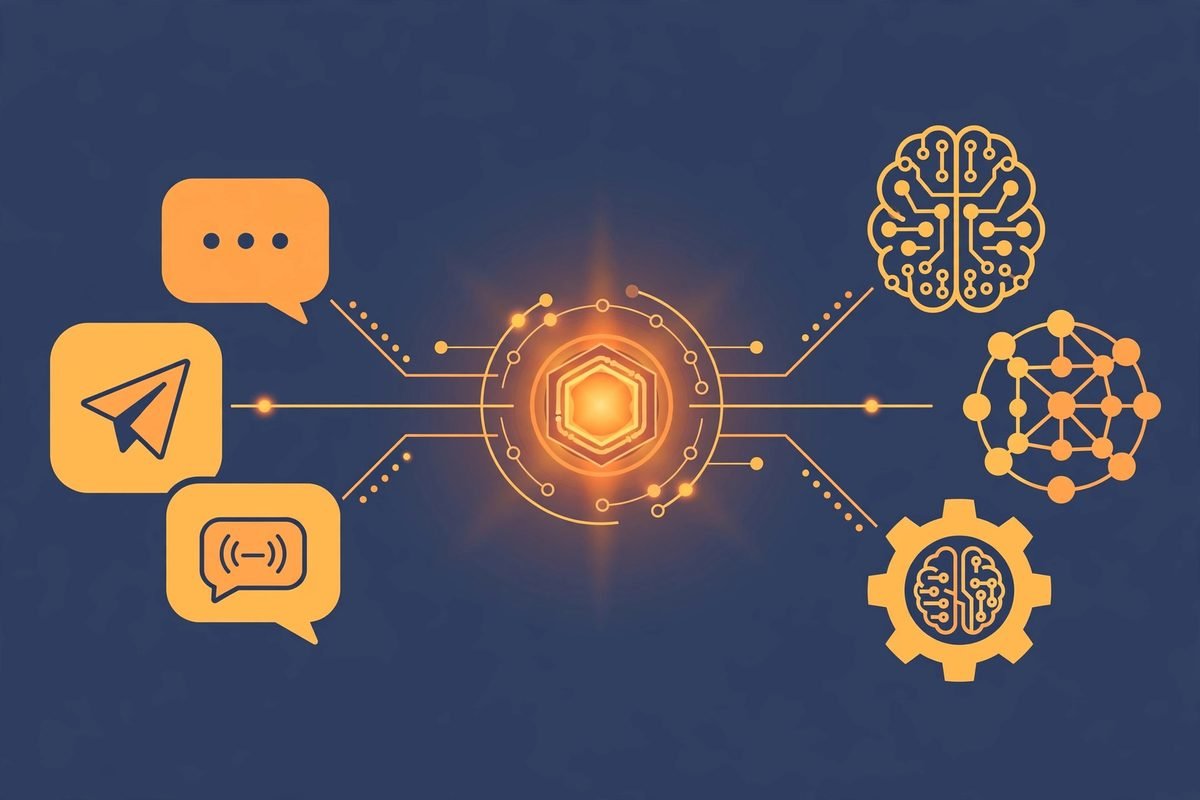
OpenClaw 2.0 (release v2026.8.1, August 2026 — described by the project as its largest update) is best understood as three things fused together: a messaging layer, an execution layer and an automation layer.
- The messaging layer. The gateway meets you in the channels you already use: WhatsApp, Telegram, Signal, Slack, Discord, Google Chat, Microsoft Teams, iMessage, Matrix and more than twenty others, plus native apps for macOS, iOS, Android, Windows and Linux. You message it like a colleague; it replies with work done, not links to try yourself.
- The execution layer. The agent gets real hands: shell access, file operations, browser control, and tools via plugins and the ClawHub skills marketplace. It can scrape a website, file expenses, book a table or draft and send an email — then confirm from your chat app.
- The automation layer. Scheduled jobs, heartbeats and recurring automations run 24/7. In 2.0 you approve an exact operation once and let it repeat — nightly price checks, morning briefings, invoice reminders — without re-confirming every run.
The 2.0 update rebuilt onboarding to detect AI access already present on the machine — an existing ChatGPT or Claude subscription, API keys, or local models — and prove inference with a real completion before handing you control. The browser became a first-class Control UI, and multi-user sessions arrived: immutable session creator, assignable owner, participant history and live presence, so teammates can take over a session without copying its context. Cloud Sessions execute coding work on the gateway, a paired machine or a disposable cloud worker while the gateway keeps the transcript, credentials and history.
Pricing: Free Software, Real Running Costs
Pricing this honestly: the software licence costs nothing — MIT, no paid tier, no upsell — but a self-hosted agent has three real cost lines:
- Hardware. The gateway needs no GPU and runs on hardware you may already own — a laptop, a Mac Mini, even a Raspberry Pi. For always-on uptime, budget a small VPS, typically $5–20/month.
- Model usage. OpenClaw is not a model, so intelligence is metered separately: pay-as-you-go API usage, an existing ChatGPT or Claude subscription, or a local model (free to run, hungry for RAM). Independent comparisons put moderate usage around $18–30/month.
- Your time. Installation is quick — a one-line install script on macOS or Linux, a PowerShell one-liner on Windows, or
npm install -g openclaw, followed by an onboarding wizard. The ongoing cost is maintenance: updates, backups, uptime monitoring.
All in, one independent comparison put the realistic monthly total at roughly $23–51/month, against a managed autonomous-agent subscription like Manus AI at $39/month. OpenClaw’s cash cost lands in the same ballpark but buys full data ownership, no per-task limits and provider freedom; the managed option buys zero server work and someone else’s uptime guarantees. The licence is free; the operations are not. Write your business case with the second figure, not the first.
Who It Is For (and Who Should Walk Away)
OpenClaw 2.0 fits a specific profile: developers and automation-heavy teams, businesses whose data cannot touch hosted assistants, agencies running agents on client infrastructure, and anyone routing between 35+ model providers. If your work lives in chat apps and involves repetitive digital chores — lead follow-ups over WhatsApp, scheduled briefings, file triage — the gateway model is genuinely compelling.
Walk away if nobody on the team is comfortable in a terminal. An independent review of OpenClaw 2.0 put it bluntly: shared-session ownership and multi-user features are collaboration conveniences, not security isolation — everyone who can operate an agent exercises that agent’s delegated authority. If your use case involves regulated data, customer PII or money movement without a proper security review, a self-hosted agent with shell access is a loaded tool in an unlocked drawer.
Watch-Outs: Honest Limitations and Security
An agent with shell access is the most powerful and most dangerous software most businesses will ever install, and OpenClaw 2.0 treats security as load-bearing, not decorative. The realities:
- Third-party skills are third-party code. ClawHub extends your agent’s abilities, but every skill runs with your agent’s privileges. Review skills before installing, pin versions, and treat an unvetted skill like an unvetted npm package with production credentials.
- Self-hosted gateway does not mean private inference. Running the gateway locally while pointing it at a hosted model still sends prompts to the provider. True privacy needs local models, which trade quality and speed for sovereignty. Decide which you need before deploying.
- Multi-user is collaboration, not isolation. Teammates who can operate the agent share its authority. Plan permissions accordingly; do not use shared sessions as a security boundary.
- Uptime is yours now. No status page, no SLA, no support ticket. If the gateway dies at 3am, the morning briefing does not go out. Budget monitoring and a restart path.
- The learning curve is real. Terminal proficiency and basic server management remain prerequisites; the 2.0 onboarding wizard lowered the floor, but the ceiling is yours to climb.
How It Compares to the Alternatives
Three comparisons cover the decision most teams actually face:
- OpenClaw vs ChatGPT / Claude apps. The managed apps are polished and instant with zero setup — but your data lives on vendor servers, with no shell, no cross-channel automation and no memory of your choosing. Choose the apps when time-to-value beats control; choose OpenClaw when the assistant needs hands, not just a mouth.
- OpenClaw vs Manus AI. Manus is the managed autonomous-agent option: sign up and delegate tasks at a flat subscription (around $39/month). OpenClaw is persistent rather than on-demand — a 24/7 agent with full data ownership and unlimited automations at a comparable all-in cost, but you operate the infrastructure.
- OpenClaw vs n8n. Different animals. n8n is visual workflow automation: superb for deterministic pipelines with clear triggers. OpenClaw is a conversational agent that reasons, uses tools and lives in your chat apps. Many serious setups run both — n8n for the pipelines, OpenClaw as the conversational front door.
From Our Experience: When a Self-Hosted Agent Beats SaaS
We build AI integrations and automations for businesses, so we evaluate tools like OpenClaw the way a contractor evaluates power tools: not by the brochure, by the job. Here is the practitioner read.
OpenClaw wins when the work is long-running, tool-heavy and chat-first: inbox watchers, follow-up chasers and briefing compilers acting across services over WhatsApp or Slack. It wins when data cannot leave your infrastructure, and when you want to arbitrage model providers — cheap tasks to cheap models, hard tasks to frontier ones, without rebuilding anything. No managed subscription offers all three at once.
SaaS wins on what most businesses actually care about: time-to-value, compliance paperwork, support SLAs, and nobody babysitting a server. Our rule of thumb for clients: a focused weekend to stand OpenClaw up properly — install, channel pairing, skill selection, backup routine — then roughly an hour a week of maintenance. What people underestimate is not the server but prompt and skill maintenance: agents drift, skills rot, and scheduled automations need the occasional human eye.
When would we tell a client not to use it? Three cases: regulated data without a security review; customer-facing support where an unguarded agent can improvise policy; and any team where “who restarts it at 3am” has no answer. There, the managed subscription is the cheap option — it externalises exactly the risks you are least equipped to carry.
Frequently Asked Questions
Is OpenClaw really free?
The software is free under the MIT licence, and the project states there is no paid tier or hosted service. Your real costs are hardware (a machine you own or a small VPS), model usage (API fees or a subscription you already pay for), and the time to maintain it. Budget the operations, not the licence.
Do I need a powerful computer to run OpenClaw 2.0?
No — the gateway itself needs no GPU and runs on a laptop, a Mac Mini or even a Raspberry Pi. Compute only becomes demanding if you run large AI models locally instead of using hosted providers. Most deployments pair a modest machine with a hosted model and never touch a GPU.
Which AI models work with OpenClaw?
Models are swappable plugins: Claude and Codex harnesses, 35+ hosted providers, subscription-backed models, and local inference through Ollama, LM Studio, llama.cpp, vLLM and SGLang. You can change providers without changing anything else about your setup.
Can I use OpenClaw for my whole team?
Yes — 2.0 added multi-user sessions with assignable ownership, participant history and live presence. Treat it as collaboration tooling, not security isolation: anyone who can operate the agent exercises its full delegated authority, so plan access accordingly.
Is it safe to give an AI agent shell access?
It is as safe as the permissions you wrap around it. Keep the gateway bound to loopback, review third-party ClawHub skills before installing, use the masked credential prompts introduced in 2.0, and never expose an agent to the open internet without a proper security review. Power and risk scale together here.
OpenClaw 2.0 is serious infrastructure disguised as a side project: the most capable self-hosted AI agent available today, free to licence, with a security model that rewards careful operators and punishes careless ones. If you are weighing it against a managed subscription — or want it deployed, hardened and wired into your workflows — talk to us. This is exactly the kind of AI integration work we do.