

PHP interpreter open source explained starts with a simple fact that surprises many business owners: the language running their WordPress site, their Laravel application, or their WooCommerce store is not a product owned by one company. It is an open-source project called php-src, maintained in public on GitHub, where it currently holds more than 41,700 stars and 8,500 forks. This guide explains what that project actually is, how the interpreter turns PHP code into a working website, and what it means for anyone paying to build or maintain a PHP application.
If you run a business on PHP — and a very large share of the working web still does — the health of php-src is the health of your website. When the interpreter gets faster, your pages get faster. When it drops support for an old version, your upgrade bill arrives. Understanding the engine underneath your site helps you make better decisions about hosting, upgrades, and who you hire.
PHP Interpreter Open Source Explained in Plain Terms
The repository php/php-src is the official source code of the PHP interpreter itself. Its own description is just three words: “The PHP Interpreter”. Inside that repository lives everything needed to turn PHP scripts into running software: the language parser, the Zend Engine that executes code, the server interfaces that connect PHP to web servers and the command line, a large set of bundled extensions, and an extensive test suite.
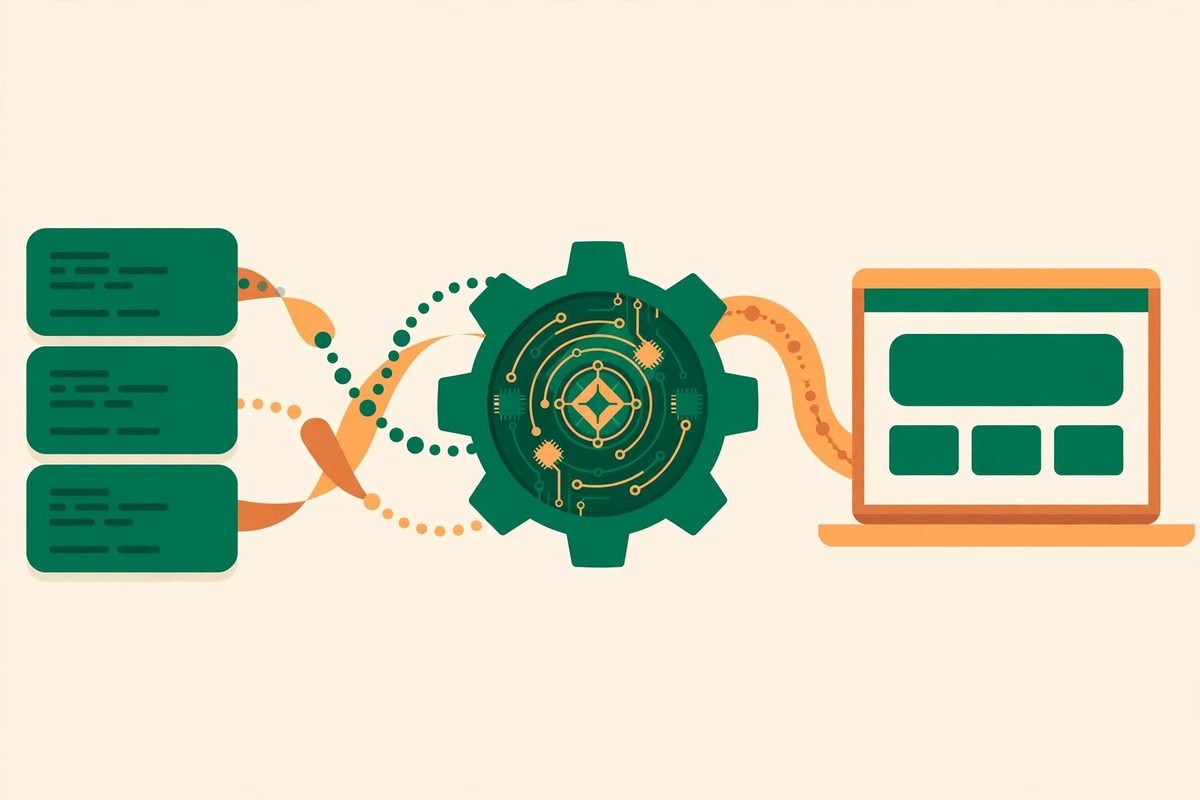
It is written mostly in C, which is one reason PHP can be fast despite being a scripting language. Your PHP code is not executed line by line as raw text in production. It is parsed, compiled into compact instructions called opcodes, and then executed by the Zend Engine, often with those opcodes cached so repeat requests skip the parsing step entirely. That pipeline — parse, compile, cache, execute — is the interpreter in one sentence.
The project is distributed under the BSD 3-Clause licence, a permissive open-source licence that lets businesses use, modify, and ship PHP without paying a licence fee. It is actively maintained: the repository was updated on 1 November 2026, and its most recent releases — PHP 8.5.12, 8.4.27, and 8.3.36 — all landed on 21 October 2026. That cadence matters. A language that ships patched releases across three supported lines at once is a language with a functioning maintenance operation behind it, not an abandoned project.
What the PHP Interpreter Actually Does
When a visitor opens a PHP page, a chain of events runs in milliseconds. The web server hands the request to PHP through a server interface. The interpreter reads the script, checks its syntax, compiles it to opcodes, and executes it. Along the way it talks to extensions: one for talking to MySQL or PostgreSQL, another for handling images, another for encryption, another for JSON. The output — usually HTML — goes back to the server and out to the visitor.
Extensions are where PHP’s practical power lives. The repository ships many essential extensions bundled in, and more are available through PIE, the PHP Installer for Extensions, while the older PECL library is now deprecated for new extension installs. If your application needs a specific database driver, image library, or caching extension, that capability almost always arrives as an extension rather than as a change to the language itself. When an extension is missing on a server, features fail in confusing ways — the classic “white screen after migration” often traces back to an extension that was present on the old server and absent on the new one.
How It Works: From Source Code to a Running Website
Most people never need to build PHP from source, and that is by design. Prebuilt packages exist for every major platform, and the project points Windows users to windows.php.net and everyone else to the installation chapter on php.net. Installing from a package manager or a hosting panel is the normal path, and it is the path we recommend for production servers.
Building from source is the path for contributors, extension developers, and teams debugging something deep. On Ubuntu, the README lists the build dependencies plainly: pkg-config, build-essential, autoconf, bison, re2c, libxml2-dev, and libsqlite3-dev. The build itself follows a familiar open-source pattern:
- Clone the repository and generate the configure script with ./buildconf
- Configure the build — ./configure –enable-debug for development, plain ./configure for production
- Compile with make -j4, matching the job count to your available cores
- Run the test suite with make test before installing anything
- Install with make install
Why php-src Matters Right Now
Three forces keep the interpreter relevant in 2026. First, the installed base is enormous. WordPress, Laravel, Symfony, and Drupal applications all run on this engine, which means a huge share of existing business websites, stores, and internal tools depend on it continuing to be maintained. Rewriting those systems in another language is rarely a sensible business decision; keeping the engine current is.
Second, the release train is steady and transparent. New features arrive only through the RFC process — a public proposal that must be accepted by the developers — while bug fixes can land directly, referenced to GitHub issues. That governance is slower than a startup shipping features weekly, but it is exactly what you want from infrastructure: changes are debated in public, documented, and reversible in a way that closed platforms never are.
Third, the performance story keeps improving without breaking the ecosystem. Opcode caching, the just-in-time compiler for CPU-heavy code, and steady engine optimisation mean a well-built PHP 8 application is dramatically faster than the same application on PHP 7, often with no code changes at all. The cheapest performance upgrade many businesses can make is simply moving to a supported PHP version — and the most expensive mistake is staying on an unsupported one because nobody wanted to test the upgrade.
From Our Experience: What We Tell Clients About PHP Versions
At MTD Technologies, we have spent more than nine years building and maintaining web applications, and PHP version decisions come up in almost every legacy project we inherit. The pattern is consistent. The version problem is never really the version — it is everything around it: a plugin that was never tested on the new version, an extension compiled for the old one, a hosting panel that quietly pinned PHP 7.4 years ago, or custom code relying on behaviour that was deprecated two releases back.
Our practical rules are straightforward. Pin a specific, supported version in every environment — development, staging, and production should never drift apart. Budget for the upgrade test, not just the upgrade: the version change itself takes minutes, while testing the checkout flow, the contact forms, the scheduled jobs, and the admin area takes the real time. Treat opcode caching as non-negotiable in production; running PHP without it is leaving free performance on the table. And never build PHP from source for a production server unless you have a specific, documented reason, such as a custom extension. Package builds are tested, patched, and replaceable. A hand-compiled interpreter on one server is a snowflake nobody else on the team can reproduce at 2 a.m.
One honest limitation: PHP is not the right default for every problem. Long-running, CPU-bound services, real-time systems with thousands of persistent connections, and heavy data-processing pipelines often fit other runtimes better. PHP’s strength is the request-driven web application — a request comes in, work happens, a response goes out. Used inside that shape, it is superb. Stretched far outside it, you will fight the model instead of benefiting from it.
A Note on Responsible Use
Because the interpreter is free and open, anyone can download and run it — including on code they should not trust. Never execute PHP code from an untrusted source on a server that holds real data, and never expose a development server, with its debug settings on, to the public internet. Keep the interpreter patched: security fixes ship with the regular releases, and an unpatched, end-of-life PHP version is one of the most common footholds we see on compromised WordPress sites. Open source gives you the code and the fixes; applying them is still your job.
Getting Started With php-src
- Check what you already have: run php -v on your machine or ask your host which version your site runs. If the answer is 7.4 or older, you are on an unsupported version and an upgrade plan is overdue.
- Pick a supported line: as of this writing, PHP 8.5 is the newest release line, with 8.4 and 8.3 also receiving fixes. Confirm the current support window on php.net before committing.
- Install from packages, not source: use your operating system’s package manager, your hosting panel, or the prebuilt binaries from windows.php.net. Reserve building from source for contribution or debugging work.
- Try the built-in server for local experiments: php -S localhost:8000 serves a folder for development. It is not for production, but it is the fastest way to test a script.
- Clone the repository only if you want to read or contribute: git clone https://github.com/php/php-src.git, then follow the README build steps above. Reading the source of a function you use every day is one of the fastest ways to become a better PHP developer.
If you are evaluating PHP for a new project rather than maintaining an existing one, the question is not whether the language is alive — the commit history answers that — but whether your team, your hosting, and your application’s shape fit it. For a content site, a store, a booking system, a CRM, or a customer portal, the answer is usually yes, and the ecosystem around it is a genuine advantage.
Frequently Asked Questions
Is the PHP interpreter really free?
Yes. php-src is released under the BSD 3-Clause licence, which permits commercial use without a licence fee. You pay for hosting, development, and maintenance — never for the interpreter itself.
Do I need to build PHP from source to use it?
No. Prebuilt packages and binaries cover Windows, Linux, and macOS, and hosting providers install PHP for you. Building from source is only needed for contributing to the language, developing extensions, or debugging engine-level issues.
Which PHP version should my business be on?
A currently supported version — PHP 8.5, 8.4, or 8.3 at the time of writing. Check the supported-versions page on php.net, then test your application and plugins on staging before upgrading production. Avoid end-of-life versions, which receive no security fixes.
Is PHP dead in 2026?
No. The repository was updated on 1 November 2026, three release lines shipped patches on 21 October 2026, and the frameworks and content systems built on PHP continue to power a huge number of business sites. A technology can be unfashionable and still be the right business choice.
Can anyone contribute to php-src?
Yes, by forking the repository and sending a pull request. New features require an accepted RFC, while bug fixes can reference the relevant GitHub issue. Discussion happens on GitHub and on the internals mailing list.
The PHP interpreter is easy to take for granted precisely because it works so quietly. It parses your code, runs your application, and gets out of the way — maintained in public, patched on a schedule, and free for any business to use. If your site runs on PHP, knowing what php-src is — and keeping your version supported — is one of the simplest, highest-return maintenance decisions you can make. If you need help planning a PHP upgrade, auditing a legacy application, or building something new on WordPress or Laravel, talk to our web development team or contact us — and browse the AI Tools Directory for more open-source tools we have reviewed.