
Finding a genuinely free AI browser agent for Chrome is harder than it sounds. Most tools that advertise a free tier turn out to be free trials with a paywall two clicks behind the sign-up button. Retriever AI is the exception that made us look twice: a browser agent that lives inside your own Chrome browser, drives real pages on your behalf — prospecting leads, extracting data, filling in forms, applying for jobs — and runs on an ad-supported free tier that asks for no API key and no card. Our verdict up front: the free tier is real and genuinely useful for light, interactive work; the paid tier (from $9.99/month) is where the serious automation unlocks — schedules, triggers, and MCP access. Below is the full breakdown: what it does, what “free” actually covers, the honest limitations we would flag before recommending it to a client, and exactly who should (and shouldn’t) adopt it.
If you are short on time: a freelancer, an agency owner, or an operations lead drowning in repetitive browser work can install the extension and have it gathering usable data within an hour, at zero cost. By the end of this review you will know precisely what the free mode allows, what the paid tier buys you, and how it stacks up against Perplexity Comet, ChatGPT’s agent mode, and the open-source alternatives.
What this free AI browser agent for Chrome actually does
Retriever AI ships as a Chrome extension (it also works in Brave and Edge, which share Chrome’s extension platform) plus a cloud dashboard. Instead of handing you a separate “agent browser” you have to move into, it works in the browser you already live in — your tabs, your signed-in accounts, your bookmarks stay exactly where they are. You describe the job in plain English, and the agent opens real pages, clicks, types, extracts, and builds a finished result you can review.
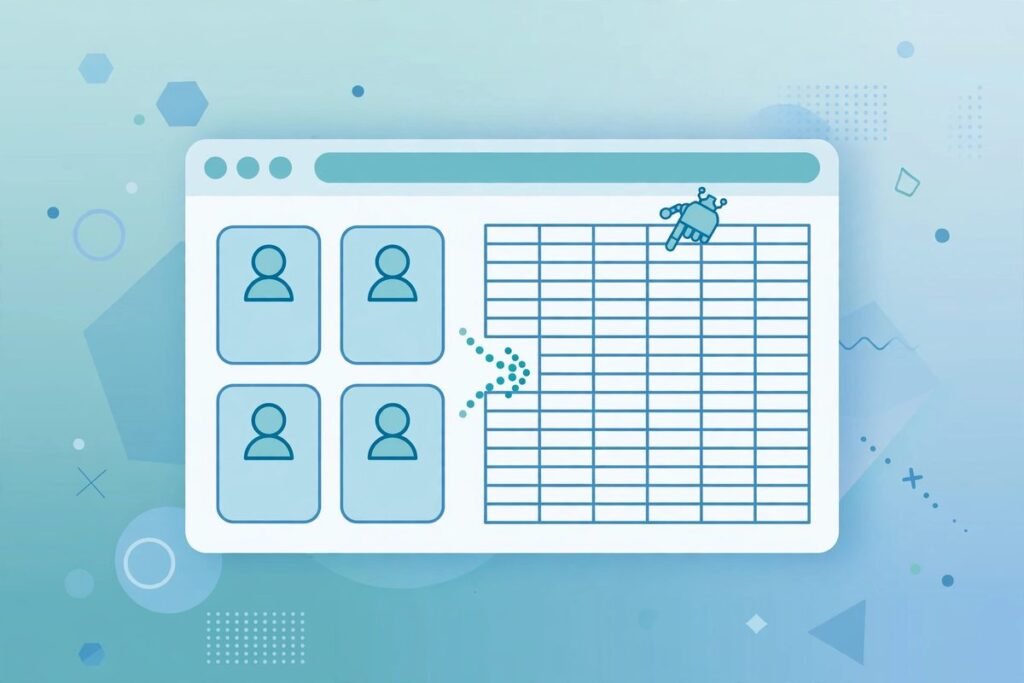
The work it takes on falls into a few recognisable shapes. The flagship is gathering: open a set of source pages, follow pagination, pull out the fields you asked for, and hand back a clean result — typically a Google Sheet with source links included. Then there is enrichment: start with a list of people, companies, jobs, or accounts, and have it add profile links, company websites, roles, titles, email addresses, company summaries, and short outreach notes, turning a raw list into CRM-ready fields. And then there is the everyday grind — filling in forms, updating CRM records, applying to jobs with your CV, collecting research, moving data between tools.

Gather, keep watch, connect: the three working modes
Retriever organises its product around three verbs, and they map neatly onto real business workflows.
Gather is the one-off job: “collect the listings that match these filters and put the result in a sheet.” The agent opens the sources, follows every page, and builds the result. This is the mode you will reach for first, because it is fully covered by the free tier and it is where you can verify quality before trusting anything unattended.
Keep watch is the same browser job on a schedule — a competitor-pricing check every morning, a refreshed lead list every Monday. This is a paid-plan feature, and rightly so: unattended recurring runs are where compute costs and failure modes both concentrate. Set the schedule once, review each result when it is ready.
Connect is the interesting one for technical teams. You can expose your signed-in browser through an MCP endpoint (https://mcp.rtrvr.ai) or an API, and then call browser work from Claude, ChatGPT, Cursor, n8n, or your own code. Saved workflows can also be triggered from WhatsApp, the CLI, curl, or a schedule — run a workflow from your phone and check the result later. You can even teach the agent a workflow once and save it as a reusable shortcut or subroutine, so repeated work stops being re-explained every time.

Pricing: what “free” really means
This is where most reviews get vague, so let us be precise. Free Mode costs $0, requires no card, and includes the AI inference itself — you do not need to bring your own OpenAI or Anthropic API key. It covers supported AI models and cloud-browser time for tasks you start in the extension or the cloud dashboard. The trade-offs: sponsored cards appear in the extension and dashboard, and a daily fair-use allowance applies. Your account shows the current allowance and its reset time; when you hit it, you wait for the reset, plug in your own AI provider, or move to a paid plan. Every Google permission (Sign-In, Drive, Calendar) is optional and requested incrementally — Drive’s file scope, for example, is only requested when a workflow actually needs it, and it cannot browse the rest of your Drive.
Paid plans start from $9.99/month (per the maker’s own walkthrough at the October 2026 launch; confirm current pricing on their site before budgeting). Paid unlocks the unattended layer: schedules, triggers, cookie sync, and running Retriever’s agent in your Chrome through the API or MCP. API and WhatsApp runs consume credits for the resources they use, data enrichment and managed proxies can use credits separately, and paid plans run ad-free. Note the asymmetry the official terms spell out: driving your own AI through Retriever’s browser tools over MCP is free; having their agent drive your browser over API or MCP requires the subscription.
Practically: the free tier is a genuine evaluation environment and a workable tool for a few interactive jobs a day. If you need scheduled runs, remote triggers, or programmatic access for a team, budget for the paid tier from the start.
Who it’s actually for
Retriever earns its place fastest with three groups. Freelancers and agencies doing lead prospecting and outreach: “find companies that match this profile, enrich them with contacts, draft the outreach note” is the canonical Retriever job, and it replaces hours of tab-hopping. Operations staff with repetitive browser workflows — CRM hygiene, listing checks, form submissions — who do not have engineering time to script it. And developers and technical founders who want to hand browser work to Claude, Codex, or an n8n workflow without shipping their logged-in sessions to a third-party cloud browser: the session stays on your machine, which is a meaningfully different trust model.
It is not for everyone. If your workflow needs auditable, deterministic automation — think financial reporting or regulated data handling — a browser agent’s probabilistic navigation is the wrong tool; scripted workflow automation with fixed selectors is. And if you are evaluating AI tooling more broadly, our AI tools directory covers alternatives across categories.
Watch-outs and honest limitations
No honest review skips this part. Five things to weigh:
- Browser agents are brittle by nature. A site redesign, a changed class name, a new CAPTCHA — any of these can break a learned workflow. The “teach once, reuse” shortcut model helps with repetition, not with a target site changing underneath you. Budget for maintenance.
- Outreach automation carries compliance risk. Finding leads is one thing; having an agent send outreach at scale is another. Cold-email law (GDPR, CAN-SPAM, and equivalents) and platform terms (LinkedIn in particular) do not care that an AI clicked the button. Keep humans in the approval loop for anything outbound.
- Free is metered. The daily fair-use allowance and sponsored cards are a fair deal, but they make the free tier unsuitable for high-volume or time-sensitive work. Treat it as an evaluation and light-use tier, not infrastructure.
- The headline performance claims are the maker’s own. The Product Hunt launch page claims the agent beats OpenAI, Anthropic, and Claude on accuracy while running 5x faster at 300x lower cost. Those are self-reported launch claims, not independently benchmarked results — interesting, not evidence.
- It is early-stage. This was Retriever’s fifth Product Hunt launch, with a modest follower and review base at the time of writing. The engineering blog shows serious thinking — their post on replacing per-step tool loops with a sandboxed code-writing harness is genuinely the right architecture instinct — but independent review coverage is still thin. Adopt it for real work, not for load-bearing work, until the track record lengthens.
How it compares to the alternatives
The browser-agent space is crowded, and the products differ more in trust model than in demo quality. Perplexity Comet is a full agent browser — powerful, but it asks you to move your browsing life into their browser, sessions included. ChatGPT’s agent mode and OpenAI’s Atlas run in the cloud on OpenAI’s infrastructure, which is convenient and completely off your device. Manus sells the generalist-agent dream with its own cloud computer. Open-source options like BrowserUse give you full control but require you to bring the models, the infrastructure, and the maintenance.
Retriever’s differentiator is the middle path: it runs in your Chrome with your session, and its MCP-first design treats the browser as a tool other agents can call. For a business that already runs on Claude, Cursor, or n8n, that composability matters more than raw benchmark scores. The weakness, symmetrically, is that the polished end-to-end experience and the enterprise trust apparatus of the big vendors are not there yet.
From our experience
We have built browser automation and AI integrations for clients for over nine years now, across 300+ projects, and the failure modes of browser agents are depressingly consistent: the demo works, the first week works, and then a target site ships a redesign and the whole pipeline silently produces garbage. So here is the practitioner advice we give clients, applied to Retriever specifically.
First, start with read-only gathering jobs. Data extraction is the highest-value, lowest-risk browser-agent work: if the agent misreads a page, you get a bad row in a spreadsheet, not a sent email or a submitted form. Validate a gather workflow for a week before you let the same tool near anything that writes — forms, outreach, CRM updates.
Second, never hand an agent your primary logged-in profile. Retriever’s “keep your tabs, your accounts, and your place” pitch is convenient, and the blast radius is exactly that convenience. Use a dedicated Chrome profile for agent work, with only the logins the workflow needs. If a credential leaks or a session is abused, the damage is contained.
Third, measure the allowance before you design around it. The daily fair-use limit on the free tier is fine until the week your lead list triples and jobs start queuing past the reset. Know your steady-state volume, then decide between paid plans and self-hosted alternatives with open eyes.
Finally, give credit where the engineering earns it: the team’s public write-up on having the model write control flow as sandboxed code instead of rediscovering the loop body on every tool call is the correct diagnosis of why most browser agents fall apart on multi-step workflows. Architecture taste like that is a better signal of a tool’s future than any launch-day benchmark claim.
Frequently asked questions
Is Retriever AI really free?
Yes, with the two caveats the maker states plainly: the free tier is ad-supported (sponsored cards in the extension and dashboard) and metered by a daily fair-use allowance. Inference is included — no API key, no card required. Schedules, triggers, cookie sync, and programmatic runs of their agent need a paid plan starting from $9.99/month.
Do I need an OpenAI or Anthropic API key?
No. Free Mode includes supported AI models, which is the whole point of the product: zero setup, describe the job, watch it run. You can optionally connect your own AI provider to avoid model-credit charges and the free allowance, but your provider would then bill you for that usage.
Which browsers does it support?
Chrome, Brave, and Edge via the extension, plus cloud browsers hosted by Retriever for off-device runs. The design philosophy is to work in the browser you already use, with your existing signed-in sessions.
Can I trigger Retriever from my own code or AI assistant?
Yes. Saved workflows can be triggered from WhatsApp, MCP clients, the CLI, the API, and curl, and the signed-in browser can be exposed to Claude, ChatGPT, Cursor, and n8n through the MCP endpoint. Note the licensing split: driving your own AI through Retriever’s browser tools over MCP is free; running Retriever’s agent through API or MCP requires a paid subscription.
Is it safe to let it use my logged-in accounts?
Convenient, but treat it with the same caution as any tool with session access. Use a dedicated Chrome profile with only the logins the workflow needs, keep write actions (outreach, form submission) human-approved, and remember that browser agents inherit the fragility of the sites they drive — verify outputs, especially early on.
Retriever AI is that rare thing in the current AI gold rush: a free AI browser agent for Chrome whose free tier is an actual product rather than a funnel. For light interactive work — research, lead gathering, enrichment — it is worth an afternoon of your time to evaluate. For scheduled, team-wide, or programmatic browser automation, go in with the paid tier budgeted and a dedicated browser profile configured. And if browser automation is one piece of a larger AI pipeline you are building for your business, talk to us — designing the reliable layer around tools like this is exactly what we do.