
Trigger.dev webhooks AI agents are now a real, shippable thing rather than a feature request. Trigger.dev launched inbound webhooks in public beta on 26 October 2026, and the pitch is simple: let the services your business already runs — Slack, Stripe, GitHub, Supabase, Linear and more than 40 others — start, resume or message your AI agents, without you building and babysitting a webhook server. If you have ever watched an agent workflow fail because a single webhook delivery was missed, duplicated or lost during a deploy, you will understand immediately why this launch matters. This review explains what Trigger.dev Webhooks actually does, what it costs, who it suits, and where its beta limits should make you pause.
What Trigger.dev Webhooks does
Trigger.dev itself is an open-source platform, licensed Apache-2.0, for building and running durable AI agents and workflows in TypeScript. You write tasks and agents in your existing codebase, and Trigger.dev runs them with retries, queues, waits, full tracing and elastic scaling, with no execution timeout and no queue or worker infrastructure to build yourself. You can self-host it or let Trigger.dev Cloud run it for you. Webhooks are the missing front door for that engine: until now, something else had to notice an event and kick a task off. Now the event can do it directly.
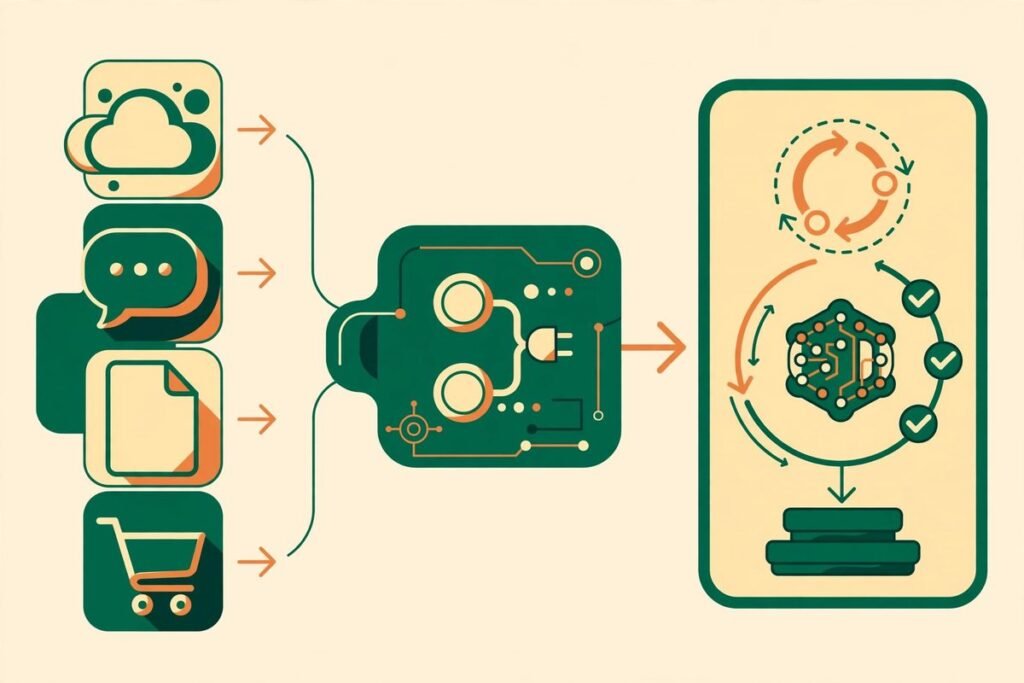
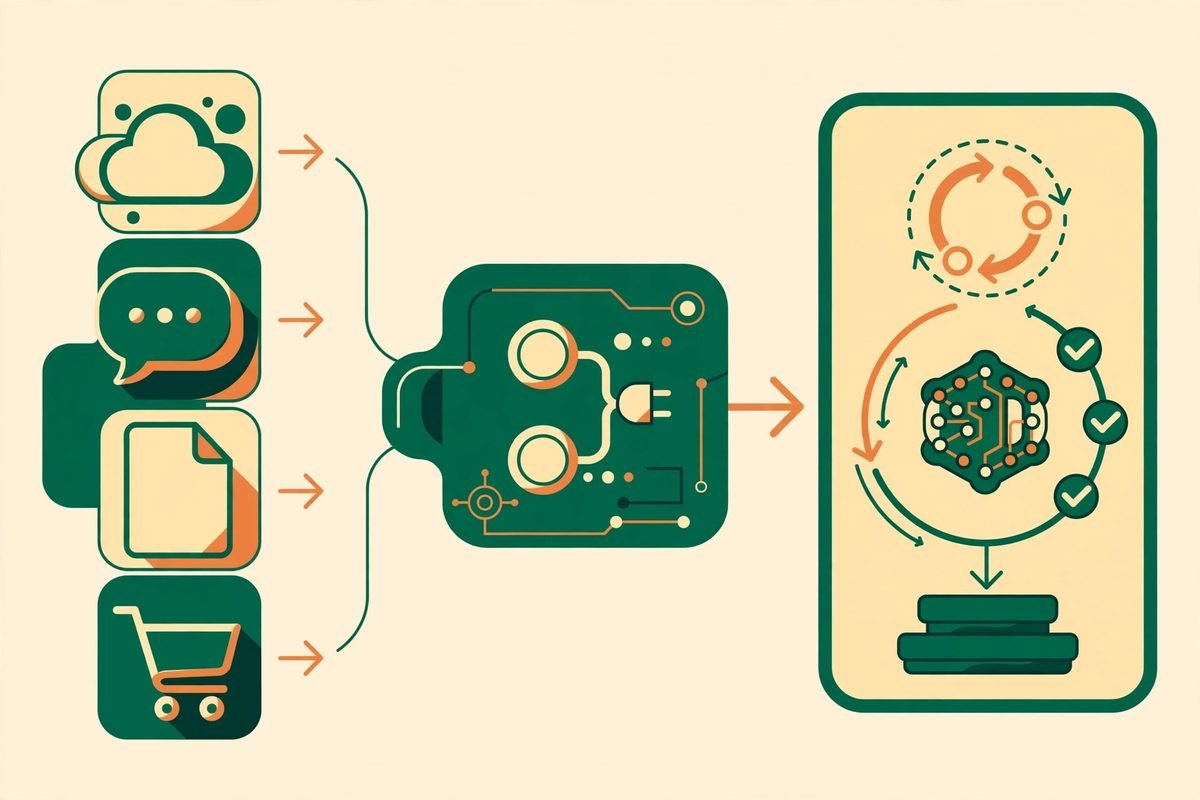
You declare a webhook endpoint in code, next to your tasks, and Trigger.dev hosts its URL — one per environment — which you hand to the provider. When a delivery arrives, Trigger.dev verifies it, deduplicates it, stores it, and only then answers the provider. That ordering is the whole point: once accepted, a delivery cannot be lost to a crash, a deploy or a database outage, and provider retries cannot start the same run twice.
The launch supports more than 40 providers from day one — the engineering post puts the count at 46 named sources, including Stripe, GitHub, Shopify and Linear — plus two shared signing schemes that widen coverage. Services that sign with Svix, such as Clerk and Resend, and services using the Standard Webhooks open specification, such as OpenAI and Replicate, work out of the box. For any other provider, you can verify webhooks your own way with a custom verifier: an HMAC signature, a shared secret, a URL secret or a public key.
What you can actually build with it
The examples in the launch announcement, also listed on its Product Hunt launch page, read like a tour of a normal product team’s week. A GitHub pull request starts a code-review agent. A new Sentry issue starts an agent that writes the fix. A Stripe refund waits for a human to approve it in Slack. A Linear task is handled by a coding agent. An email-management agent responds to Resend events. None of these is exotic, and that is the point: the value is not a new kind of agent, it is agents that reliably wake up when real work happens.
- Support agents in Slack: a chat agent answers mentions, with the conversation held as one durable task, so state survives refreshes, deploys and crashes.
- Coding agents on Linear and GitHub: issue assignment or a pull request triggers review, triage or fix work, observable run by run.
- Billing-operations agents on Stripe: refunds, failed payments and disputes trigger agents that gather context and either act or escalate.
- Approval workflows: an agent pauses at a decision point and waits for a human in Slack or Linear, instead of acting blindly or stalling unseen.
- Multi-agent fan-out: one webhook can kick off up to 25 different agents, so one event can set off onboarding, enrichment, CRM updates and a welcome sequence in parallel — but use the advanced filtering, or a noisy source will turn into an invoice and an incident in the same week.

Trigger.dev webhooks AI agents and the human-in-the-loop advantage
The strongest part of this launch is not the webhook plumbing. It is what durable waiting unlocks. Trigger.dev tasks checkpoint during waits, so an approval step that waits a week uses no resources and is not billed — and the launch states compute will sleep for up to 90 days while waiting, without charge. That changes the economics of human oversight. In most stacks, waiting is either expensive, with a function held open, or fragile, with a database row somebody must remember to poll. Here, waiting is a first-class state.
The launch also ships first-class Slack and Linear integrations. Before this release, the company’s own changelog-image workflow needed a hand-written, 225-line Slack route to verify signatures and complete tokens. Now approvals are built in, with Approve and Deny buttons in the thread or in Linear’s agent panel. The practical rule is simple: any agent action that moves money, contacts a customer, changes production data or publishes externally should pass through one of these gates.
Pricing: what is verified and what to check before you commit
Trigger.dev is open source, so self-hosting is always an option, with its own infrastructure cost. On Cloud, secondary listings report a free tier and paid plans starting at around 10 dollars a month, but we could not verify a complete, current tier table from the launch materials — treat that figure as a starting point, not a quote. What is clearly stated is more useful: waiting is not charged for, so approval-heavy workflows should be cheap in compute terms, with real costs in model tokens, third-party API calls and engineering time.
Who Trigger.dev Webhooks is for — and who should wait
This is a developer tool, and it does not pretend otherwise. The natural audience is a TypeScript team that already builds with Next.js, Remix, Nuxt, SvelteKit or Express, and wants agents as code — versioned, reviewed and deployed like the rest of the application — rather than as diagrams in a separate automation tool. If your team already thinks in code, webhooks remove the last piece of glue code that made agents feel bolted on. If your team does not write TypeScript, this is not the tool that will convert them.
- Good fit: SaaS and product teams running TypeScript, agencies shipping client automations they must maintain, and operations teams with clear approval gates such as refunds or publishing.
- Good fit: teams drowning in webhook glue — hand-rolled signature verification, retry logic and dead-letter handling spread across services.
- Weak fit: non-technical teams that need a visual builder; they will move faster in n8n or Make, and should only adopt Trigger.dev with a developer owning it.
- Weak fit: teams whose primary stack is Python or .NET; the honest alternatives there are LangGraph, Temporal or the Microsoft Agent Framework, each with its own trade-offs.
Watch-outs and honest limitations
First, this is a public beta. Betas change, APIs shift and documentation lags the code. Do not put a revenue-critical workflow — payment reconciliation, production deploys, customer-facing support — on a beta webhook path without a fallback, such as a manual queue or a parallel notification, until you have run it through real traffic for a few weeks. Second, custom-provider support is incomplete: the engineering post notes that for roughly 10 to 15 percent of providers, users need to execute custom code, and that capability is not in this release yet. If your key provider is in that long tail and uses neither Svix nor Standard Webhooks, verify support before you plan around it.
Third, durability is not correctness. A perfectly delivered webhook can still trigger the wrong agent if filters are loose, or the right agent with stale context. Check whether the order was already fulfilled or the ticket already answered, rotate secrets, give agents least-privilege tokens, and audit what they did.
How it compares to the alternatives
Against visual tools such as n8n or Zapier, Trigger.dev trades ease of setup for durability and code-level control. Against Temporal, the trade is scope against simplicity: Temporal covers many languages, while Trigger.dev is narrower and quicker to adopt for TypeScript agent work. Against LangGraph, the difference is mental model: a graph of steps versus durable tasks with waits and approvals. Pick the tool that matches your team’s language and the workflow’s shape.
From our experience: where webhook agents go wrong
Across more than nine years and 300-plus projects at MTD Technologies, the webhook failures we keep seeing are rarely about the webhook itself. One client had three systems reacting to the same Stripe event, each convinced it owned the refund, and the customer received three apology emails. Another had an agent that replied in Slack within seconds — to a message that had been edited five minutes later, because the agent read the original payload and never re-fetched the thread. A third had perfect retry logic and no alerting, so a failing agent retried politely for a week while orders piled up unfulfilled. Trigger.dev’s stored, deduplicated, observable delivery fixes the plumbing layer of all three stories, but not the design layer: one owner per event type, re-fetch before acting, and an alert when a run fails twice.
Our advice for a first deployment is deliberately boring. Start with one event type and one agent, in a non-critical channel — internal notifications, not customer refunds. Add a human approval gate before any external action, log every decision with its triggering event, run it for two weeks, then add the second event type.
Trying it in an afternoon
- Set up a Trigger.dev project and run a trivial task locally, so you can see runs, traces and retries before any real event arrives.
- Declare one webhook endpoint for a single provider you already use — Slack mentions or GitHub pull requests are good first choices — and point the provider at the hosted URL for your development environment.
- Build one agent that does exactly one safe thing on that event: summarise, draft or notify. No external writes yet.
- Add a waitpoint or approval gate, and watch a run pause and resume. This is the behaviour you are actually buying.
- Only then add a second event type, filtering, and — cautiously — one external action behind approval.
Frequently asked questions
Is Trigger.dev Webhooks free?
The platform core is open source under Apache-2.0, and Trigger.dev Cloud offers a free tier, with paid plans reported from around 10 dollars a month. Waiting during approvals is not charged for, with compute sleeping for up to 90 days. Confirm current tiers on the pricing page before budgeting, and budget separately for model tokens and third-party API calls.
Which services can trigger an agent?
More than 40 named providers at launch, including Slack, Stripe, GitHub, Linear, Shopify and Supabase, plus any service using Svix or the Standard Webhooks specification, such as Clerk, Resend, OpenAI and Replicate. Other providers can use custom verification with an HMAC signature, shared secret, URL secret or public key.
What happens if a webhook arrives during a deploy?
The delivery is verified, deduplicated and stored before the provider is answered, so it is not lost to a crash, deploy or database outage, and provider retries cannot start the same run twice. The run then executes with retries and tracing visible in the dashboard.
Do I need to write code, or is there a visual builder?
You write TypeScript. Endpoints, tasks and agents are declared in code in your existing codebase, which gives you versioning and review but means non-developers will need a developer owning the setup. Visual tools such as n8n remain the faster choice for purely no-code teams.
Can an agent wait for a human without costing money?
Yes, that is one of the headline benefits. Tasks checkpoint during waits, so an approval step uses no resources while waiting, and the launch states compute sleeps for up to 90 days without charge. Use a waitpoint, a chat-agent approval, or the built-in Slack and Linear approval buttons for any action that moves money or contacts a customer.
Trigger.dev Webhooks is a genuinely useful beta, not a demo feature: durable, deduplicated delivery plus free waiting plus built-in Slack and Linear approvals solves the three problems that have historically made event-driven agents fragile. Its limits — beta status, a TypeScript-only audience, and incomplete custom-provider coverage — are real but knowable, and none of them is a reason to dismiss it. Start with one event, one agent and one approval gate, and let the traces teach you what to automate next. If you want help designing that first workflow, or wiring webhook agents into your existing systems safely, talk to MTD Technologies about AI integration and automation, explore our AI Tools Directory for related reviews, or contact us to scope a pilot.