

If your WordPress site takes orders, collects enquiries, or runs bookings, it is sitting on the data your business runs on. A WordPress REST API integration is the bridge that moves that data into the tools that act on it — your CRM, your email platform, your accounting software, your warehouse system — automatically, without anyone copying and pasting between browser tabs. This guide explains how these integrations actually work, the patterns we build most often for clients, and the security and reliability details that separate an integration that works from one that silently breaks at 2am.
Who this is for: business owners and managers who want their website and their back-office tools to talk to each other. You will learn what the REST API does, how data moves in both directions, which authentication method fits your situation, and how to tell when you need a developer versus an off-the-shelf plugin.
What the WordPress REST API actually is
Every modern WordPress site ships with a REST API: a set of URLs under /wp-json/ that let other software read and write your site’s data — posts, pages, users, orders, form submissions — as structured data instead of web pages. Think of it as a loading dock at the back of your website: your other tools can pick up and drop off goods without walking through the public storefront.
The authoritative REST API Handbook FAQ covers the technical detail. The short version for a business owner: the API is already there, it is free, and it is the standard mechanism the whole ecosystem — mobile apps, dashboards, automation platforms like n8n and Zapier — uses to talk to WordPress. An integration built on it is not a hack. It is the interface WordPress was designed around.
The five integration patterns we build most often
Most client requests fall into one of five patterns. Recognising yours tells you how complex the work is and which tools fit.
1. Syncing enquiries and orders into a CRM
The classic: a contact form, quote request, or WooCommerce order creates or updates a contact in HubSpot, Salesforce, Pipedrive, or a custom CRM. When a lead buys, the deal stage moves automatically; when a quote request comes in, the sales rep gets a task instead of an email that sits in an inbox. The business win is speed — leads contacted within five minutes convert dramatically better than leads contacted the next morning, and only an automatic sync guarantees five minutes at midnight on a Sunday.
2. Feeding email and marketing automation
Newsletter signups, course enrolments, and event registrations flow into Mailchimp, ActiveCampaign, or similar, tagged with what the person actually did. A customer who bought a product gets the onboarding sequence; a visitor who downloaded a whitepaper gets the nurture sequence. The alternative — one generic list with no segmentation — is why so many business newsletters feel irrelevant.
3. Accounting and fulfilment sync
Orders push into Xero, QuickBooks, or an ERP; stock levels pull back into WooCommerce. This is where manual processes die: we have seen businesses where two staff members spent their mornings reconciling yesterday’s orders between the website and the accounting package. A solid two-way sync pays for itself in weeks, and it eliminates the reconciliation errors that are far more expensive than the development.
4. Custom dashboards and reporting
The REST API also works in reverse: your internal dashboard can pull sales figures, support tickets, or content stats out of WordPress and combine them with data from other systems. Founders who check five logins every morning get one screen instead. This is a read-heavy pattern, so it is usually the cheapest to build and the fastest to show value.
5. Headless front-ends and mobile apps
When the website itself is just a content source for a Next.js front-end or a mobile app, the REST API (or its GraphQL cousin WPGraphQL) is the entire content pipeline. This is a bigger architectural decision — see our guide on headless WordPress pros and cons — but the API is what makes it possible.
Authentication: how your tools prove who they are
Anything that reads sensitive data or writes anything at all must prove its identity. WordPress supports several authentication methods, and picking the wrong one is the single most common mistake we see in DIY integrations:
- Application Passwords — the recommended choice for server-to-server integrations. They have been part of WordPress core since version 5.6, they are easy to revoke individually, and they keep the actual user password out of the integration entirely.
- OAuth 2.0 — the right answer when a third-party platform needs access on behalf of users, because access is delegated and revocable rather than shared. This is what you want for integrations with large platforms.
- JWT with refresh tokens — fits stateless setups like single-page applications and mobile apps, where you do not want to lean on WordPress login cookies.
- Cookie + nonce — for JavaScript running inside the WordPress admin itself. Seamless, and no extra setup.
- API keys with signature verification — the pragmatic standard for webhooks: simple, verifiable, and easy to rate-limit.
A useful decision matrix for REST API authentication methods maps each method to its use case. The principle behind all of them: every integration gets its own credential, scoped as narrowly as possible, so that revoking one integration never breaks the others — and a leaked credential is an incident, not a catastrophe.
Webhooks: making integrations real-time
There are two ways to move data: polling (your tool asks WordPress “anything new?” every few minutes) and webhooks (WordPress shouts “this just happened” the moment it happens). Polling is simpler to set up but introduces delay, misses urgent events, and hammers your server with empty requests. Webhooks are near-instant and cheap — and they are what you want for anything time-sensitive like order notifications, fraud alerts, or sales-team lead assignment.
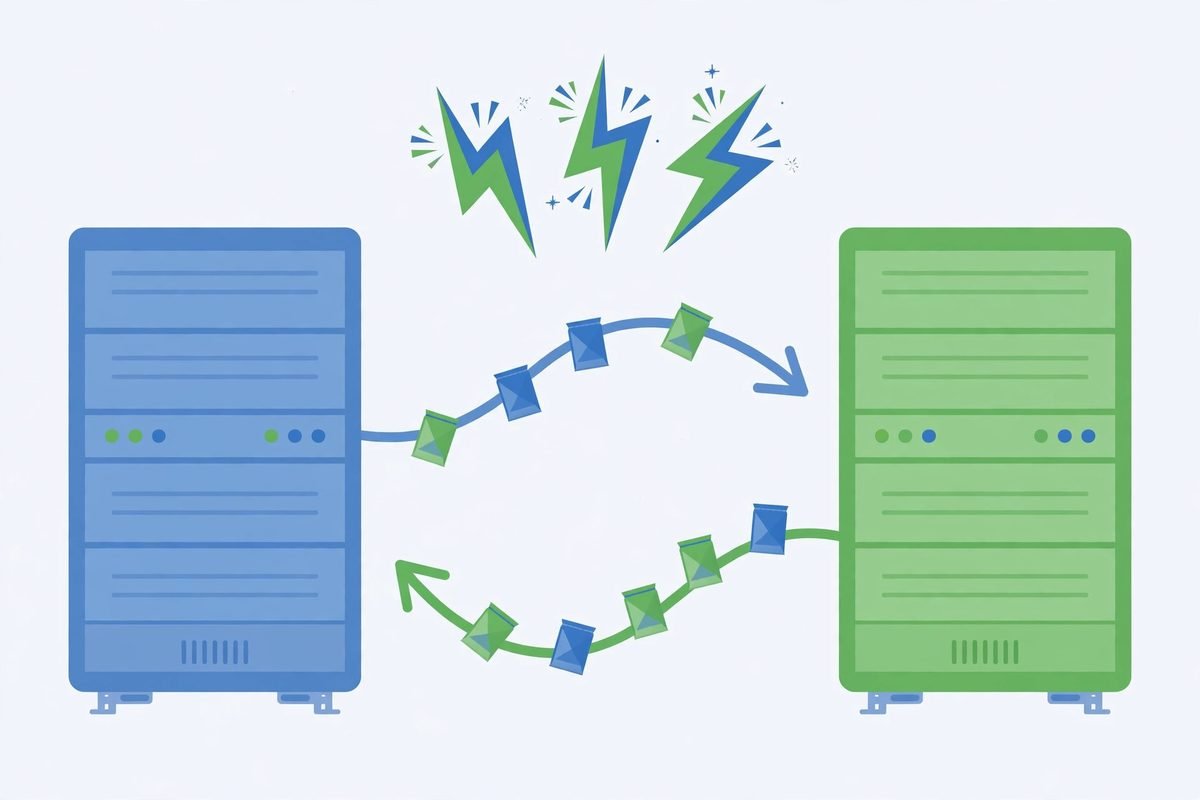
WordPress does not ship a webhook sender in core, so you either use a plugin (WP Webhooks, Uncanny Automator) or build a custom sender with WordPress’s HTTP API and action hooks — which gives you full control over trigger conditions, payload shape, authentication headers, and retry behaviour. Going the other direction, WordPress can also receive webhooks: you register a custom REST route, an external service calls it, and your PHP logic validates the payload, checks the sender’s signature, and acts. A good overview of WordPress webhooks walks through both directions. The golden rule, whichever direction data flows: never assume incoming webhook data is trustworthy — verify the signature before you process a single field.
Webhook reliability deserves its own paragraph because it is where integrations quietly die. Networks fail. Receiving servers go down for maintenance. A robust integration retries with exponential backoff (wait 1 minute, then 5, then 30), logs every failed delivery with the full payload, and alerts a human after the third failure — not the thirtieth. If your integration has no dead-letter handling, you do not have an integration; you have a hope.
Security basics you cannot skip

Every endpoint you expose is part of your security perimeter, not an afterthought. The non-negotiables, drawn from real-world WordPress security practice:
- Permission callbacks on every custom route. When you register a route with
register_rest_route(), thepermission_callbackis the function WordPress calls to decide who may use it. Public data can returntrue; anything touching user data, private content, or write operations must identify the requester and check their capabilities. Routes without this are one of the most common data-leak vectors in custom WordPress builds. - Validate and sanitise all incoming data. Declare expected types, required fields, and validation functions in the route’s
argsparameter so malformed data never reaches your callback — then sanitise again inside it. Defence in depth is not paranoia; it is the baseline. - Restrict endpoints you do not need. WordPress exposes a
/wp/v2/usersendpoint by default, which hands username lists to automated attack tools. On most business sites it should be disabled or restricted to authenticated requests. As the WordPress security best practices for custom sites guide puts it: treat every exposed endpoint, webhook, and data sync as part of the security perimeter. - HTTPS everywhere, no exceptions. API credentials travel in request headers; without encryption they travel in clear text. In 2026 there is no legitimate reason for API traffic over plain HTTP.
- Keep secrets out of code and databases. API keys belong in server environment variables or a secrets manager — never in version control, never in plain-text options rows, and never pasted into a support ticket.
From our experience: the gotchas that break integrations
We have built and repaired dozens of these integrations over 9+ years, and the failures are remarkably consistent. None of them are in the marketing copy:
- External APIs change shape without telling you. A CRM renames a field, a payment provider deprecates a version, and your integration starts failing — or worse, silently writing to the wrong field. Pin API versions where the provider allows it, validate the response shape as well as the request, and set up an alert for unexpected response structures.
- Never run integrations inside the page request. If pushing an order to your CRM takes four seconds and it runs during checkout, your customer waits four seconds — and when the CRM is down, checkout breaks. Queue the work (WordPress’s Action Scheduler is built for exactly this) and let the page load finish in milliseconds.
- Log the payload, not just the error. “Sync failed” is useless at 2am. Log the full request and response for every failure, with enough context to replay it. The first time you need a payload log is always the incident you least expected.
- Watch for rate limits on both sides. Your site can overwhelm a third-party API during a traffic spike (a sale, a viral post), and a misconfigured plugin can hammer your own REST API thousands of times an hour. Know the limits, implement backoff, and monitor request volume — an integration that works in testing and falls over on Black Friday is a familiar story.
- Build a canary, not just a dashboard. Dashboards get ignored. A daily automated check — “did at least one order sync in the last 24 hours?” — that messages a human when the answer is no, catches silent failures weeks before anyone notices the CRM is stale. This is the cheapest insurance in the whole project.
When not to build a custom integration: if your data mapping is one-to-one and a reputable plugin (WP Fusion, Uncanny Automator) already covers your CRM, use the plugin. Custom code earns its keep when data needs transforming, when you sync in both directions with conflict rules, or when the plugin’s per-month pricing exceeds a few months of development cost. An honest developer will tell you which side of that line you are on — if they always recommend custom work, get a second opinion. Our custom WordPress plugin development guide breaks down the cost side in detail.
Frequently asked questions
Do I need a developer to connect WordPress to my CRM?
Not always. If your CRM is popular (HubSpot, Salesforce, Mailchimp) and your data mapping is straightforward, plugins like WP Fusion or Uncanny Automator handle it with no code. You need a developer when data must be transformed between systems, when you sync in both directions with conflict-resolution rules, or when the plugin’s monthly cost exceeds the price of owning the integration outright.
Is the WordPress REST API secure enough for customer data?
Yes, when configured properly — which is doing a lot of work in that sentence. Use HTTPS everywhere, authenticate every write endpoint, add permission callbacks to custom routes, validate and sanitise all input, and restrict default endpoints like /wp/v2/users that you do not need. The API itself is sound; the breaches come from integrations built without these basics.
What is the difference between the REST API and webhooks?
The REST API is a door you knock on: your tool requests data whenever it wants. A webhook is a doorbell WordPress rings: your site pushes a notification the instant something happens. Most real integrations use both — webhooks for instant events (new order, new lead) and the REST API for on-demand reads and backfills (nightly reconciliation, dashboard queries).
How much does a custom WordPress REST API integration cost?
A simple one-way sync (form submissions to a CRM) is typically a small project — days, not months. Two-way sync with conflict rules, data transformation, error handling, and monitoring is a meaningfully larger one. The honest pricing variables are the number of systems, the direction of data flow, and how gracefully it must fail. Get a fixed quote tied to named scenarios (“order created”, “refund issued”), not a vague hourly estimate.
Will an API integration slow down my website?
Only if it is built badly. The rule is simple: integration work must never run inside the visitor’s page request. Queue it with Action Scheduler or a background job, cache aggressively on the read side, and your visitors will never know the integration exists. If a plugin slows your checkout, that is a defect in the plugin, not a law of nature.
A WordPress REST API integration done well is invisible: leads appear in the CRM before the sales rep finishes their coffee, orders reconcile themselves, and nobody thinks about it — which is exactly the point. The difference between that outcome and a fragile tangle of plugins is rarely budget. It is the unglamorous engineering: authentication done right, webhooks with retries, and monitoring that wakes someone up. If you would like a second pair of eyes on your integration plan — or you want it built properly from the start — talk to us. We have been connecting WordPress to the rest of the business for over nine years.