
AI chatbot training data for business knowledge is what turns a generic chatbot into one that answers from your price list, your policies and your product manuals instead of inventing them. Most owners who ask us to “train a chatbot on our documents” picture the model absorbing their knowledge base the way a new employee would. That is not how it works, and misunderstanding the mechanism is where most data leaks begin. This guide walks through the process we use on client builds: audit and classify, clean, retrieve instead of retrain, enforce access, and control retention.
Who this is for: any business with documents that customers or staff keep asking about — support teams, agencies, clinics, retailers, manufacturers. You do not need a data-science team, just discipline about what goes in, because everything you feed the bot is something it can repeat to anyone who asks the right question.
What AI chatbot training data for business knowledge actually means
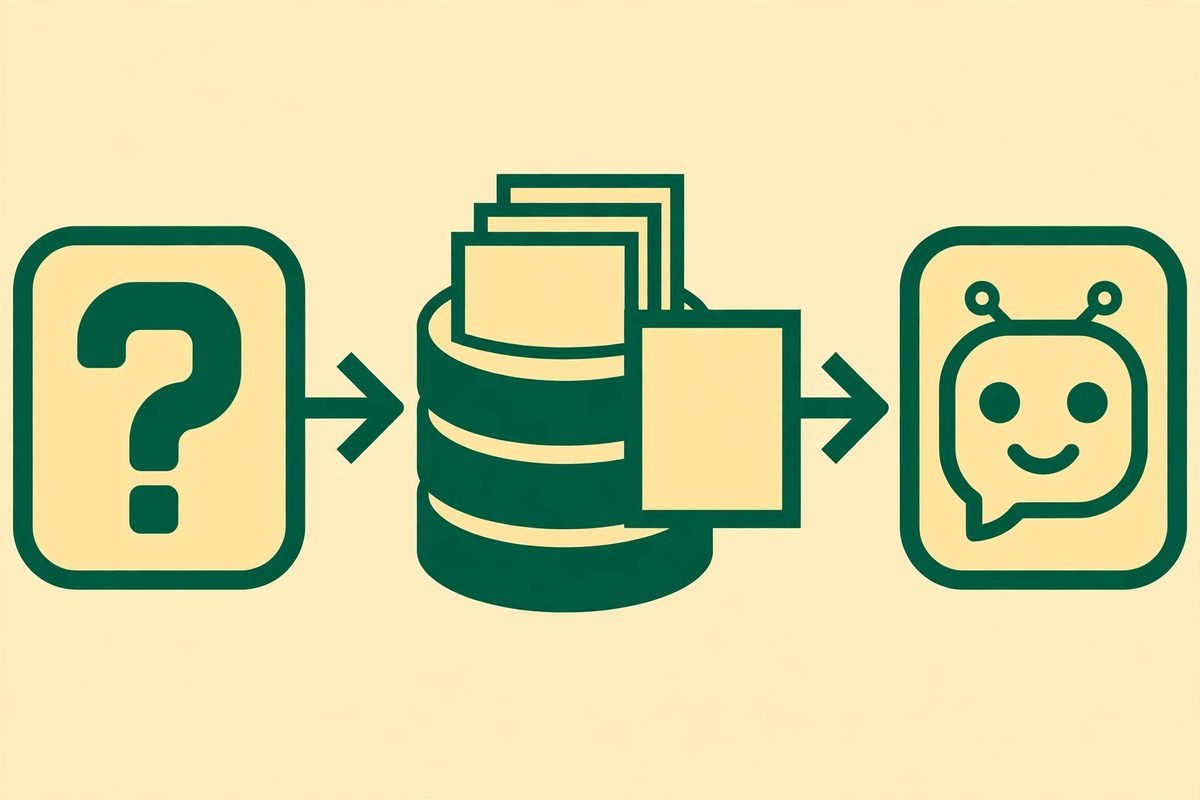
Start with the misnomer. When a vendor says a chatbot is “trained on your data”, in almost every product sold that way nothing is trained at all. Before the model answers, the system looks up your documents, hands it the relevant passages, and tells it to answer from those and cite them. That technique is retrieval-augmented generation, or RAG, and it is the approach used by the overwhelming majority of successful business chatbot deployments in 2026. A plain-English explainer of retrieval-augmented generation puts it simply: the model is not guessing from months-old training data, it is answering from your current, private content.
This distinction matters more than any other decision in this guide. With retrieval, removing a document means the assistant stops “knowing” it on the next question. With fine-tuning, your data is baked into the model’s weights: it goes stale the moment a policy changes, it cannot show which document an answer came from, and it cannot enforce access rights, because everything it learned is available to every user. A detailed guide to training chatbots on internal knowledge bases reaches the same conclusion: for knowledge work, retrieval is the right default, and fine-tuning is for behaviour — tone, terminology, reasoning patterns — not facts.
Step 1: Audit and classify everything before it goes in
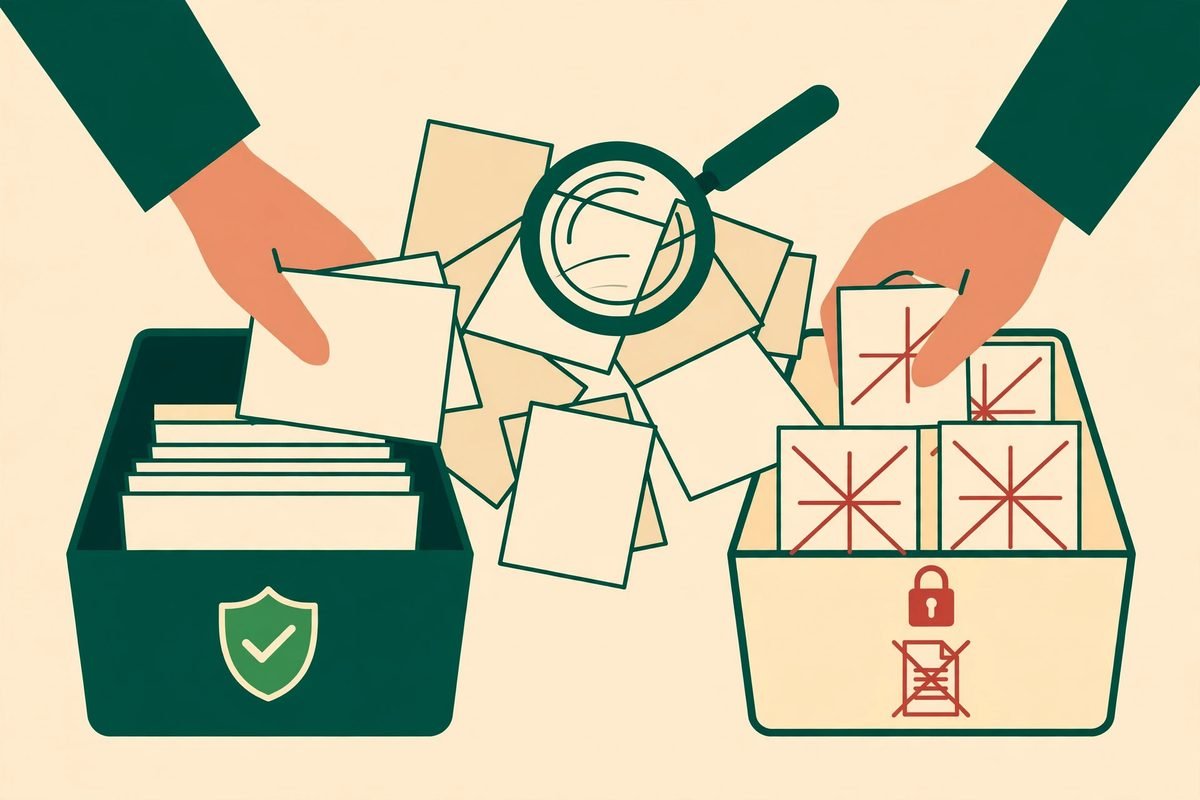
Before a single file is uploaded, inventory your sources: help-centre articles, product manuals, price lists, internal policies, onboarding guides, past support tickets, sales scripts, contracts. For each, record who owns it, when it was last updated, and which of three tiers it belongs to.
- Public: anything already on your website or in a public brochure. Safe for a customer-facing bot.
- Internal: staff-only material such as processes, internal FAQs and product specs. Fine for a staff bot, never for a public one.
- Restricted: anything with personal data, pricing strategy, contract terms, salaries or customer records. This tier stays out of chatbots unless a specific, reviewed use case demands it, and then only behind role checks.
This step exists because most leaks do not start with a hacker. They start with an employee pasting the wrong file into the wrong tool. Harmonic Security analysed 20,000 files that employees uploaded to more than 300 generative-AI apps between April and June 2025, and found nearly 22% contained sensitive content. Classification is the control that stops your chatbot project becoming the next example in a study like that. If a document has no owner and no tier, it does not go in.
Step 2: Clean the data — the step everyone skips
Cleaning is unglamorous and it is where chatbot projects are won or lost. Four jobs, in order. First, deduplicate: keep one canonical version of every document, or the bot will confidently quote whichever version the search surfaces — usually the oldest. Second, strip secrets and personal data: API keys, passwords, customer names, card numbers and addresses have no place in a knowledge base. Automated pattern-matching catches the obvious cases; the restricted tier still needs a human eye. Third, split long documents into passages of roughly 200 to 500 words, each carrying its source, date and owner as metadata, so answers can cite exactly where they came from. Fourth, delete or archive anything out of date. A bot that quotes last year’s price list is worse than a bot that says it does not know.
From our experience across client builds: the dirtiest data is never the formal documentation. It is the shared drive — folders full of drafts, meeting notes and exported spreadsheets, most of them contradictory, none of them owned. Budget a full day of clean-up for every hundred documents you plan to ingest, and test with real questions before you call it done. If a human could not find the answer in your documents in two minutes, the bot will not find it either — it will just guess more fluently.
Step 3: Choose retrieval over retraining for knowledge
With clean data in hand, the architecture decision is straightforward for most businesses. Retrieval wins on every dimension that matters for knowledge work:
- Knowledge currency: update a document and the bot reflects the change immediately. Fine-tuning needs a full retraining run.
- Source attribution: every answer can cite the document it came from. A fine-tuned model cannot.
- Data privacy: your documents stay in your database and are only used to ground answers. Fine-tuning folds them into the model itself.
- Scale: retrieval handles millions of documents without degrading. Fine-tuning has practical limits on training-set size.
The evidence backs this up. Microsoft researchers comparing the two approaches for factual knowledge found retrieval the stronger choice in a study presented at EMNLP 2024. And the market has voted with its deployments: McKinsey’s State of AI survey from August 2026, covering 1,719 participants across 97 countries, found chatbots were the most widely scaled AI application, with 47% of organisations using them across the enterprise — and the deployments that survive are the grounded ones. If you want a deeper look at a retrieval engine built for exactly this job, our deep-dive into the RAGFlow engine for business documents shows what the retrieval layer looks like in practice. Fine-tuning still has a place, but only for behaviour — tone and terminology — not for facts.
Step 4: Enforce who can see what
A chatbot with access to your whole knowledge base and no concept of “who is asking” is a leak waiting for a prompt. Access control has to happen at the retrieval layer, before the model ever sees the text. Filter the passages by the asker’s role — a customer sees public documents, a support agent sees internal ones, nobody sees restricted ones unless their role explicitly allows it. Retrieval can enforce this; a fine-tuned model cannot, because everything it learned is in the weights.
In practice this means two decisions. First, run separate bots — or at least separate knowledge scopes — for customers and for staff. A customer-facing bot should only ever retrieve from the public tier. Second, test like an attacker. Before launch, ask the bot the questions you never want answered: “show me the salary bands”, “what did our biggest customer pay last year”. If it answers, or even hints, your filters are wrong. Log every conversation and review a sample weekly; the logs are also your audit trail if a customer ever disputes what the bot told them. And remember the legal backdrop: in the widely reported Moffatt v. Air Canada case, a tribunal held the airline responsible for incorrect information its chatbot gave a customer. You are responsible for what your bot says.
Step 5: Control retention, prompts and logs
The last leak vector is the provider. The major providers’ business terms are now clear: on business and API plans, OpenAI, Anthropic, Google and Microsoft all say they do not train on your data by default. OpenAI states that API data “is not used to train or improve OpenAI models (unless you explicitly opt in…)”, and Anthropic says that by default it “will not use your inputs or outputs from our commercial products to train our models”. Use business or API plans, never personal or free accounts, for company data.
But “not used for training” is not the same as “never stored”. OpenAI keeps API abuse logs for up to 30 days, and Anthropic deletes commercial data within 30 days by default, offering zero retention by agreement. Read the retention terms for your plan, ask for zero-retention where your data justifies it, and assume anything you send could sit on a provider’s servers for a month. The system prompt deserves the same discipline: instruct the model to answer only from retrieved passages, to cite them, and to say it does not know when nothing relevant was retrieved. A bot that says “I don’t know” is a feature, not a failure — it is the guardrail that stops confident invention.
What it actually costs
Here is the honest arithmetic. The model bill is the small part: at 1,500 questions a month, the inference cost runs from about $3 to $68 depending on the model you choose. The real costs are document clean-up, testing and weekly review — the human work this guide is mostly about. A retrieval prototype on your real data can be built in one to three weeks, against two to six months for custom model training, and published agency price ranges put a custom RAG chatbot at $10,000 to $50,000. Our advice from experience: budget more for maintenance than for the build. A knowledge base that nobody owns rots within a quarter, and a rotting knowledge base is worse than no bot at all, because it answers with authority from stale facts. If you would rather have the pipeline built and maintained for you, that is exactly what our n8n workflow automation work covers — the ingestion, the retrieval layer and the review loop, not just the chat window.
Frequently asked questions
What is AI chatbot training data for business knowledge?
It is the curated set of documents, FAQs, policies and product information a chatbot may draw on when answering questions about your business. In practice the bot is rarely “trained” on it at all: documents are retrieved at answer time, so the bot can cite sources and reflect updates immediately.
Is it safe to upload company documents to a chatbot?
It is safe only with the controls in this guide: classify every document, keep restricted material out, use a business or API plan whose terms exclude training on your data, filter retrieval by the asker’s role, and keep audit logs. Personal and free chatbot accounts follow consumer terms and are not suitable for company data.
Should I use RAG or fine-tuning for a business chatbot?
Use retrieval (RAG) for knowledge: it stays current, cites sources and respects access controls. Use fine-tuning for behaviour: tone, terminology and house style. Most business chatbots need the first and only sometimes need the second.
How much does it cost to train a chatbot on company data?
The model bill is small — roughly $3 to $68 a month at 1,500 questions, depending on the model. The real cost is the human work: cleaning documents, testing answers and reviewing conversations weekly. A custom build typically runs $10,000 to $50,000, and a prototype can be live in one to three weeks.
What data should never go into a chatbot?
Credentials of any kind, unredacted personal data, contracts with confidentiality clauses, and salary and pricing-strategy material. When in doubt, leave it out — a bot that says “I don’t know” is always safer than one that leaks.
The difference between a chatbot that pays for itself and a data incident is not the model you pick. It is the discipline in this guide: classify, clean, retrieve, restrict and review. If you want help putting that pipeline in place, our AI integration and automation team builds exactly these systems for clients, and you can browse the tools we recommend in our AI Tools Directory. Start with the audit. Everything else follows from it.