

If you run customer support in 2026, you have probably been through the same loop: you pick a live-chat platform, it ships a built-in AI bot, the bot only knows what the vendor taught it, and the AI assistant your team actually uses all day — the one that already knows your products, your policies, and your tone — sits in a different tab, unable to touch a single ticket. Chatway’s latest launch, Chatway MCP, is a direct attack on that split. It is one of the first mainstream support platforms to let you connect your own AI agent — ChatGPT, Claude, Gemini, Cursor, or anything else that speaks MCP — to your support inbox, so the assistant you already trust can do AI customer support via MCP: reading conversations, drafting replies, searching your knowledge base, and managing tickets from inside the chat tool you already use.
Verdict up front: the idea is genuinely strong, the free-plan availability of MCP is unusual in an industry that loves paywalling integrations, and the setup is honestly no-code. But there is one important caveat — connecting via MCP alone does not give you an always-on auto-reply bot. Read that sentence twice before you buy, because it changes what this launch is really for.
What Chatway MCP actually is
Chatway itself is a live-chat and customer support platform: a chat widget for your website, a shared team inbox, a help center, automation rules, mobile apps for iOS and Android, and channel integrations for WhatsApp, Instagram, Facebook Messenger, and email. It also ships a built-in AI Support Agent trained on your website and knowledge base, plus deep e-commerce sync for Shopify and WooCommerce so agents — human or AI — can see products, carts, and orders in real time.
Chatway MCP, launched on Product Hunt in October 2026, adds a new door to that platform: a hosted MCP (Model Context Protocol) server. MCP is the open standard that lets AI assistants plug into external tools. With it connected, your agent of choice gets tools into Chatway — conversations, contacts, knowledge base articles, assignments, notes, tags — and can work them through natural language. Chatway publishes step-by-step guides for 14 tools (ChatGPT, Claude Desktop, Claude Code, Gemini CLI, Cursor, Codex, VS Code, Muse, OpenCode, Manus, Grok, Devin, Cline, Goose), and any other client that supports remote MCP servers over HTTP with OAuth will connect too, including custom agents you build yourself.
In practice this means two distinct workflows. The conversational one: a support lead opens Claude Desktop, asks “summarize this week’s refund conversations and group them by root cause,” and the agent does it live against real tickets — no CSV export, no dashboard spelunking. The agentic one: connected through Claude Code or Cursor, your assistant can draft replies, look up a customer’s order history, add a private note, reassign a chat, or resolve it, all subject to the permissions you grant in Chatway’s External AI tab.
AI customer support via MCP: how it works in practice
Setup is genuinely no-code, and that matters for the audience this is aimed at. From the Chatway dashboard you go to “AI agents”, open the External AI tab, click “Connect an AI agent”, pick your tool, and follow the guided steps. There is no OAuth dance with API keys in a terminal, no webhook server to host, no JSON to hand-edit — the flow is closer to connecting a Google account to an app than to building an integration.
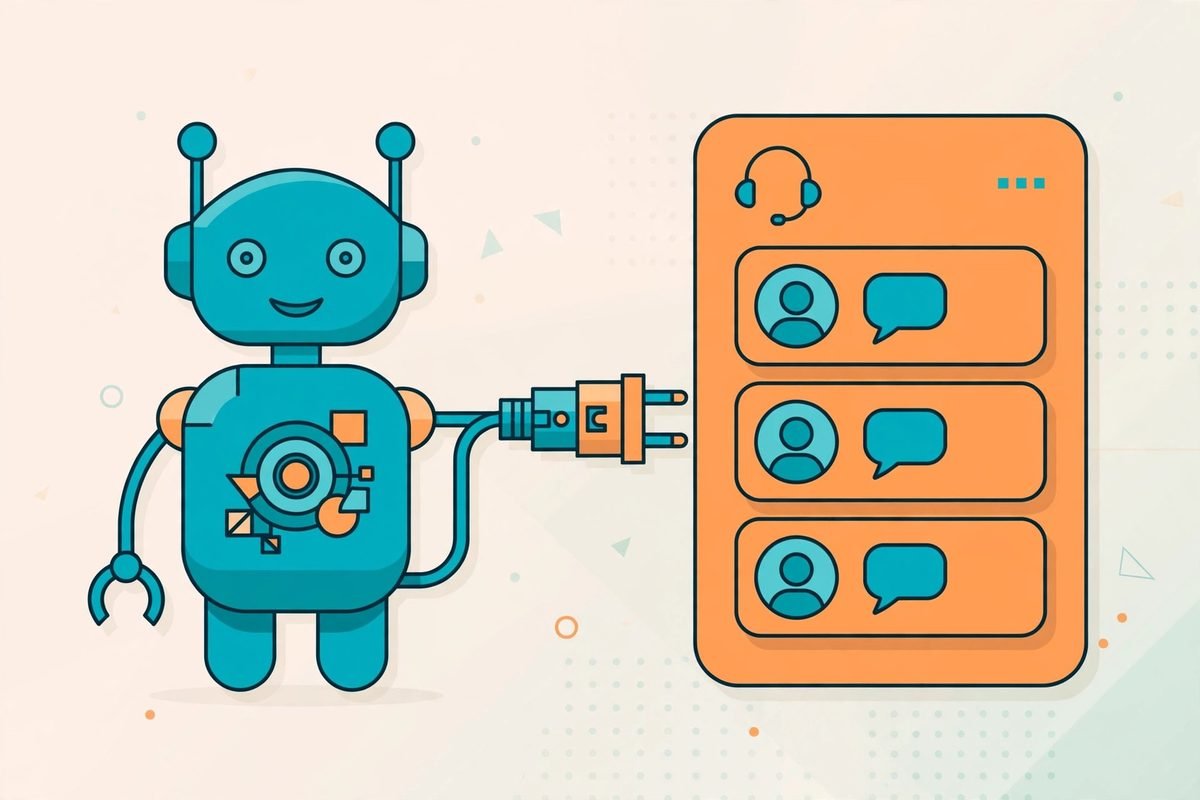
Once connected, the hosted MCP server uses Streamable HTTP with OAuth 2.1 and scoped permissions, so you choose what the agent is allowed to see and do — read-only summarization is a different grant from sending replies. That permission model is the single most important design decision in the whole launch, and it is the right one: an AI that can message your customers should never have more access than the least-privileged human agent on your team.
What your AI assistant can and cannot do
Per Chatway’s own documentation, a connected agent can:
- Search, read, and summarize customer conversations
- Draft and send replies
- Search contacts and customer details
- Search knowledge base articles
- Resolve, assign, and manage conversations, add notes and tags
- Work across connected channels: website chat, WhatsApp, Instagram, Messenger, email
What it cannot do on its own is run as an always-on auto-responder. This is the caveat from the verdict paragraph, and Chatway is admirably upfront about it: “Connecting an MCP client alone does not set up an always-on reply workflow.” For automatic real-time replies to incoming messages you need a second layer — Chatway webhooks to notify your agent when messages arrive, plus the Chatway API to send responses back. MCP gives your agent access to the tools and data; the webhook-plus-API plumbing gives it a trigger. Both can coexist, but budget the integration effort honestly: the no-code path gets you an agent-assisted human workflow, the fully autonomous path needs developer time.
Pricing: what Chatway MCP costs
Here is the part that surprised us: MCP is available on Chatway’s free plan. The Free tier ($0, one seat, a monthly conversation allowance, 30-day chat history) can connect an external AI agent with no upgrade required. Paid tiers — Solo around $29/month, Team around $79/month for four seats, Plus around $149/month for ten seats — add unlimited history, e-commerce sync, more channels, and automation, but the MCP door itself is not paywalled. That is genuinely unusual; most support platforms put anything resembling an integration behind a mid-tier plan.
Three costs to keep separate in your head. One: the Chatway subscription itself, as above — check the live Product Hunt page and Chatway’s site for current figures, since tier names and limits have shifted over time. Two: the built-in AI Support Agent is a separate usage add-on at $0.50 per resolved conversation (ten free conversations to start), distinct from MCP. Three: your AI provider’s own charges — if your Claude or ChatGPT agent is chewing through thousands of support transcripts, that token bill lands on your AI subscription, not on Chatway. For a small team reading and replying via MCP a few dozen times a day, that cost is modest; at scale, it becomes the line item to watch, which is exactly why cost-management tooling for AI agents is becoming a category of its own.
Who Chatway MCP is for — and who it isn’t
It fits small businesses and lean support teams (one to a handful of agents) that already live inside an AI assistant. If your team drafts replies in ChatGPT or triages in Claude all day anyway, Chatway MCP collapses the copy-paste loop: the assistant that knows your business now also sees the ticket. It also fits agencies and technically curious owners who want AI-assisted support without surrendering to a vendor-locked bot whose training data and tone they cannot inspect.
It fits less well for teams that want a true set-and-forget auto-reply bot. That path exists but needs webhooks plus API work, at which point you should compare the total effort against platforms whose autonomous agents are the product (Intercom Fin, Zendesk AI, Tidio’s Lyro). It is also not an enterprise helpdesk: no SOC 2 or ISO certifications are published for Chatway, high-volume environments will feel the conversation and seat limits quickly, and the reporting depth is closer to a live-chat tool than a full ITSM suite.
How it compares to built-in AI support agents
The honest comparison is not Chatway vs. Intercom on features — it is a philosophical one. Vendor-built AI agents (Intercom Fin, Zendesk AI, Chatway’s own $0.50/resolution agent) are optimised for one job: deflecting tickets with answers grounded in your help center. They are good at it, and they are turnkey. Their weakness is that they are a second brain: separate training, separate tone controls, separate context from the assistant your team already uses.
Chatway MCP inverts the trade-off: one brain, many hands. Your agent keeps its existing knowledge of your business — pasted docs, project context, the way you actually talk to customers — and gains hands inside the support inbox. The price of that flexibility is operational: you own the prompts, the permission scopes, and the quality control. Nobody tunes the replies for you. If your team already prompt-engineers well, that is a feature. If nobody on the team has ever written a system prompt, the built-in agent will outperform your DIY setup for the first few months.
Watch-outs and honest limitations
- Permissions are your job. Scoped OAuth is available — use it. An agent with reply rights and full conversation history is effectively a support employee; onboard it like one, with least privilege and a review period.
- Hallucination risk moves, it doesn’t disappear. A built-in agent grounded in your help center fails safely toward “I don’t know.” Your general-purpose assistant, armed with ticket access, can fail creatively — inventing refund policies, promising timelines. Start with draft-only mode (agent drafts, human sends) before granting send rights.
- No always-on automation out of the box. As covered: MCP gives access, webhooks plus API give autonomy. Budget accordingly.
- Token costs are yours. Long conversation histories fed into a frontier model on every query add up. Summarize-and-archive aggressively; don’t point a reasoning model at your full ticket archive for fun.
- Compliance posture. If you handle health, financial, or EU personal data at scale, the absence of published SOC 2/ISO certification is a real procurement blocker — verify current status with the vendor before committing.
- Young integration. Launched October 2026; the guide library covers 14 tools, but edge cases in permission scoping and channel coverage will surface as adoption grows. Pilot before you migrate.
From our experience: start with the audit workflow, not the autopilot
We build AI automation workflows for businesses for a living, and the pattern we see with every “connect AI to your inbox” launch is the same: teams rush to full autopilot, skip the permission design, and then spend a month cleaning up tone-deaf replies. The highest-ROI starting point with Chatway MCP is read-only: weekly conversation audits (“group last week’s chats by issue, flag the top three recurring complaints”), knowledge-base gap analysis (“which questions did agents answer that the help center doesn’t cover?”), and draft assistance where a human still hits send.
That workflow needs no webhook plumbing, no API code, and no trust leap — and it surfaces exactly the data you need to decide whether autonomous replies are worth building later. We have seen the same sequencing work with WhatsApp AI chatbots: draft-first for a month, measure resolution quality, then automate the intents that proved boring and safe. If you want help designing that staged rollout — or wiring the webhook-plus-API layer for true autopilot — talk to us; this is the kind of integration we scope in days, not quarters.
Frequently asked questions
What is Chatway MCP?
Chatway MCP is a Model Context Protocol integration for the Chatway live-chat and customer support platform. It lets you connect your own AI assistant — ChatGPT, Claude, Gemini, Cursor, or any MCP-compatible agent — to your Chatway workspace so it can read conversations, draft and send replies, search contacts and your knowledge base, and manage tickets, all without writing code.
Is Chatway MCP available on the free plan?
Yes. Chatway offers MCP access on its free ($0) plan — you do not need to upgrade to connect an external AI agent. Standard conversation limits still apply, and your AI provider (OpenAI, Anthropic, Google) may have its own usage charges. This is separate from Chatway’s built-in AI Support Agent add-on, which costs $0.50 per resolved conversation.
Can Chatway MCP automatically reply to customers?
Not from the MCP connection alone. MCP gives your AI agent access to Chatway’s tools and data; automatic real-time replies require an additional layer — Chatway webhooks to notify your agent of new messages plus the Chatway API to send responses. The two can be combined, but the autonomous setup needs integration work beyond the no-code MCP connection.
Which AI assistants work with Chatway MCP?
Chatway provides step-by-step guides for 14 tools: ChatGPT, Claude Desktop, Claude Code, Gemini CLI, Cursor, Codex, VS Code, Muse, OpenCode, Manus, Grok, Devin, Cline, and Goose. Any other AI client that supports remote MCP servers over HTTP with OAuth authentication can also connect, including custom-built agents.
How is Chatway MCP different from a built-in AI chatbot?
A built-in chatbot is trained by the vendor on your help center and optimised for ticket deflection. Chatway MCP instead brings the AI assistant you already use — with its existing knowledge of your business, documents, and tone — into your support inbox. You gain flexibility and continuity, but you take on the prompt design, permission scoping, and quality control that a turnkey bot would handle for you.
Chatway MCP is the rare launch that respects how teams actually work: it doesn’t ask you to abandon the assistant you’ve spent months training on your business — it gives that assistant a desk inside your support operation. Start on the free plan, keep the agent in draft-only mode while you learn its failure patterns, and automate only the intents that prove themselves. If you’d like a second pair of eyes on the permission design or the webhook layer, browse our AI Tools Directory for more agent-era tooling — or get in touch and we’ll help you roll it out properly.