

Most legacy migrations do not fail on cutover day. They fail months earlier, in the quiet decisions nobody wrote down: what counts as done, what happens if the new system misbehaves, and who is allowed to say stop. These legacy system migration plan steps are the sequence we use to keep those decisions explicit, so a migration stays boring in the best possible sense. If you run a business on an ageing system — an old CRM, a bespoke order platform, a database nobody wants to touch — this guide will help you replace it without stopping the business that depends on it.
Why most cutovers fail (and it is rarely the code)
Ask a team that lived through a bad cutover what went wrong and they rarely start with a bug. They start with a surprise. A report nobody knew existed. A batch job that only ran on the last Friday of the month. A spreadsheet that had quietly become part of the payroll process. A customer integration that used an undocumented field. The old system had absorbed years of business knowledge, and the migration plan only covered the parts someone remembered to write down.
That is why the first job in any migration is not writing code. It is building an honest inventory. Talk to the people who actually use the system every day, not just the people who bought it. Watch how workarounds happen. Check scheduled jobs, integrations, exports, and the reports that get emailed to the finance team. Every undocumented dependency you find in this phase is a cutover incident you just prevented.
The second common failure is subtler: nobody agreed, in advance, what success looks like. Without measurable criteria, cutover becomes a matter of opinion, and opinions diverge under pressure at 2 a.m. A good plan names its numbers before the work starts — response times, error rates, reconciliation totals, and the exact conditions that trigger a rollback. If you cannot state those numbers, you are not ready to migrate. You are ready to discover them, which is a different project.
Legacy System Migration Plan Steps, in Order
Migration plans work best when they run in this order, because each step removes a class of risk before the next one adds complexity. Skipping ahead — building the new system before you understand the old one, or migrating data before you know what good data looks like — is how teams end up rebuilding the same mess on newer infrastructure.
- Inventory and map. Catalogue every module, integration, scheduled job, report, and data source. Note owners, not just systems: a dependency without a named human owner is an unanswered question waiting for cutover night.
- Define done and define stop. Write success criteria and rollback triggers before building. Agree who can call a rollback, and make sure that person is available on cutover day, not on holiday.
- Carve seams, not cliffs. Break the old system into replaceable pieces along natural boundaries — a module, a workflow, a data domain — and migrate piece by piece.
- Migrate data in rehearsals. Run the full data migration repeatedly against copies of production data until the results reconcile cleanly and the process runs inside its time window.
- Run in parallel. Let old and new systems run side by side for at least one full business cycle, comparing outputs before anyone depends on the new one alone.
- Cut over in a window you control. Choose a quiet period, staff it properly, and keep the rollback path warm until the new system has proved itself in real use.
- Decommission deliberately. Keep the old system read-only for an agreed period, then retire it. A system that is never switched off is a system you are still paying to maintain.
The strangler pattern in practice
The strangler pattern, named after the strangler fig that grows around an existing tree, is the most reliable way to replace a system that cannot stop. Instead of rewriting everything at once, you place a new layer in front of the old system and gradually route work through new services, one piece at a time. The old system shrinks as the new one grows, until the old system has nothing left to do and can be retired. Martin Fowler’s introduction to the strangler fig application remains the clearest explanation of the idea.

In practice, the pattern lives or dies on where you draw the seams. Good seams follow business boundaries: customer onboarding, order processing, invoicing, reporting. Bad seams follow technical convenience, splitting a workflow in the middle of a transaction and creating a distributed problem where a simple one used to exist. Before carving anything, map how data flows through a complete business transaction, end to end, and cut where the flow naturally pauses — at a queue, a saved record, or a completed step.
Each strangler slice should be independently releasable and independently reversible. If a slice cannot be rolled back without touching the rest of the system, it is too big. Small slices feel slower at the start, because you are building routing, monitoring, and comparison tooling before you deliver visible features. That tooling is what makes the rest of the migration fast and safe, and it is the difference between a team that migrates confidently and a team that holds its breath for six months.
Data migration: rehearse it like a fire drill
Data migration is where migrations are won or lost, and it is almost never a simple copy. Old systems accumulate duplicate customers, half-finished records, fields used for purposes nobody documented, and dates stored in three different formats. Cleaning that up during a cutover window, under time pressure, is a recipe for corrupted records and a long week of manual fixes.
Run the migration early and run it often. Build the transformation scripts, run them against a copy of production data, and reconcile the results: record counts, financial totals, and a sample of individual records checked by the people who own the data. Every rehearsal should answer three questions. Did everything arrive? Does it add up? Can the business still recognise its own data? If any answer is no, fix the scripts, not the data by hand — hand fixes do not scale, and they do not survive the next rehearsal.
Also plan for the data that changes while you migrate. A migration that takes a weekend is really a migration plus a catch-up: everything entered into the old system during the window must reach the new one, in order, without duplicates. Decide early whether you will freeze changes, run a delta sync, or replay events, and test that mechanism under realistic load. The worst time to discover that your delta logic drops updates is after the old system is switched off.
Cutover day and rollback: decide before you need it
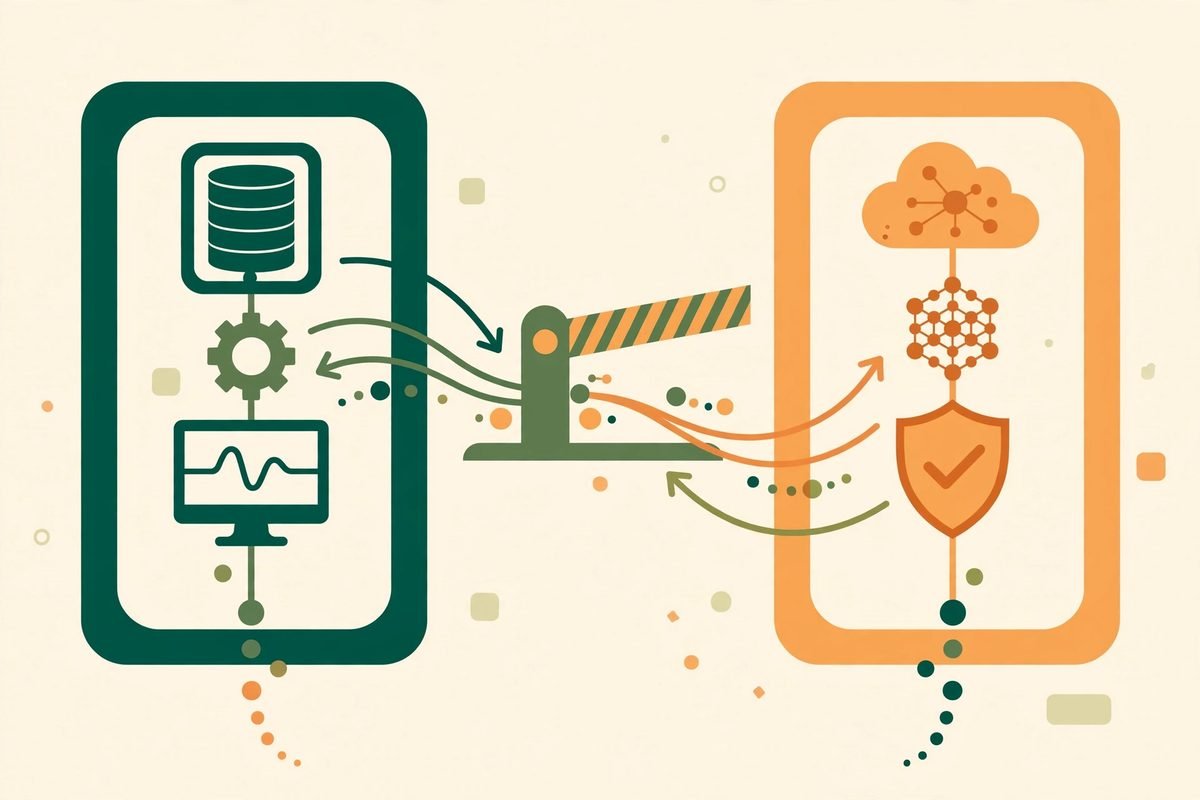
A cutover plan is a timetable, a staffing plan, and a communications plan, in that order of importance. The timetable should include buffer time, because something always takes longer than expected, and a plan with no slack turns a minor delay into a rushed decision. The staffing plan should name who is on call, who can approve a rollback, and who talks to customers if something goes wrong. The communications plan should tell users what is changing, when, and what to do if they see something odd — before they discover it themselves.
Rollback is not failure; it is the plan working. The teams that recover fastest from a bad cutover are the ones that rehearsed the rollback, kept the old system warm, and agreed the trigger conditions in advance. A rollback you have to improvise — restoring a database you have not tested, re-pointing integrations by hand, explaining to users why yesterday’s data is missing — is barely a rollback at all. If rolling back would take longer than fixing forward, say so in the plan, and staff accordingly.
After cutover, resist the urge to declare victory on day one. Run a hypercare period: heightened monitoring, daily check-ins with heavy users, and a fast route for fixes. Keep the old system available read-only until the new system has survived a full business cycle — month-end, payroll, invoicing, whatever your cycle is — and the reconciliation numbers match. Only then decommission, and document what you retired, so the next team does not have to rediscover it.
From our experience: the gotchas that catch good teams
Three lessons come up again and again in our custom software development work. First, performance is a feature of the old system that users take for granted. A new system that is functionally correct but twice as slow on the busiest screen will be judged a failure by everyone who uses it, regardless of what the specification says. Benchmark the old system’s real response times early, and test the new system against them under realistic load, not on a developer’s machine.
Second, budget for the long tail. The core migration is usually the visible half of the work; the long tail — reports, exports, edge-case workflows, and the integrations nobody owns — is the other half, and it arrives after the deadline if it is not planned. If you are still deciding between rebuild and refactor, this long tail is often the deciding factor: a refactor keeps it, a rebuild must rediscover it.
Third, protect the team’s judgement. Migrations are marathons, and the most dangerous moment is not the first week but the tenth, when fatigue makes a risky shortcut look reasonable. Keep slices small, celebrate each retired module, and never let a deadline override a rollback trigger that the team agreed when it was thinking clearly. A delayed cutover is embarrassing for a week. A failed cutover is expensive for a year.
Frequently asked questions
How long does a legacy system migration usually take?
It depends on scope, but plan in slices, not in a single date. A single module can migrate in weeks; a whole platform typically takes months of staged work. The inventory phase alone often reveals dependencies that change the estimate, which is exactly why it comes first.
Should we migrate everything at once or piece by piece?
Piece by piece, whenever the architecture allows it. Staged migration with the strangler pattern lets you prove each slice in production, roll back one slice without losing the rest, and keep the business running throughout. Big-bang cutovers concentrate all the risk into a single night.
What is the strangler pattern in a legacy migration?
It is a gradual replacement strategy: a new layer sits in front of the old system and routes work to new services one piece at a time, until the old system has nothing left to do. It avoids the all-or-nothing risk of a rewrite because every slice is independently releasable and reversible.
How do you know the migrated data is correct?
By reconciling, not by hoping. Compare record counts, financial totals, and sampled records between old and new systems across multiple rehearsals, and have the data owners sign off the results. Run the systems in parallel for a full business cycle before depending on the new one alone.
When should you roll back instead of pushing through?
When a pre-agreed trigger fires: data reconciliation fails, a critical workflow is broken with no quick fix, or error rates exceed the threshold set before cutover. Decide the triggers and the decision-maker in advance, while nobody is under pressure, so rollback is a procedure rather than an argument.
If your system is holding your business back but you cannot afford a failed cutover, start with the inventory, not the rebuild. Map the dependencies, agree the rollback triggers, and migrate in slices you can prove. And if you would like a team that has done this kind of staged replacement before to look at your system with you, talk to MTD Technologies — we will tell you honestly whether a strangler migration, a refactor, or leaving the system alone for now is the right call.