

If you want to run LLMs locally with Ollama on a Mac in 2026, the path is refreshingly short: one install command, one pull command, and you are chatting with a capable open model on your own hardware — no API key, no per-token bill, no data leaving the building. Ollama, the open-source local LLM runtime at github.com/ollama/ollama, has grown into one of the most starred projects in GitHub history: over 184,000 stars and 18,000 forks as of this week, MIT-licensed, and still shipping releases every few days. This deep-dive covers what it is, what it can really do, the exact commands to get started, and — the part most tutorials skip — the honest cost and privacy trade-offs we weigh with clients before putting local models anywhere near production.
What Ollama Actually Is
Ollama is a single binary that turns your laptop or server into a private LLM server. Written in Go and MIT-licensed, it bundles Georgi Gerganov’s battle-tested llama.cpp inference engine behind three clean interfaces: a command line, a REST API on localhost:11434, and a model library at ollama.com/library shipping pre-quantized, ready-to-run weights.
The mental model that matters: Ollama is to LLMs what Docker is to containers — it did not invent local inference, it made running a 12B model a three-command operation instead of a weekend of dependency archaeology. Pick a model name, Ollama downloads the quantized weights, loads them onto your GPU or Apple Silicon’s unified memory, and serves an OpenAI-compatible API that almost any modern AI tool can talk to.
Why Run LLMs Locally With Ollama on a Mac in 2026?
Four forces are pushing developers and agencies toward local models, and Ollama sits at the intersection of all of them.
Privacy that survives a compliance review
Every token sent to a cloud API is data leaving your perimeter — customer data, source code, internal docs. With Ollama, the model runs on your machine and prompts never cross a network boundary. That single property has closed deals for us: “the model lives on your Mac, nothing leaves the building” is a sentence compliance teams love.
Cost that flattens to zero
Cloud inference bills scale with usage — every token costs money, forever. Local inference costs whatever the hardware cost, once. For development workloads (thousands of eval calls a day, agent loops burning through context windows), a local model on a workstation you already own can pay for itself in weeks. For low-volume, high-stakes production traffic, the API usually still wins — the honest math is in the trade-offs section below.
Offline reliability, and Apple Silicon is a cheat code
Macs with unified memory are unusually good at this. Because CPU and GPU share one memory pool, a 24 GB Mac holds models that would need a discrete GPU with 24 GB of dedicated VRAM on a PC. And once models are pulled, Ollama needs no internet at all — demos on planes, hostile client firewalls, field deployments: the model keeps working. Niche until the one time a cloud outage coincides with your big demo.
What Ollama Can Do
The feature list runs deeper than “chat in the terminal.” Here is what the project actually ships, verified against the current README and release line.
- One-command model library.
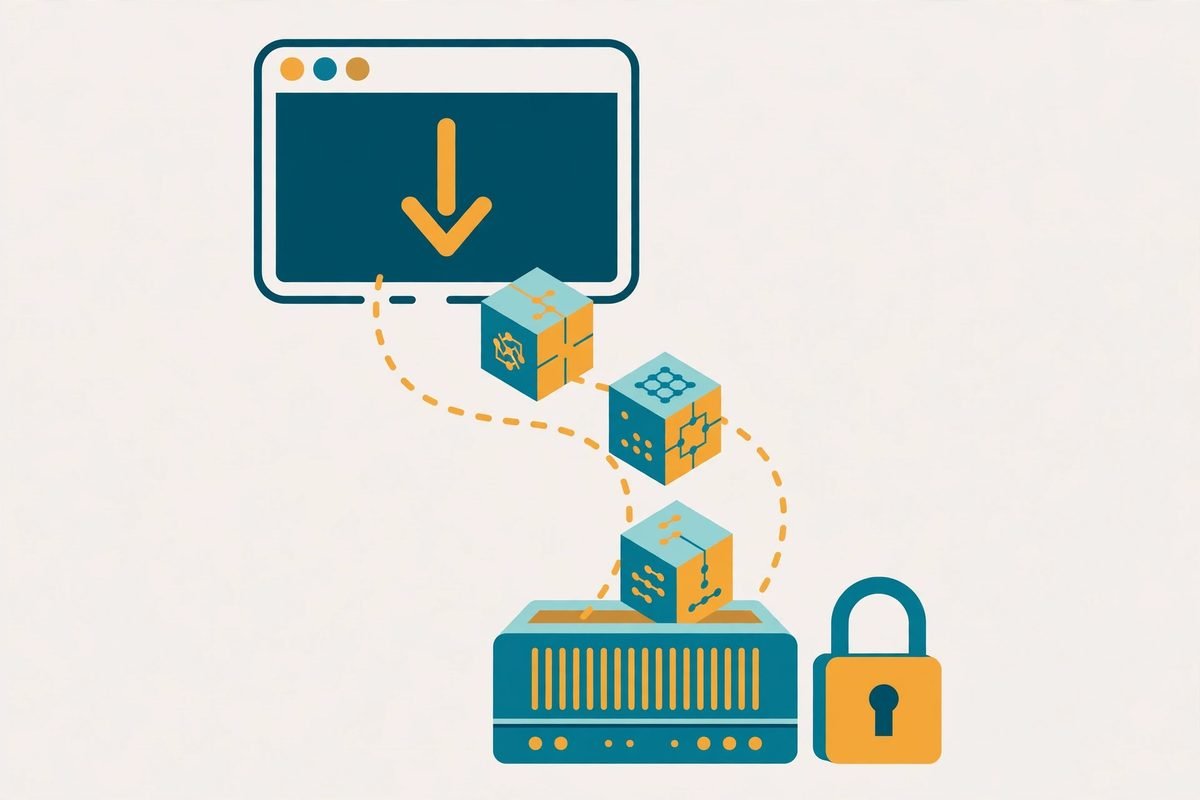
ollama pull gemma4fetches pre-quantized weights — Google’s Gemma 4, Alibaba’s Qwen, DeepSeek’s reasoning models, Meta’s Llama, Mistral, Microsoft’s Phi, OpenAI’s open-weight gpt-oss, and 2026 additions like Kimi and MiniMax. No manual quantization, no account gymnastics. - OpenAI-compatible REST API.
http://localhost:11434speaks the dialect your tools already know —/api/chat,/api/generate, embeddings endpoints. Swap a base URL and your LangChain, LlamaIndex, or Haystack pipeline runs locally. - First-class SDKs. Official Python and JavaScript libraries (ollama-python, ollama-js), plus community SDKs for Rust, .NET, Java, Swift, Ruby, Go, PHP, and more.
- Modelfiles. Dockerfile-style files that bake in system prompts and parameters (temperature, context length, GPU layers) — a tuned setup becomes reproducible and version-controlled instead of tribal knowledge.
- Multimodal and embedding models. Vision models for document OCR and image understanding, plus embeddings for RAG pipelines, all behind the same API.
- Cloud models, same CLI. Recent releases added
:cloudtags — run a giant model you could never fit locally through Ollama’s hosted endpoint with identical commands. A deliberate hybrid bridge: local stays free. - Agent integrations.
ollama launch claudewires local models into Claude Code, OpenClaw, OpenCode, Codex, and Copilot CLI — Ollama as the inference layer for coding agents.
The surrounding ecosystem is the real story: Open WebUI and LibreChat for ChatGPT-style interfaces, Continue and Cline for AI coding inside your IDE, AnythingLLM for private document chat, Dify for LLM app development. When we evaluate local-inference stacks for agentic AI development, Ollama is our default runtime.
How It Works: From Install to First Prompt
The full loop on macOS (Linux is nearly identical; Windows has a native installer too):
1. Install — curl -fsSL https://ollama.com/install.sh | sh (or grab the .dmg from ollama.com; Docker users can run the official ollama/ollama image).
2. Pull a model that fits your machine — ollama pull gemma4:12b (sizing guidance below).
3. Run it — ollama run gemma4:12b drops you into interactive chat.
4. Hit the API — the same model now serves at localhost:11434:
curl http://localhost:11434/api/chat -d '{"model": "gemma4:12b", "messages": [{"role": "user", "content": "Summarize this error log in three bullet points"}]}'
5. Use it from Python — after pip install ollama: from ollama import chat, then chat(model='gemma4:12b', messages=[...]).
6. Customize with a Modelfile — ollama create my-assistant -f Modelfile turns a tuned system prompt and parameter set into a named, shareable model your whole team can pull.
Why It’s Trending in 2026
The models caught up. The 2026 library is not a compromise menu: quantized 30B-class models — Gemma 4 31B, Qwen’s 32B coders, DeepSeek’s distilled reasoners — deliver genuinely useful coding, writing, and reasoning on consumer hardware. The gap between “free local model” and “paid frontier model” is now narrow enough that many tasks genuinely do not need the cloud.
The release cadence is relentless. Ollama ships roughly weekly — v0.40.6 landed mid-October 2026 with new model-format support and decision-model refinements. Each release mostly does one thing: add support for whatever frontier open model arrived that week. Day-one support, not quarterly catch-up.
Agents need cheap inference. A coding agent burns tokens the way a teenager burns phone data. Running agent loops against cloud APIs gets expensive fast; against a local Ollama endpoint it costs electricity. The ollama launch integrations are a direct response — and workflow automation pipelines can call the same local endpoint for classification, extraction, and summarization steps without a per-run bill.
From Our Experience: The Honest Trade-offs
We have shipped local-LLM setups for clients and run them internally for two years. Here is what the cheerful tutorials leave out.
Memory is the budget; plan it first
Rule of thumb: a Q4-quantized model needs roughly 0.7–0.8 GB per billion parameters, plus context overhead. In practice: 8B fits in ~8 GB, 12B wants 10–12 GB, 32B-class wants 20–24 GB. On Apple Silicon that comes from unified memory, so a 24 GB Mac handles the 32B class comfortably. Buy the machine for the models you will actually run.
Local models still trail the frontier
A quantized 32B local model is superb for drafting, summarizing, extraction, and most coding assistance — and loses cleanly to frontier cloud models on hard reasoning and agentic tool-use reliability. The agencies winning with local models run a hybrid: Ollama for high-volume, low-stakes bulk, cloud API for the moments that decide revenue. Anyone telling you local replaces cloud entirely is selling hardware.
The runtime is MIT; the models are not (all) MIT
Ollama itself is MIT-licensed — use it commercially with confidence. But every model carries its own license: Gemma 4 is Apache 2.0, Llama models use Meta’s community license with restrictions you must read before shipping a product on them. The most common licensing mistake we see is teams auditing the runtime and forgetting the weights.
The cost math has a crossover point
Local inference is “$0 per token” only after you own the machine. If your team burns millions of dev-time tokens a month (evals, agent loops, RAG experiments), a workstation with enough memory pays for itself in weeks against API pricing. A few thousand production queries a day? The cloud API is cheaper, simpler, and someone else’s uptime problem. Run your own numbers before committing either way.
No built-in RAG, agents, or evals
Ollama is a runtime, not a platform. Document Q&A needs a vector store and chunking pipeline (LlamaIndex and Haystack both ship Ollama connectors); coding assistance needs an IDE plugin like Continue or Cline. Budget the integration work, not just the install command — this is where AI integration engagements usually spend their hours.
A Note on Responsible Use
Two cautions, stated plainly. Model weights are executable-adjacent artifacts: only pull models from publishers you trust, because a poisoned weight file is a supply-chain attack with a friendly name. And Ollama’s API binds to localhost by default — keep it that way unless you add authentication, because an exposed inference endpoint is a free compute gift to whoever finds it.
Getting Started in 6 Steps
- Install Ollama with the script above (or the .dmg on Mac) and confirm with
ollama --version. - Size your model to your memory: 8B for 8 GB machines, 12B for 16 GB, 32B-class for 24 GB+ Apple Silicon or equivalent VRAM.
- Pull and chat:
ollama pull gemma4:12bthenollama run gemma4:12b— test on your actual workload, not a demo prompt. - Call the API from one script (the
curlexample above) to prove the integration path before building on it. - Connect one real tool — Continue in your IDE, Open WebUI for a team chat front-end, or your own app via the Python/JS SDK.
- Decide the hybrid split: route bulk, low-stakes work to the local model; keep frontier cloud models for decisions that matter. Revisit quarterly as the library improves.
Frequently Asked Questions
Is Ollama free for commercial use?
Ollama itself is MIT-licensed — run it commercially without paying the project. Models are separate: each carries its own license (Gemma 4 is Apache 2.0; Llama uses Meta’s community license), so check every model you deploy in a commercial pipeline.
How much RAM do I need to run LLMs locally on a Mac?
Roughly 0.7–0.8 GB per billion parameters at Q4 quantization, plus context overhead: 8B on 8 GB machines, 12B on 16 GB, 32B-class on 24 GB+ Apple Silicon. Unified memory on Macs is a real advantage — the whole pool is available to the model.
Can Ollama run completely offline?
Yes — after you have pulled the models you need. The download requires internet; inference itself is entirely on-device, which is why it works for demos, field deployments, and air-gapped environments.
Does Ollama have an API I can build on?
Yes — a REST API on localhost:11434 that is OpenAI-compatible, with official Python and JavaScript SDKs and community SDKs for most major languages. It plugs directly into LangChain, LlamaIndex, Haystack, and dozens of IDE and agent tools.
Should I use Ollama, LM Studio, or GPT4All?
Pick Ollama if you live in the terminal or need a server-style API for automation and agents — the best choice for developers building on local models. LM Studio suits those who want a polished desktop GUI; GPT4All is the simplest private desktop chat app. Many teams combine them: Ollama as the runtime, a GUI as the front-end.
Ollama earned its 184,000 stars the hard way: by making local LLMs boringly reliable. Install it, pull a model that fits your machine, and run your first thousand tokens before lunch. When you are ready to wire local models into something bigger — a private document assistant, an internal agent, or a hybrid local-plus-cloud pipeline — browse our AI tools directory for the surrounding ecosystem, or talk to us about building it properly.