
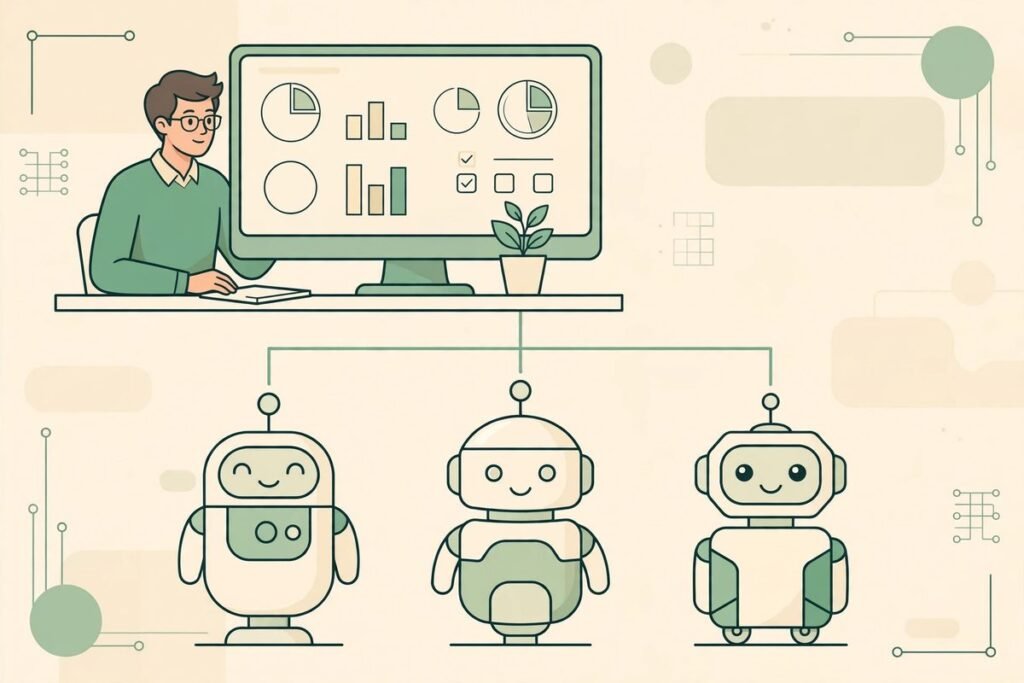
If you have ever ended a workday with twenty agent terminals open, no clear record of what each one did, and a model bill you cannot explain, you already understand why an open source app to manage AI agents at work is suddenly one of the most starred projects on GitHub. Paperclip, from paperclipai/paperclip, has passed 107,500 stars with a simple pitch: it is the app people use to manage AI agents for work. Not another chatbot or agent framework, but the management layer above the agents you already run.
This deep-dive covers what Paperclip is, what it can do, how it works, why it is trending, and — from our experience shipping AI systems for clients — where it helps and where to be careful.
An open source app to manage AI agents at work
Paperclip is a self-hosted Node.js server with a React interface. You bring your own agents, give them roles and goals, and watch their work, conversations, and costs from one dashboard. The interface deliberately looks like a task manager: tasks are created, assigned to an agent or a person, worked through, reviewed, and closed. Underneath sit org charts, budgets, governance rules, goal alignment, and agent coordination.
The mental model is worth borrowing. A single agent is an employee; Paperclip is the company around it: reporting lines, budgets, approval gates, shared skills, and the record of what was done and why. If you run one agent on one task at a time, you do not need it. The moment several agents work across several projects, or keep working while you are not watching, the missing management layer becomes the bottleneck.
Paperclip is MIT-licensed open source, written mostly in TypeScript, and actively developed — updated on the day this article was written, with around 17,800 forks. Our AI Tools Directory tracks agent tools like this, so you can compare Paperclip with single-agent tools before committing.
What Paperclip can do
Paperclip is built around four pillars — the work, the organisation, the training, and the infrastructure.
- Agentic task manager. Declare the intent, let agents work, and verify the output. Tasks carry conversations, plans, blockers, files, and run history, and work can be reviewed from diffs, screenshots, and tests.
- Org chart for agents. Agents get roles, titles, reporting lines, permissions, and boundaries in a mixed human-and-agent chart, and scoped secrets and connection permissions control what each agent can touch.
- Agent employee training. A Skill Studio lets teams install or write shared skills, test them against saved inputs, and roll back to earlier versions. Evals, saved test runs, quality metrics, and performance reviews for agents are part of the same system.
- Agentic operating system. The infrastructure layer covers any model and agent runtime, sandboxing, integrations and MCP servers, single sign-on, governance, role-based access, and cost controls, plus run history and opt-in tracing.
On top of those pillars sit the daily-use features. Agents wake on heartbeats for assigned work, follow-ups, or schedules, and delegation flows up and down the org chart. Costs are tracked by company, agent, project, goal, provider, and model, with budget alerts and automatic pauses at configured limits. One deployment can host several organisations with separate tasks, agents, and permissions. Scheduled routines carry an owner and run history, and ready-made teams can be previewed and installed.

How Paperclip works under the hood
Paperclip describes itself as a full control plane rather than a wrapper, and the architecture backs that up. Identity and access support trusted-local or authenticated deployment, with human roles, agent API keys, short-lived run tokens, and company memberships. Responsible-user attribution follows work through delegation and managed connections, so an agent action can be traced back to the person who directed it.
Execution runs on a heartbeat system: a database-backed wakeup queue with coalescing, budget checks, workspace resolution, secret injection, skill loading, and adapter invocation. Runs produce logs and usage records, and bounded recovery handles supported failures while surfacing cases that need a human. The task system enforces atomic checkout with execution locks, so two runs cannot claim the same task, and blocker dependencies keep sequencing honest.
Two design choices deserve emphasis: they are where most home-grown agent setups fail. First, governance is enforced, not suggested: approval workflows, execution policies with review stages, decision tracking, budget hard-stops, and agent pause, resume, and terminate controls are built in, and configuration changes are revisioned so bad changes can be rolled back. Second, connections are accountable: human access, agent eligibility, and gateway action permissions are separate controls, and a gateway action can be Allowed, Ask first, or Off per connection. Connectors cover GitHub, Notion, and Railway, plus your own MCP server.
Which agents does Paperclip work with?
Bring your own agent is a literal feature, not a slogan. The adapter roster covers OpenClaw, Claude Code, Codex, Cursor and Cursor Cloud, Gemini CLI, OpenCode, Pi, Hermes and Hermes Gateway, Grok Build, and Kimi Code, and custom processes, HTTP endpoints, and external adapter packages extend it further. That breadth matters commercially: adopting Paperclip does not force you to abandon the agent your team already knows.
Why Paperclip is trending now
Paperclip is trending because it names a pain that arrived all at once. Agent coding tools went from novelty to daily driver in about a year, and teams went from one agent to many without any management layer in between. The failure modes will be familiar to anyone running agents: twenty terminals with no record of which one does what; context rebuilt by hand and lost on reboot; runaway loops burning hundreds of dollars of tokens before anyone notices; and recurring jobs that only happen when someone remembers to start them.
Agent skills, multi-agent frameworks, and agent harnesses have all had trending moments on GitHub this year, each making agents more capable and harder to supervise. Paperclip sits one level up: it assumes agents are already useful and asks what it takes to run them like a workforce. You define a goal, hire the team, approve the strategy, set budgets, and monitor from the dashboard.
Star counts are not a quality certificate, and 107,500 stars partly reflects a fast-moving hype cycle. But that attention, plus a large fork count, daily development activity, and a broad adapter list, is a reasonable signal that this is a project to evaluate seriously rather than a weekend demo. The honest version: the problem is real, this is the most visible attempt at the management layer, and the project is young enough that evaluation still needs care.
From our experience: where Paperclip earns its place
We have built AI automation for clients for years, and the pattern is consistent: the first agent workflow is easy, and the tenth is where the costs appear. Those costs are rarely the model bill alone: lost context, unreviewed output, unclear ownership, and nobody able to answer what an agent changed last Tuesday. Paperclip attacks exactly those costs, and its strongest features — threaded tasks with reviewable outputs, atomic checkout, approval gates, and cost tracking by agent and project — are the ones we would otherwise build by hand for every client.
Three honest limitations should shape any adoption plan. First, the project moves fast and carries more than 6,600 open issues and pull requests at the time of writing — normal at this scale, but expect rough edges and plan upgrade time. Second, budget enforcement works from recorded spend, so in-flight work can delay a stop; a hard budget is a strong control, not an instant kill switch. Third, the hosted Paperclip Cloud is on a waitlist, so the realistic path today is self-hosting, which needs someone comfortable running and updating a Node.js service.
Pilot Paperclip with one team and one class of repeatable work — triage, reporting, documentation, or a bounded coding workflow — before giving any agent access to production systems or customer data. Measure three things: cost per completed task, review time per output, and how often a human had to intervene. If all three beat your current ad-hoc setup, expand. If review time rises because the dashboard adds process without removing chaos, the problem may be your workflow, not your tooling. When you want help scoping that kind of pilot, our AI integration and automation team does exactly this kind of evaluation and rollout work.

Responsible use: agents need a leash, not just a dashboard
A management layer makes powerful agents easier to run, which is precisely why its governance features matter more than its convenience features. Give agents the narrowest permissions that let them do the job, keep production credentials out of agent-accessible connections until approval gates are proven, and require human review for anything that spends money, contacts customers, or changes production data. Set gateway actions deliberately: Allowed for read-only lookups, Ask first for side effects, Off for anything unreviewed.
Two more cautions. Exported company packages scrub secret values, but plain environment values and local paths can remain, so review any package before sharing it. Tracing is opt-in in places, so decide your audit policy up front rather than discovering after an incident that the run history you wanted was never collected.
Getting started with Paperclip
- Install Node.js 24.11 or newer on the machine that will host Paperclip.
- Run the onboarding command:
npx paperclipai@latest onboard --yes. The CLI runs from the npm cache, and your instance configuration and data persist locally. - Follow the guided five-minute path in the Paperclip documentation to connect your first agent.
- Create one goal, hire a small team of agents, and set a budget with an alert threshold before the first autonomous run.
- Assign a single repeatable task, review the output through the task thread, and adjust permissions and approval gates from what you see.
- Only then add more teams, routines, and connections, one capability at a time.
The documentation also offers a foreground test-drive mode pre-initialised with a CEO agent — a sensible first look before a full install.
Frequently asked questions
Is Paperclip really free?
Paperclip is MIT-licensed open source and self-hosted, with no Paperclip account required, so there is no licence fee. You still pay for your own infrastructure and for the models your agents call — usually the larger bill. A hosted Paperclip Cloud is on a waitlist, with pricing not yet public, so self-hosting is the realistic route today.
Which agents work with Paperclip?
OpenClaw, Claude Code, Codex, Cursor and Cursor Cloud, Gemini CLI, OpenCode, Pi, Hermes and Hermes Gateway, Grok Build, and Kimi Code are supported through adapters, and custom processes, HTTP endpoints, and external adapter packages extend the list.
How does Paperclip stop agents overspending?
Spend is tracked by company, agent, project, goal, provider, and model, and scoped budget policies add warning thresholds and hard stops, pausing work at configured limits. Enforcement uses recorded spend, so in-flight work can delay a stop — set thresholds below your true ceiling and keep a human watching high-spend agents.
How is Paperclip different from OpenClaw?
OpenClaw is an agent — a capable individual worker. Paperclip is the organisation around workers like OpenClaw: the org chart, task management, budgets, approvals, and shared skills. Many teams will run both.
Is Paperclip production-ready for my business?
It is a serious, actively developed project, but it is fast-moving, with a large open issue count and some features still experimental. Pilot it on repeatable, non-critical work first, prove the review and budget controls with your own agents, and only then extend it toward production systems or customer data.
Paperclip matters because it treats the unglamorous half of the agent revolution — supervision, budgets, approvals, and audit trails — as the product. If your agents already do useful work and the chaos of managing them grows faster than the value, an open source app to manage AI agents at work is exactly the evaluation to run next. Start with the self-hosted install, pilot one team, and let review time and cost per task tell you whether to scale. If you would like help running that pilot, talk to MTD Technologies — we will tell you honestly whether Paperclip fits or whether a simpler setup serves you better.