

OpenLLM AI tokens anywhere is the pitch: connect subscriptions, API keys and local models once, get one key, and use it in the coding agents you already use. The new OpenLLM, launched on Product Hunt in late October 2026 by co-founder Jonathan and the team behind openllm.sh, is a routing layer, not another model: a rate limit becomes a detour, not a full stop. Verdict up front: with two or more coding agents across two or more providers, this is worth a serious look. With one agent and one subscription, it solves a problem you do not have yet.
This review draws on the maker’s Product Hunt launch post and official documentation, published in the launch week, since that is what is verifiable now. Where a feature is announced but not yet shipped, we say so. Naming warning: this is not the older BentoML project of the same name, which serves open models as OpenAI-compatible APIs. Same name, different product.
What OpenLLM does
Most developers today do not have one AI bill. They have a Claude subscription for one agent, a ChatGPT subscription for another, an API key or two for scripts, and maybe a local model via Ollama or LM Studio for private work. Each lives in its own box with its own limit. Hit the limit mid-session and your agent stops, even though paid capacity sits idle elsewhere. OpenLLM puts one key in front of all of it.
Once connected, your coding agents call OpenLLM instead of each provider directly. OpenLLM routes the request to the model first in your chain; if that model is rate-limited or unavailable, it sends the request to the next one. The maker lists Claude Code, Codex, Kimi Code, Grok, Cursor and Muse Code, plus OpenCode and any client speaking the OpenAI or Anthropic API. That last point matters most: anything accepting an OpenAI-style or Anthropic-style key can use the same OpenLLM key.
- One key for subscriptions, API keys, local models and included hosted models.
- Ordered fallback chains, so a limit triggers a switch, not a stop.
- Shared memory: a decision saved once is recallable in every connected app.
- Remote sessions: pick up a home-machine session from a laptop.
- Usage visibility: which models answered, and how many tokens were used.
How OpenLLM AI Tokens Anywhere works in practice
Under the hood there are two pieces, and the split explains both the power and the limits. The hosted gateway at openllm.sh serves API-key and included hosted models, and runs the dashboard for providers, keys and model chains. The local daemon runs on your Mac or Linux machine, serving subscriptions and local model servers. One sk-llm key sits in front of both, across an OpenAI- and Anthropic-compatible endpoint.
Subscriptions are signed in through each vendor’s own command-line tool on your own device: OpenLLM does not ask for your ChatGPT or Claude password, and the subscription stays yours, on your machine, with the daemon brokering access. API keys are stored encrypted in an OpenLLM vault, covering Anthropic, OpenAI, Google AI and AWS Bedrock. Local models are picked up from servers the daemon finds on your machine, including Ollama and LM Studio. The openllm command installs the daemon, starts clients such as Claude Code with OpenLLM applied, and runs an MCP server; a Mac app connects the daemon without a terminal.
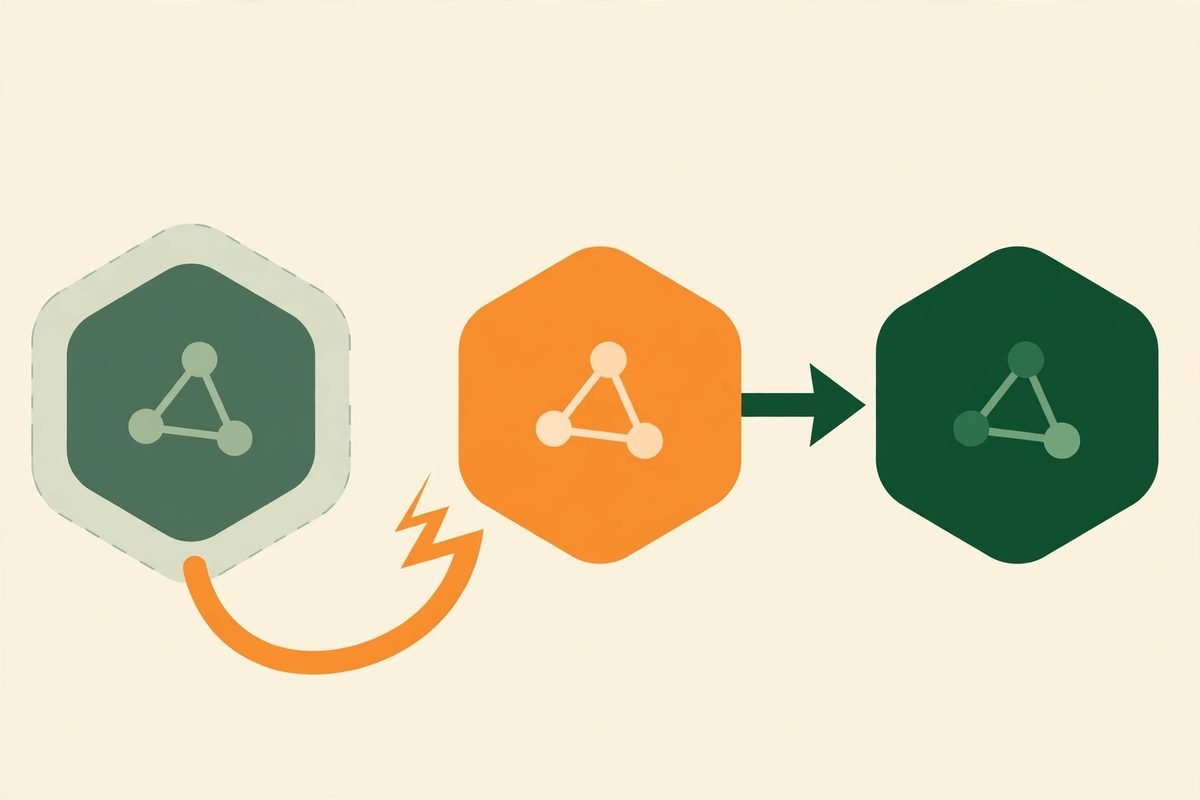
The fallback chain is where the real-world value lives, but configure it with care. A cheap, fast fallback for a frontier coding model keeps the session moving, yet may quietly produce weaker code you only notice in review. Put similar-capability models next to each other, reserve the cheapest tier for low-stakes work such as summarising logs, and re-read the diff whenever a fallback switch happens mid-refactor. The usage view helps: it shows which model actually answered.
Shared memory is the feature most likely to be underestimated. Normally a preference you teach one tool, such as naming conventions or how you like tests written, stays in that tool. OpenLLM promises one memory across all your models and apps, on every plan, so a decision saved once is recallable everywhere. That helps a solo developer juggling three agents, and could help a team far more once Teams arrives. It needs hygiene, though: stale decisions are worse than none, because every agent will confidently repeat them.
Pricing: what free and Pro actually buy
OpenLLM is free to start, with free inference on DeepSeek and Qwen so a first request works before you connect anything, plus a monthly allowance on hosted models served on its own key. No precise free-allowance number is published in the launch material we reviewed, so treat free as a trial of the routing, not a production budget. Pro costs $30 per month for up to 5 devices, with a 3-day trial, and a launch offer gives 50 percent off Pro for 6 months to the first 100 people using code PHUNT. Do not let a discount decide: $30 is cheap against one wasted afternoon of stalled agents, and expensive if you only use one subscription.
Teams is announced as coming soon, with per-person token limits, visibility into which apps a team runs, and shared tools and memory. Until it ships there is no team pricing or per-seat control to rely on, so buy Pro for individuals now and plan the team rollout as a second step. An MCP marketplace is also coming soon; judge the product on what exists now. Launch-week note: with days of track record there is no long uptime history to report, so trial it free for a week or two first.
Who it is for, and who should skip it for now
OpenLLM fits developers and small teams who already live in more than one coding agent. If your day moves between Claude Code and Codex, with Cursor for quick edits and a local model for anything you would rather not send to a cloud, the single-key-plus-fallback story maps directly onto your pain. It also fits agencies whose clients prefer different stacks: one routing layer means less reconfiguration per project, and remote sessions let a home session be picked up from a laptop.
Skip it for now if you use a single agent with a single subscription and rarely hit a limit: you would pay for routing you do not need, and a layer between you and your model is never free to debug. Windows-only teams should wait, since launch support is macOS and Linux with no Windows build mentioned. If strict data rules govern your work, check what passes through the hosted gateway versus what stays on your local daemon before routing anything sensitive.
Watch-outs and honest limitations
First, the limitation the maker states plainly: OpenLLM does not make any subscription unlimited, and it is not account sharing. Vendors’ limits and terms still apply, for your own accounts on your own machines. Anyone selling a tool on the promise of stretching a subscription past its terms is selling trouble; OpenLLM says the opposite in its launch post, including answering the question it gets most, whether use could get an account banned. Read the maker’s answer before connecting a subscription you depend on.
- Fallback is not free quality: a weaker fallback model can silently change code quality, so review fallback-session diffs carefully.
- Subscription routing needs your local daemon and machine online; remote sessions need the home machine reachable.
- Teams controls, per-person limits and the MCP marketplace are announced, not shipped, at launch.
- Launch platform support is macOS and Linux; Windows users should verify before buying.
- Shared memory needs pruning, or stale preferences propagate to every agent.
- The name collides with an older BentoML project, which will confuse searches for a while.
How it compares with the alternatives
The closest alternatives solve different slices of the same problem. API marketplaces give you one key across many models, but generally sell their own credits rather than unlocking subscriptions you already hold. Self-hosted proxy libraries let you route between providers with code you control, but you maintain the routing, fallback and dashboard yourself. Running local models directly through Ollama or LM Studio is free and private, but covers only local models. OpenLLM’s combination is subscriptions plus API keys plus local models behind one key, with fallback, shared memory and remote sessions included.
That combination is also its risk: a routing layer is a dependency. If it goes down, or a vendor changes CLI authentication, your agents feel it first. Keep a direct path documented: every developer should know how to point an agent straight at its native provider in under five minutes, without OpenLLM, so an outage becomes an inconvenience, not a lost day. For guardrails routing does not solve, see our BotGauge trust layer for AI agents on evaluation and red-teaming.
From our experience: rolling it out without the mess
In our agency work, multi-model setups fail in predictable ways, and almost none are about the models. They fail because nobody owns the routing, fallback choices were never written down, and three developers configured the same tool three different ways. Treat adoption as a small project, not a download: one developer for a week, on the free tier, with two agents and one fallback chain. Write down the chain order, each step’s reason, and when a fallback session needs a second review, then roll that documented chain to the team.

Second, decide what shared memory is for before turning it on everywhere. A short list works: project conventions, stack and versions, testing expectations, client non-negotiables. Anything changing week to week belongs in the repository, not in a memory store every agent trusts implicitly. Third, use the usage view from day one: token spend looks small per developer and large per quarter, and one view of which models answered is the cheapest cost control a small team can adopt.
Finally, do not let the routing layer stop you choosing models deliberately: a strong model for architecture and tricky refactors, a fast cheap one for boilerplate, a local one for anything private, with the chain catching exceptions. Used that way, OpenLLM earns its keep quietly: fewer stalled sessions, less reconfiguration, and one place to see what your AI actually costs.
Frequently asked questions
Is OpenLLM the same as the BentoML OpenLLM project?
No. The BentoML project of the same name serves open models as OpenAI-compatible APIs. This review covers openllm.sh, a routing layer launched on Product Hunt in October 2026 that connects subscriptions, API keys and local models behind one key. Check which one a tutorial means before following its setup steps.
Does OpenLLM make my AI subscriptions unlimited?
No. Vendors’ limits and terms still apply. OpenLLM routes you to the next model in your chain when you hit a limit, so work continues on capacity you already have, but it creates no capacity you have not paid for, and it is not account sharing.
Which coding agents work with OpenLLM?
The maker lists Claude Code, Codex, Kimi Code, Grok, Cursor and Muse Code, plus OpenCode and any app that accepts an OpenAI or Anthropic key. The same key also works in the ChatGPT app on a Mac, running on your OpenLLM models.
What does OpenLLM cost?
It is free to start, with free inference on DeepSeek and Qwen and a monthly allowance on hosted models. Pro costs $30 per month for up to 5 devices, with a 3-day trial. Teams, with per-person token limits, is announced as coming soon, with no team pricing published at launch.
Does OpenLLM work on Windows?
Launch material lists macOS and Linux, with a Mac app and a local daemon. Windows is not listed at launch, so Windows-only teams should verify support on the official site before buying.
If your team already pays for several AI subscriptions and loses time to rate limits, OpenLLM is a credible, well-scoped fix: one key, ordered fallback, shared memory and remote sessions, for $30 a month on Pro or nothing to try. Start free, run one developer through a real week, and judge it on stalled sessions avoided. For help with routing, guardrails and cost controls, browse our AI Tools Directory, or contact us with the agents and providers your team uses.