

UseIt Studio is an AI design agent for editable files, and that last phrase is the whole point. Most AI design tools hand you a pretty picture. UseIt Studio hands you a real, editable design file for something you can actually hold: a gift box, a pin, a sticker sheet, a pop-up card or a brand kit, with real dimensions, bleed and dielines, ready to take to a manufacturer. Our verdict up front: if your output is a physical object, this is one of the most interesting AI design launches of October 2026. If your output is a website, a slide deck or a product interface, it is simply the wrong tool, and no amount of clever prompting will change that.

What UseIt Studio actually does
UseIt Studio describes itself as an AI design studio for things you can hold. You describe what you want in one sentence, and the agent asks the questions a designer would ask: what is it, what size, what material, what is it for? It then sets up the real structure of the piece and designs on top of it. That order matters. A conventional image generator starts with pixels and works backwards. UseIt Studio starts with the object and works forwards, which is why the output can carry production information instead of just looking like a product.
Under the hood, the distinction the makers draw is worth understanding. Co-founder Daniel, who researches computer-use agents, presents UseIt Studio as an agent that works directly in design software rather than generating a picture. In practice that means the file you receive is structured: separate layers you can edit, text you can change, graphics you can move, and production layers a printer can read. When you change one element, you are editing that element, not re-rolling the entire design and hoping the rest survives.
The current scope is deliberately narrow, and the makers are open about that. At launch the supported pieces were gift boxes, pins, stickers, pop-up cards and brand kits. That narrowness is a feature, not a gap to apologise for. A tool that tries to do packaging, websites, presentations and product interfaces at once usually does none of them well enough for production. UseIt Studio picked one hard problem, physical output, and built around it.
Why an AI design agent for editable files is different from an image generator
Anyone who has tried to take an AI-generated image to a printer knows the disappointment. The artwork looks wonderful on screen, and then the printer asks for the cut line, the bleed, the colour profile and the editable source file, and none of those exist. The image is flat. Text is baked into pixels. A logo that needs to be three millimetres larger cannot be enlarged without blurring. A fold line that crosses a face cannot be moved without repainting the artwork.
An editable file solves each of those problems at the source. Bleed means the artwork extends past the trim edge so a tiny cutting variance does not leave a white hairline. Dielines are the cut and fold lines the manufacturer follows. Real dimensions mean the box that arrives is the size you specified, not the size that looked right in a preview. White ink, which matters on transparent or coloured stock, is a separate layer the printer lays down before colour so the colours do not wash out. None of this is glamorous, and all of it is the difference between a design and a product.
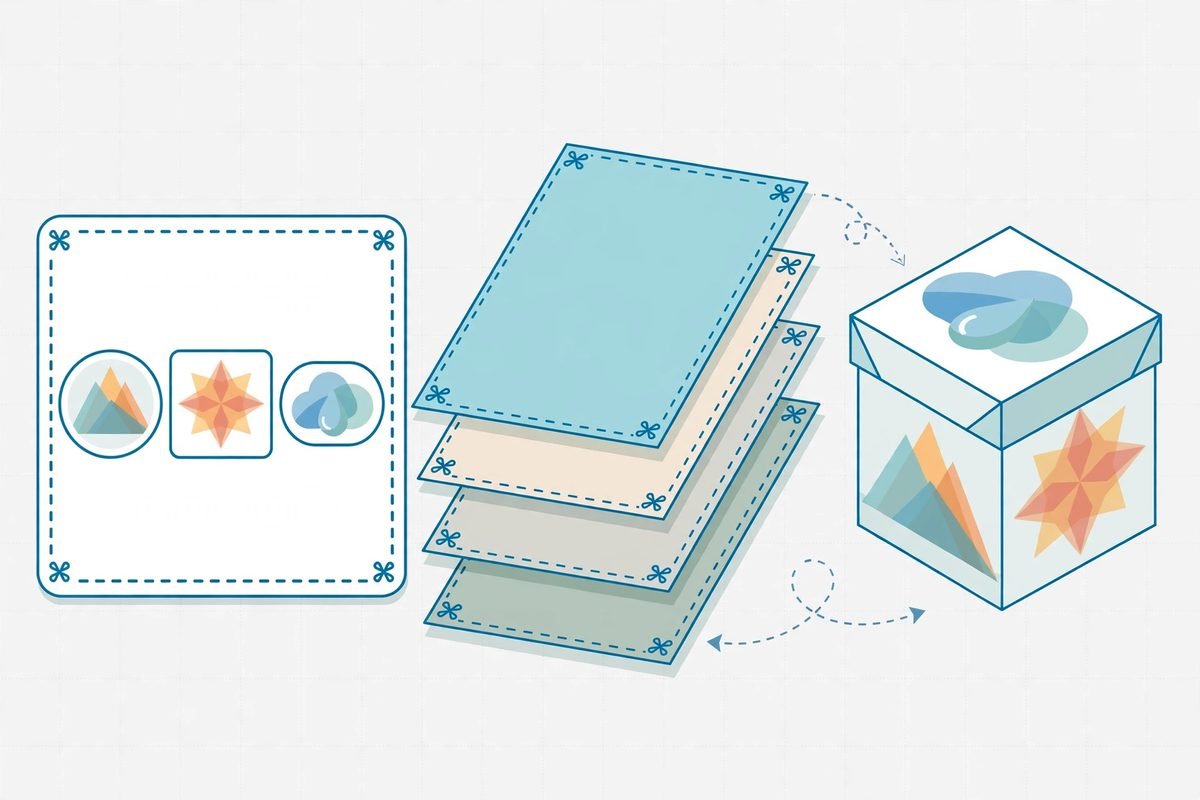
This is also why the 3D preview matters more than it first appears. UseIt Studio shows the flat design folded or shaped in three dimensions, in real materials, as you edit. A graphic that crosses a crease awkwardly, text that wraps around a corner, or a pattern that breaks at a fold all show up in the preview before you pay for printing. Treat the preview as a quality gate, not a marketing flourish: check it after every significant edit, not just at the end.
What it does, feature by feature
Four capabilities carry most of the work, and each one maps to a real frustration with image generators.
- Conversational design from a short brief. Describe the piece in plain language, answer the follow-up questions about size, occasion and constraints, and get a structured first draft rather than a blank canvas.
- Point-and-change editing. Circle or select any part of the design and describe just that change. The rest of the design stays untouched. This is the feature that saves the most time, because it ends the cycle of regenerating a whole layout to fix one word.
- Editable layers. Text, graphics and vectors live on separate layers you can fine-tune directly when a conversational edit does not land precisely. If you have ever fought an AI tool that would not move one element by two millimetres, you will understand why this matters.
- Matching Sets. Ask for more pieces from one artwork, a sticker, a bag label, a menu header and a cup wrap, and the tool keeps the style and palette consistent as the set grows. For a small brand, that consistency is usually the first thing to fall apart.
For production, two features do the heavy lifting. The 2D-to-3D preview catches fold and alignment problems early. The cut-line and white-ink generation prepares shaped pieces, such as acrylic items and stickers, for the printer by tracing the cut line around the artwork and adding the white ink layer the job needs. Files can also be opened in Illustrator for continued editing, including conversational editing inside that environment, which gives professional designers an escape hatch instead of a dead end.

Pricing: what we could verify, and what we could not
Here is where an honest review has to slow down. UseIt Studio is offered on a freemium basis, so you can start without a commitment and test whether the workflow fits your projects. It runs on credits: at launch, the makers offered a code worth 15,000 credits to people who joined on launch day. What we could not verify from primary sources at the time of writing is a current, published paid-tier list with prices and credit allowances. That is not a criticism of the product so much as a fact about its age: it launched on Product Hunt on 14 October 2026 and topped the daily board on 21 October 2026, which is very early for a pricing page to settle.
Our advice is therefore practical rather than numerical. Start on the free tier with one real project, not a toy test, and measure two things: how many credits a finished, print-ready piece actually consumes, and how much designer time the point-and-change editing saves versus your current workflow. If you cannot get a clean answer to the first question, do not commit a team budget to it yet. Check the official pricing on the day you plan to buy, because early-stage credit pricing moves quickly, and any review that quotes exact tiers for a tool this new risks being out of date within weeks.
Who it is for, and who should skip it
UseIt Studio fits four groups well. Do-it-yourself makers producing pins, stickers, packaging and everyday objects will get the most immediate value, because the tool removes the two barriers that usually stop them: design software skill and manufacturer file preparation. Small brands building design kits, one visual identity carried across cups, bags, menus and packaging, will benefit from Matching Sets. People making personal gifts, cards, invitations and keepsakes get a path from an idea to a finished object without learning a professional tool. And anyone doing production preparation, getting print, cut and fold files ready for a real supplier, gets the production layers that image generators simply do not produce.
It is not for everyone. If you need a website, reach for a website builder. If you need a slide deck, a document or a hosted page, reach for a presentation tool. If you need a product interface or a design system, reach for a product design workspace such as Figma AI. UseIt Studio does none of those jobs, and judging it for failing at them would be like judging a printer for not making coffee. The right question is narrower and fairer: does it produce a physical object better than the tools you use today?
Watch-outs and honest limitations
First, it is early. The makers say so themselves, and the narrow launch scope proves it. Expect some outputs to miss, especially on unusual shapes, complex folds or highly specific brand guidelines. Early-stage AI design tools are often excellent at the common case and shaky at the edge case, and physical production punishes edge-case errors with wasted print runs. Budget for one test print before any bulk order.
Second, conversational editing is only as good as your brief. Vague prompts produce generic results in every AI tool, and UseIt Studio is no exception. The difference here is that a vague brief produces a generic object with real dimensions, which can look deceptively finished. Specify the object type, the occasion, the size, the fold pattern and the palette up front, and change one element at a time when refining. Changing five things in one instruction is how you lose track of what the agent actually changed.
Third, the printer is still the final judge. A file can be editable, correctly sized and beautifully previewed in 3D, and still fail on a specific press, stock or finish. Always send your printer a test file and ask them to confirm the cut line, the white ink layer and the bleed before committing to a run. No AI tool replaces that conversation, and any vendor that suggests otherwise is selling you a future print problem.
Fourth, platform coverage is limited to the browser and Windows desktop, based on the launch information. If your team works entirely on other platforms, verify current platform support before building a workflow around it. And fifth, pricing transparency is, for now, a gap: freemium entry is confirmed, but a stable paid-tier structure is not yet publicly documented well enough to quote with confidence.
How it compares to the alternatives
The honest comparison is not a feature-by-feature shootout, because the alternatives do different jobs. Canva and Adobe Illustrator are the general-purpose design tools most teams already know. Illustrator gives a professional complete control and a file any printer accepts, but it demands skill and time. Canva is fast and accessible, but its output is usually a design for screens and social, not a manufacturer-ready dieline. UseIt Studio sits between them for one specific job: it is faster than Illustrator for a first production-ready draft, and more production-capable than Canva for physical output.
Figma AI is the comparison for product teams, but it answers a different question. Figma covers interface design, prototyping, handoff and design systems in one workspace. It is superb at screens and weak at dielines, for the same reason UseIt Studio is superb at dielines and silent on screens. If your team makes both physical packaging and a digital product, you will likely use both tools, not pick one. Similarly, Gamma is the right choice for decks and documents, and a website builder is the right choice for a sales page. A common, sensible stack is UseIt Studio for the object, a website builder for the page that sells it, and a presentation tool for the pitch that explains it.
From our experience: how to test it in one afternoon
We have built enough client workflows around new AI tools to know how the evaluation usually goes wrong: a team tests the demo, loves the demo, and then discovers the production gaps on a deadline. Test UseIt Studio the other way round. Pick one real piece you actually need, a sticker set for a client event, a gift box for a product launch, a pop-up card for a campaign, and run it end to end in a single afternoon.
- Write a specific brief. Name the object, the size, the occasion, the palette and the fold or cut pattern. A bakery sticker set, for example, should specify the round logo sticker, the rectangular bag label and the small thank-you sticker as one Matching Set, with cut lines and a white ink layer.
- Refine one element at a time. Circle one part, describe the change and the constraint together: change this illustration, keep the line weight and the palette exactly as they are. Check that the rest of the design is genuinely untouched.
- Check the layers. Open the editable layers and confirm text is real text, not baked pixels, and that each element can be moved or resized independently.
- Check the 3D preview. Fold the box, shape the card, and look for graphics crossing creases or text wrapping around corners.
- Run the printer checklist. Cut line traces every shaped edge, white ink covers the artwork area where the stock needs it, artwork sits inside the cut line with a small margin, and text is legible at final printed size.
- Order one test print. Do this before any bulk run, and before you tell a client the workflow is proven. A single test print costs little and answers every question a preview cannot.
From our experience, the teams that benefit most are the ones with a recurring physical-output need, a small brand refreshing packaging, a creator selling merch, an agency preparing client kits, rather than someone making a single birthday card once a year. The value compounds when the second, third and tenth pieces reuse the same visual identity through Matching Sets. For a one-off project, a designer on a freelance marketplace may still be faster and cheaper. For a pipeline of physical pieces, an AI design agent for editable files starts to pay for itself in the time it saves on revisions alone.
Frequently asked questions
Is UseIt Studio just another AI image generator?
No. Image generators produce flat pictures. UseIt Studio produces an editable design file with real dimensions, bleed, dielines and production layers, by working in design software rather than generating pixels. That is the difference between an image you admire and a file a printer can use.
What can I actually make with it today?
At launch, the supported pieces were gift boxes, pins, stickers, pop-up cards and brand kits. The makers describe the tool as early and invite users to say what they want next, so expect the catalogue to grow, but judge it on what it makes today, not on a roadmap.
Can I edit the file in Illustrator afterwards?
Yes. Files can be opened in Illustrator for continued editing, including conversational editing inside that environment. That matters for professional teams, because it means UseIt Studio can be a starting point in an existing workflow rather than a closed system you have to abandon when a job gets complex.
How much does UseIt Studio cost?
It is offered on a freemium basis and runs on credits, but a current paid-tier price list was not publicly verifiable at the time of writing. Start free with one real project, measure the credits a finished piece consumes, and check the official pricing before committing a team budget.
Should a business use it instead of hiring a designer?
For recurring, standard physical pieces, it can reduce designer time substantially. For unusual shapes, strict brand guidelines or high-stakes packaging, a professional designer remains the safer choice, ideally using a tool like this to accelerate drafts rather than replace judgement. The best model for most businesses is designer plus agent, not agent instead of designer.
The test that matters is simple: can UseIt Studio take you from a sentence to a file your printer accepts, without a redesign in between? For the pieces it supports, the early evidence says yes, with a test print as the final proof. If you run a business that regularly produces physical pieces, that is worth an afternoon of testing. Explore more tools in our AI Tools Directory, and if you want help wiring an AI design workflow into your existing production process, our AI integration and automation services team can help, or talk to us about your next product launch.