

Agnos clean documents for AI before they ever reach a chatbot, a retrieval system, or a training dataset. That single job is the whole product: take the messy PDFs, Word files, Excel sheets, PowerPoint decks, and web pages a business actually has, strip out the repeated page furniture and boilerplate that confuses language models, and show you exactly what was removed and why. If you have ever watched a chatbot quote a page footer back at a customer, or answer a question with a cookie banner instead of the policy, you already understand the problem Agnos is trying to solve.
This is a review of a very new tool, launched on Product Hunt on 30 October 2026 by its maker, Michael, at Gidion. There are no independent reviews yet, so this article says plainly where a claim rests only on the maker. What we can verify from the official site and the launch page, the product shape, pricing, and limits, is enough to judge it. Our verdict up front: Agnos is a sensible, cheap, one-off purchase for Windows-based teams that feed their own documents into AI, provided you accept its two hard limits, Windows only and no OCR, and you treat its removal report as a review step, not a formality.

What Agnos Clean Documents for AI Actually Does
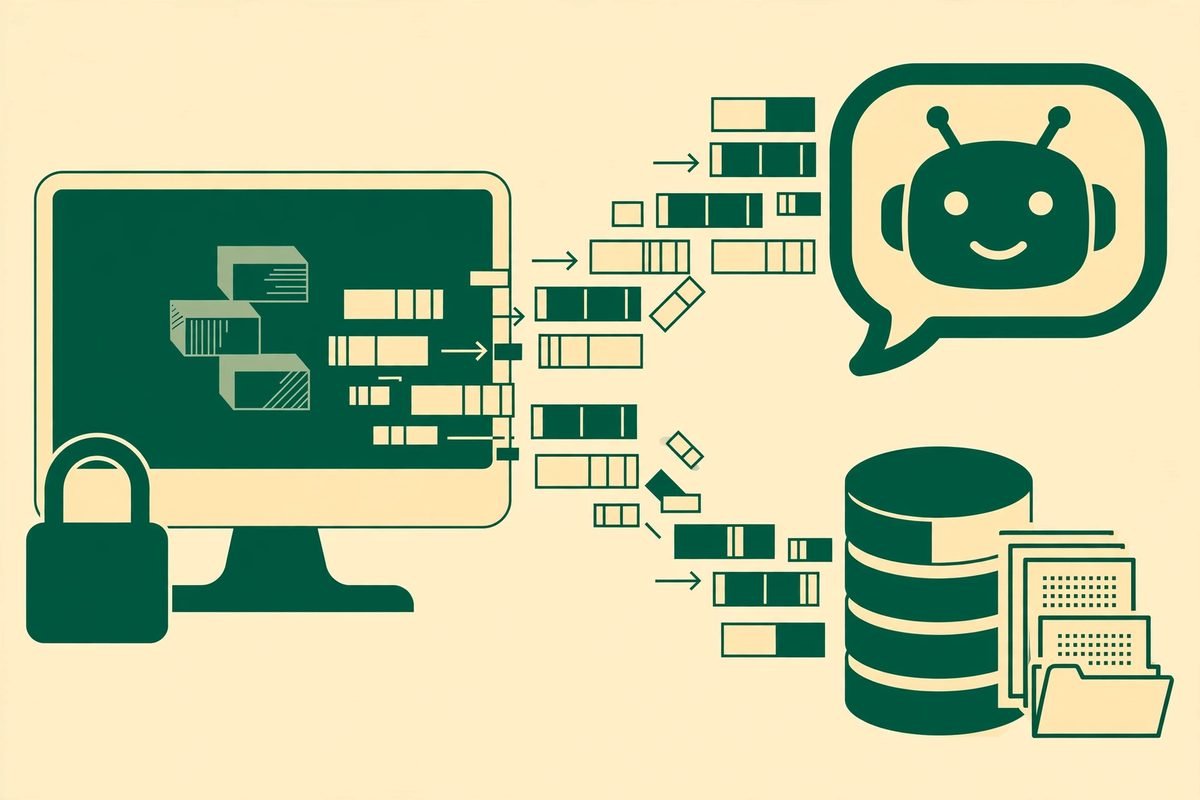
Agnos works on your own Windows PC. Nothing is uploaded, and it works with the network switched off. That local-first design is the reason the tool exists for privacy-conscious teams: contracts, handbooks, price lists, and support notes never leave the machine, removing an entire class of data-protection argument before a project starts. For a small business that wants AI answers grounded in its own documents, but cannot put them into a cloud service, that is a genuine advantage.
The cleaning targets what the maker calls page furniture: the same header and footer repeated on every page, page numbers standing alone, cookie banners, placeholder text, boilerplate, and duplicates. A human skips those lines without thinking. To a retrieval system, they are noise that gets chunked, embedded, and retrieved as if it were content. A footer can end up in an answer, and a repeated disclaimer can crowd out the paragraph that actually answers the question. Removing that material before chunking is unglamorous work most teams skip.
What Agnos keeps matters as much as what it removes. Headings, tables, code, and numbers are preserved, because those carry meaning. A price list without its numbers is useless. Exports come in three forms: cleaned documents, cleaned text, and JSONL chunks ready for a vector store or training data. That last export matters most for teams building retrieval systems, because it puts cleaned, chunked material directly into the format their pipeline consumes.
Shows Its Work: The Removal Report
The feature that separates Agnos from a simple script is that it never removes anything silently. Every removal is listed in a review view, with the rule behind it named in plain language, for example that a line was a page number standing on its own, or web page furniture such as a cookie banner. You can keep an individual piece in one click where its rule allows it, or switch a rule off entirely if it does not suit your documents.
That auditability is the control that makes automated cleaning safe on business documents. A cleaner that silently deletes lines will eventually delete something important, and nobody will know until a customer gets a wrong answer. Agnos makes review cheap, but it cannot make it happen. If you adopt it, make review part of the workflow, with a named person responsible, or you lose the benefit that justifies the tool.
Pricing: A One-Off Payment, Not Another Subscription
Pricing is refreshingly simple, and it is verified from the official site and the Product Hunt launch page. Everything is free for 14 days, with no card and no account required. After that, a single user pays $99 once. A team licence costs $399 once for up to five people at one company. There is no subscription, and therefore no monthly bill quietly compounding across a team that stopped using the tool months ago.
That pricing changes the buying decision. At $99 once, the question is whether cleaning one real document set better than your current process is worth that sum, not whether Agnos will transform your business. The risk is not the price. It is buying a Windows-only tool your team cannot run, or assuming it handles scanned documents it explicitly does not. Check those limits before you pay, not after.
Who Agnos Is For
Agnos fits best in three situations. First, a business building a chatbot or retrieval system over its own documents: support articles, manuals, policies, and product documentation. Clean input means fewer boilerplate answers and retrieval results that rank real content above repeated furniture. Second, a team preparing training data, where duplicated headers across hundreds of pages would otherwise teach a model that every document starts with the same disclaimer. Third, any Windows team handling sensitive documents it cannot upload to a cloud cleaner.
It is a weaker fit for Mac-only teams, for anyone whose archive is mostly scanned paper, and for teams that need cleaning inside a larger automated pipeline rather than as a desktop application. Agnos is a desktop tool, not an API you call from a workflow. That suits a human-reviewed preparation step far better than a lights-out pipeline. If you need programmatic ingestion at scale, you need a different category of tool.
Watch-Outs and Honest Limitations
Start with the platform limit. Agnos runs on Windows 10 and 11 only, and installs from the Microsoft Store. If your team works on Macs, or your document preparation happens on a Linux server, this tool simply does not run there. Do not buy it hoping for a Mac version; none is promised on the launch page or the official site.
Next, there is no OCR. Scanned pages are skipped and named rather than cleaned badly, which is the honest behaviour, but it means a scanned archive stays dirty until you run OCR elsewhere. If your documents are born-digital PDFs and Office files, this rarely matters. If your archive is scanned contracts and paper forms, it matters a great deal, and you should factor an OCR step into the workflow before Agnos.
Then there is accuracy, and here the maker deserves credit for publishing numbers instead of adjectives. Before launch, Agnos was measured on 25 United States government PDFs totalling 1,342 pages. It removed 2,063 lines as page furniture, and 200 of those looked like content to a human reviewer: roughly one questionable removal in ten on that test set, and exactly why the review view exists. A cleaner with that borderline rate and a visible review step is usable. The same rate with no review step would not be.
Finally, Agnos is days old as a public product, with no track record of updates and no independent benchmark beyond the maker’s own study. Early buyers are, in effect, early testers. The one-off price makes that gamble cheap, but it is still a gamble. Try it on a copy of a real document set during the 14-day free period, review every removal, and only then decide.
How It Compares to the Alternatives
Most teams clean documents in one of three ways. The first is doing nothing: feeding raw PDFs straight into a chatbot or retrieval system and accepting the noise. That costs nothing and produces the footer-quoting answers described above. Against doing nothing, Agnos is a clear improvement, provided someone reviews the removals.
The second is writing your own cleaning scripts. A competent developer can strip repeated headers and page numbers with a few dozen lines of code. That approach is free and exactly tailored to one document set, but it has no review interface or rule management, and no one maintaining it when formats change. Against scripts, Agnos trades customisability for a review workflow and a maintained product. For a team without a developer to spare, that trade is worth it.
The third is a cloud ingestion service that cleans as part of a larger platform. Those offer APIs, scale, and integration, but they require uploading your documents and usually charge by usage or subscription. Against them, Agnos wins on privacy and price, and loses on automation and scale. For a small business preparing its own knowledge base by hand, trust and cost usually win.
From Our Experience: Document Hygiene Is Where AI Projects Quietly Fail
At MTD Technologies, we have spent over nine years building web, mobile, and AI systems, and the pattern repeats: teams obsess over model choice and barely think about input quality. A retrieval system is only as good as the chunks it retrieves. When those chunks are polluted with repeated furniture, the model does not fail loudly. It fails politely, quoting the wrong paragraph with confidence, and the business discovers the problem from a customer, not from a test.
Our practical advice is to treat document preparation as a first-class step, not a chore to rush before launch. Keep the originals untouched and clean a copy. Review removals, especially on the first few documents of each type, because each type has its own furniture: a rule safe for a price list can be wrong for a contract. Then test the cleaned set with real questions before you ship, checking that answers cite real content, not furniture. That discipline matters more than any single tool, and Agnos supports it because it shows its work.
One more reality from client work: the cheapest failure mode is a review step nobody owns. If you buy Agnos, assign review to a person and keep it in place even after the tool feels trustworthy. Trust should be earned document type by document type, not granted once at purchase. If that discipline sounds like too much overhead, you are better off with a smaller, hand-checked document set than a large, unreviewed one.
Frequently Asked Questions
What file types does Agnos clean?
Agnos cleans PDFs, Word, Excel, and PowerPoint files, as well as web pages, before they go into an AI chatbot, a retrieval knowledge base, or training data. It preserves headings, tables, code, and numbers while removing repeated headers and footers, page numbers, cookie banners, boilerplate, and duplicates.
Does Agnos upload my documents anywhere?
No. Agnos runs on your own Windows PC, nothing is uploaded, and it works with the network off. That local processing is its main privacy advantage over cloud-based cleaners, and it is why it suits sensitive business documents.
How much does Agnos cost?
Agnos is free for 14 days with no card and no account. After that, it costs $99 once for one person, or $399 once for up to five people at one company. There is no subscription, so the price does not recur.
Can Agnos clean scanned documents?
No. Agnos has no OCR, so scanned pages are skipped and named rather than cleaned badly. If your archive is mostly scanned paper, run an OCR step first, then clean the resulting text with Agnos.
Should I review what Agnos removes?
Yes, especially at first. The maker’s own study found that about 200 of 2,063 removed lines on a government PDF test set looked like content to a human reviewer. The review view names the rule behind each removal, lets you keep a piece in one click where its rule allows, or switch a rule off, so use it until you trust the tool on each document type.
Agnos will not fix a bad AI strategy, or rescue a document set never worth feeding to a model. What it does, well and cheaply, is remove a specific, measurable source of noise, in plain sight, on your own machine. For Windows teams building AI over their own documents, that is worth a 14-day trial on a real set. Try it on copies, review every removal, and judge it by the answers your chatbot gives afterwards. If you want help building that pipeline, explore our AI integration and automation services, browse our AI Tools Directory, or contact us. Verify the product yourself on the official Agnos site and its Product Hunt launch page.