
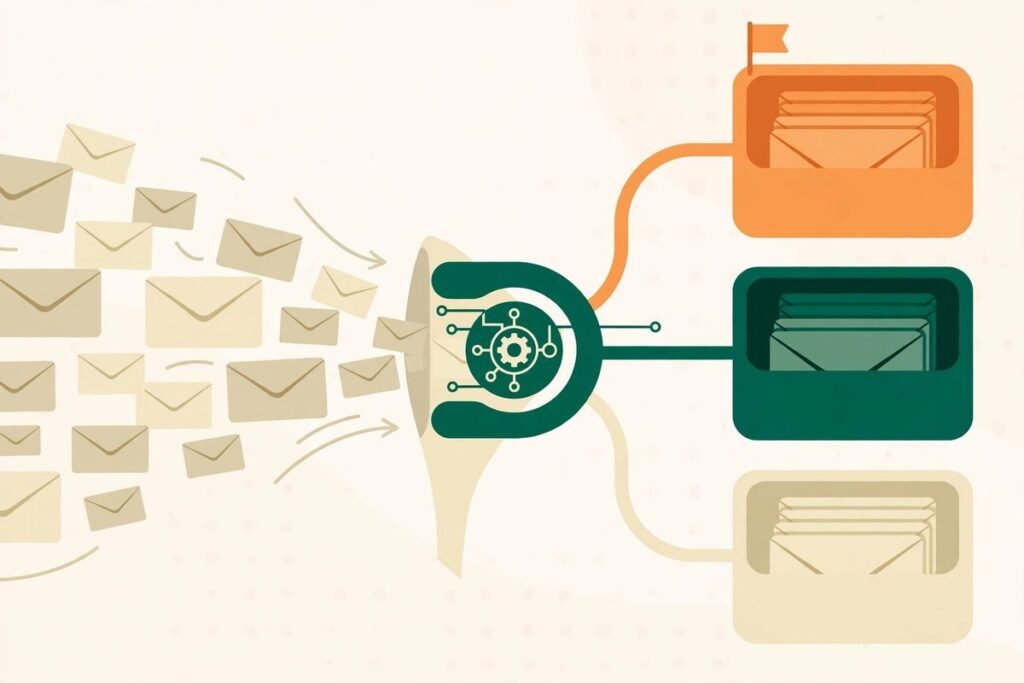
AI email triage for support teams is not about letting a machine answer your customers. It is about fixing the order in which work reaches humans: the urgent message stops sitting behind twenty routine ones, the billing question goes straight to billing, and the agent who opens a ticket already has a sensible draft waiting. Done that way, triage is one of the least risky, highest-return automations a support team can adopt — and one of the easiest to get wrong if you hand the model the send button on day one.
This guide is written for support leads and business owners running a shared inbox or a help desk with a team of two to fifty agents. By the end you will know how classification, routing and drafting fit together, where the accuracy numbers vendors quote actually come from, which replies humans must always send, and how to roll triage out in stages without breaking the queue you already have.
What AI email triage for support teams actually does
Strip away the marketing and triage answers three questions about every incoming message before a human sees it: what is it about, how urgent is it, and who should handle it. Modern systems answer those questions by reading for meaning rather than matching keywords. A message that says “I was charged twice and my event is tomorrow” contains no single trigger word that captures both the billing problem and the deadline — but a language model reads both, and routes accordingly.
That is the real break from the old rules-based approach. Keyword rules top out at roughly 40 to 50 percent routing accuracy on a mature queue, because customers phrase the same problem ten different ways and often bundle two problems into one email. Published comparisons of triage tools put mature language-model deployments at 85 to 95 percent accuracy on trained categories — a meaningful gap, but note the qualifier: “on trained categories”. Accuracy is a property of your taxonomy and your training data, not a property of the tool in the abstract.
Triage also needs to be kept distinct from two neighbouring jobs. It is not resolution: classifying a ticket does not answer it. And it is not agent assist, though the same platform often sells both. Conflating the three is how teams buy an expensive resolution bot when what they actually needed was better routing, or buy a classifier and then wonder why tickets still sit unanswered. For a good overview of how the triage layer differs from resolution and assist, see this comparison of seven triage tools, which scores native help-desk triage against overlay platforms.
Routing: getting the right email to the right person first
Routing is where triage earns its keep, because a misrouted ticket costs far more than one reassignment. The ticket sits in the wrong queue until somebody notices, then it travels back and starts again — a full round trip of delay on top of the original wait. Worse, a ticket flagged as normal priority when it is actually urgent fails silently: nobody reassigns it because nobody knows it is wrong.
A routing design that holds up in practice has four parts:
- Categories that lead to action. Every label needs an owner and a next step. “Negative sentiment” alone is not an escalation policy; “billing dispute over 100 dollars, route to senior billing, first response within two hours” is.
- An explicit uncertain route. Messages the model cannot classify confidently go to a human triage queue with a named owner — never to a default bucket where they rot, and never force-classified into a confident-looking wrong answer.
- Urgency separated from sentiment. A politely worded message about a service outage is urgent; an angry message about a feature request is not. Score impact and deadline separately from tone, or your angriest customers will always jump the queue and your quietest outages will wait longest.
- Capacity awareness. Routing to the right skill means little if that person has forty open tickets. The better systems weigh availability and current load alongside skill, and spill over to a second-choice owner rather than stacking one expert.
Native help-desk triage illustrates both the power and the limits here. Zendesk’s Intelligent Triage, for example, classifies every ticket by topic, sentiment and language, then feeds those labels into triggers and omnichannel routing. It is genuinely useful — and it sits behind the Copilot add-on at roughly 50 dollars per agent per month on top of the Suite plan, its workflow values are English-only even though detection covers around 150 languages, and it does not retrain from agent corrections. Those are not reasons to reject it; they are the kind of details that decide whether a tool fits your team, and they only surface when you evaluate the routing layer on its own terms.
Drafting: draft-then-approve is the design that works
The second half of triage is drafting. Once a message is classified, the system can prepare a reply from your knowledge base and past answers, and present it to the agent for approval. This is the highest-leverage use of AI in a support inbox, because it attacks the actual bottleneck: agents spend most of their time retyping variants of answers the team has already given, not thinking hard about novel problems.
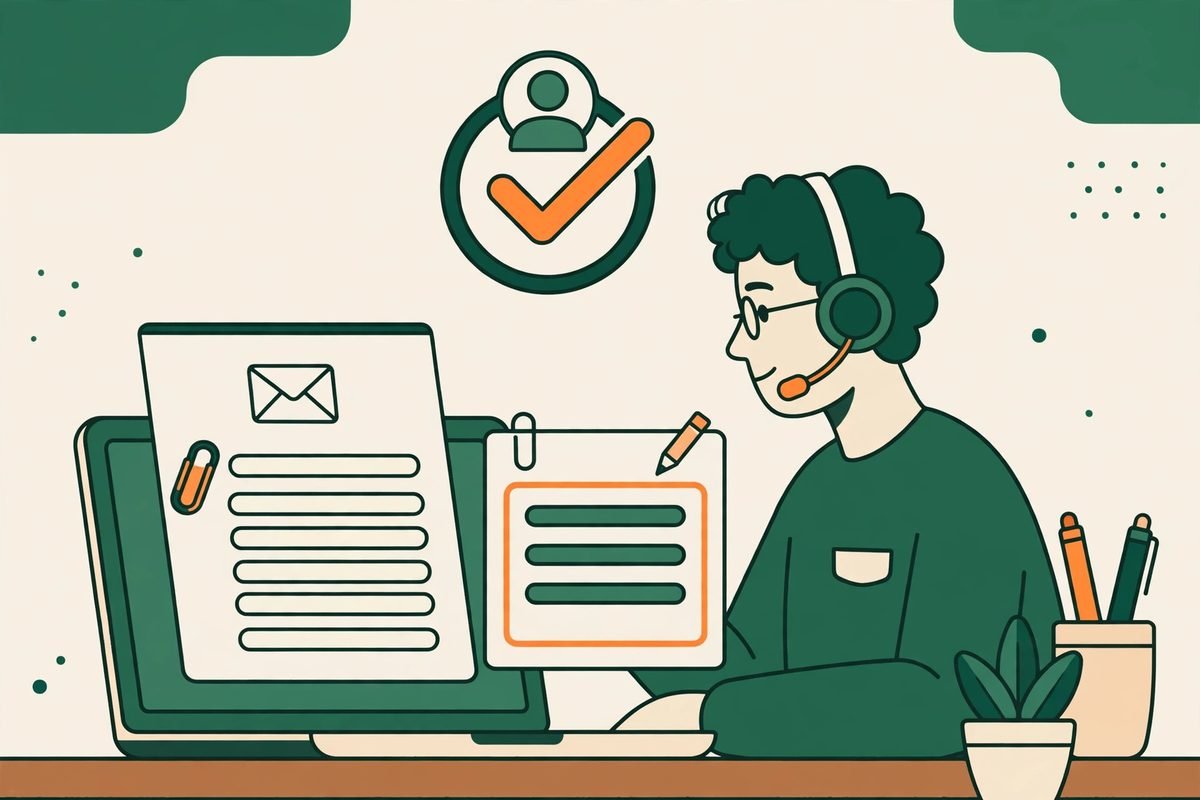
Draft-then-approve works because it keeps the human in exactly the place where humans add value: judgement. The agent checks facts, adjusts tone, adds the one sentence only a person who knows this customer would add, and sends. Throughput rises because the first 80 percent of the reply is already written; quality holds because the last 20 percent is still human. Teams that skip this stage and move straight to auto-send usually discover the failure mode in the worst possible way — a confident, wrong, or tone-deaf reply to the customer they could least afford to lose.
Three rules keep drafting honest. First, drafts must quote or link the source they are based on, so the agent can verify a claim in seconds rather than trusting it. Second, low-risk categories earn auto-send first — order status, password resets, opening-hours questions — while anything involving money, account changes or apologies stays draft-only until the data proves otherwise. Third, every approved draft that the agent edits is training signal: log the edit, review the pattern weekly, and fix the template or knowledge article behind it. A draft system that never learns from edits will keep making the same mistake at scale.
The replies humans must still send
Some replies should never be automated, no matter how good the model gets. The test is not whether the AI can write the words — it almost always can — but whether a wrong or cold answer carries a cost no efficiency gain repays. Keep these firmly human:
- Refunds, credits and compensation. Money decisions need a person accountable for them, and customers can tell instantly when a refund refusal was generated rather than decided.
- Account closures, bans and legal threats. High-stakes, low-volume, and frequently adversarial — exactly the cases where a model optimised for plausible text is most dangerous.
- The second reply to an already unhappy customer. If the first answer failed, the customer is no longer evaluating information; they are evaluating whether anyone is listening. A human must own that moment.
- Anything the model is uncertain about. Low confidence should route to a person, not to a more creative guess. Uncertainty is the system telling you it needs help — design for that, don’t override it.
- VIP and relationship accounts. Some customers are worth more than the minutes saved. Name them in your routing rules explicitly, not as an afterthought.
Escalation rules should be written down before launch, not improvised after the first incident. A one-page escalation policy — which categories auto-route to a senior, what confidence threshold triggers human review, and who can override the system — prevents the two classic failures: agents who rubber-stamp every draft because the system feels authoritative, and agents who ignore the system entirely because it embarrassed them once.
From our experience: measuring classification accuracy honestly
We have built automation around support inboxes for clients across services businesses, and the pattern is consistent: the teams that succeed treat accuracy as something they measure on their own tickets, not something they read off a vendor page. Vendor numbers come from mature deployments with clean taxonomies and thousands of labelled tickets. Your first month will not look like that, and that is normal.
Start with a labelled test set before you buy anything. Take 200 to 300 historical tickets, have your support lead mark the correct route for each, and run any candidate tool against them. Score the expensive mistakes separately: a billing dispute routed to general support is a worse error than a how-to question routed to the wrong specialist, and an average accuracy figure hides exactly that difference. Require the model to show which part of the message supports its classification — if it cannot explain a label, your agents cannot trust or correct it.
Two gotchas we see repeatedly. First, teams build categories around their org chart instead of around customer problems, so a message that spans two teams has no correct label and the model guesses forever. Build categories around what the customer wants, then map those to owners. Second, teams set the taxonomy once and never revisit it. Products change, support responsibilities change, and a classifier trained on last year’s ticket mix quietly decays. Revisit categories quarterly, and track three numbers weekly: reroute rate, missed urgency (urgent tickets first classified as routine), and time to first useful human action. If reroutes climb, your taxonomy — not your team — is usually the problem.
A staged rollout plan that does not break the queue
Roll triage out in stages, and let each stage earn the next one. A staged rollout guide for support triage makes the same case: suggestions visible to agents first, automatic routing only for narrow, evaluated cases, and a fallback queue whenever the classifier fails or returns an unknown category.
- Week 1–2: shadow mode. The classifier labels tickets but changes nothing. Agents see suggested routes and accept or correct them. You are collecting your accuracy baseline and your labelled data at the same time.
- Week 3–4: suggest-and-draft. Turn on draft generation for your five most common categories, still human-approved. Measure edit rate per draft — high edit rates mean the template or knowledge article needs fixing, not that the model is useless.
- Week 5–6: auto-route the proven categories. Enable automatic routing only for categories that cleared your accuracy bar in shadow mode, with the uncertain route catching everything else. Keep a daily report of auto-routed tickets and their reroute rate.
- Week 7 onward: auto-send the lowest-risk replies. Order status, appointment confirmations, and other factual, reversible replies can graduate to auto-send once their accuracy and customer satisfaction data support it. Everything involving money or emotion stays draft-only.
Budget honestly for the work around the tool. The licence is rarely the biggest cost: expect a support lead to spend several hours a week for the first month on taxonomy, labelled data and draft review, and expect the first accuracy gains to arrive in weeks, not days. If a vendor promises full automation in a week with no labelled data from you, they are selling you their demo, not your deployment. This is the same discipline we apply to any workflow automation build: the workflow earns trust in stages, and the stages are where the value actually comes from.
Frequently asked questions
What is AI email triage?
AI email triage is the automated classification, prioritisation and routing of incoming support emails. A language model reads each message, labels what it is about and how urgent it is, and sends it to the right team or queue — often with a draft reply attached for a human to approve.
How accurate is AI email classification?
On mature deployments with trained categories, published comparisons report 85 to 95 percent triage accuracy, versus 40 to 50 percent for keyword rules. Your own accuracy depends on your taxonomy and labelled ticket history, so measure it on your tickets in shadow mode before trusting any vendor figure.
Should AI send support replies automatically?
Only for low-risk, factual, reversible replies — order status, confirmations, opening hours — and only after accuracy data supports it. Replies involving refunds, account changes, complaints or legal matters should stay draft-then-approve, with a human owning the send.
How long does it take to set up AI email triage?
A basic native help-desk setup can classify within days, but a reliable deployment takes four to seven weeks: taxonomy design, a labelled test set, shadow mode, then staged auto-routing. Overlay platforms that sit across several help desks typically reach first value in a similar window once your categories are defined.
Does AI email triage work for small support teams?
Yes, and small teams often benefit most, because one misrouted ticket hurts more when there are only three agents. Start with native triage inside the help desk you already use, or a lightweight automation that classifies into a handful of categories. The staged rollout matters more than the size of the tool — and you can browse current options in our AI tools directory before committing to a platform.
AI email triage for support teams pays off when it is treated as a routing discipline, not a magic answer machine: categories that lead to action, drafts that humans approve, escalation rules written before launch, and accuracy measured on your own tickets. Build it in stages, keep the high-stakes replies human, and the inbox stops being the job — it becomes the feed your team works through in priority order. If you want help designing that system for your own support queue, talk to us and we will map your ticket mix to a triage design before you buy any tool.