
The Click managed agents API makes a simple promise: send a task with one API call, and Click runs the agent and streams the results back. You bring your own model and tools; Click supplies the rest — sandbox, browser, web search, session state and event stream. Our verdict up front: a genuinely useful abstraction for teams that want agent features without building their own runtime, but an early, paid product with no public pricing tiers, so trial it on one bounded workflow before committing your roadmap to it.
Click launched its managed agents API on Product Hunt in early November 2026, its third launch under the Click name in under a year — earlier versions covered a cursor-style assistant and live research context. The maker is candid about the reason: building the same agent stack repeatedly for each product left no time for the differentiating work. If you have built an agent loop once, you know how much of the work is not the model at all.
What the Click managed agents API actually does
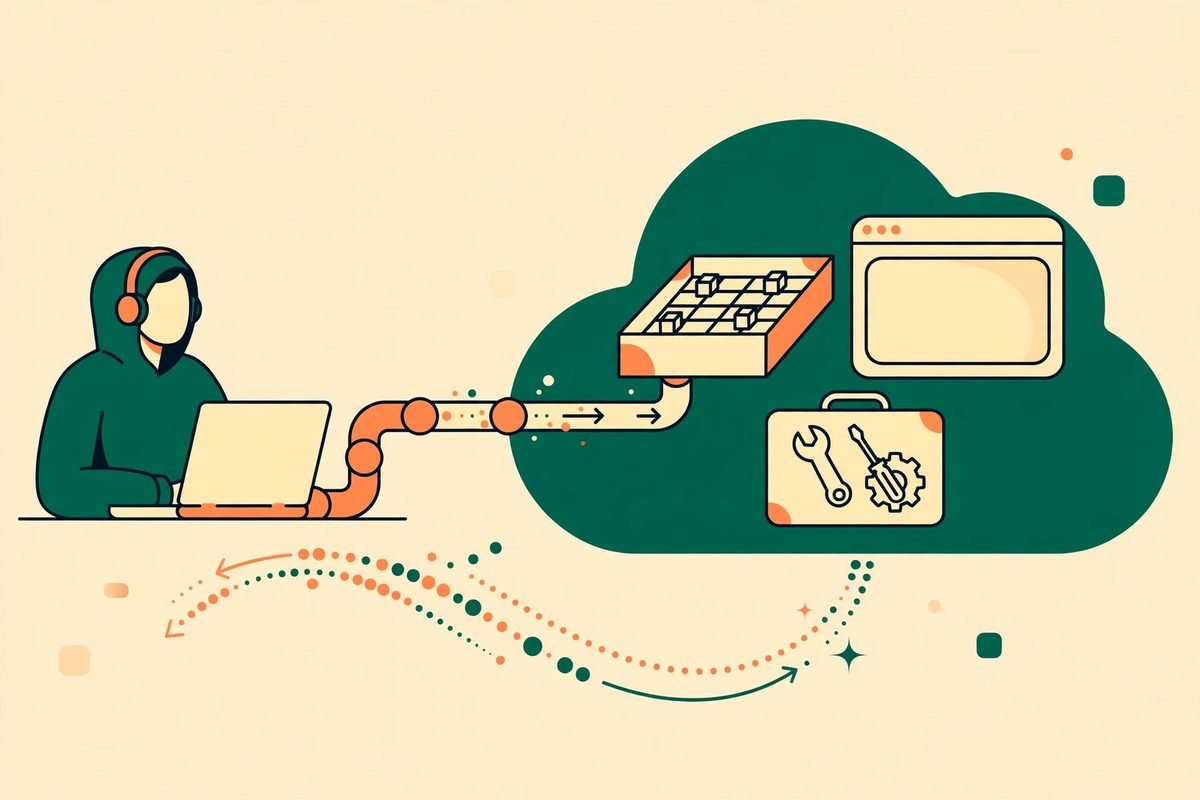
At its core, Click is a hosted agent runtime exposed over an API. Your application creates a session, submits a task in plain language — the official examples are things like drafting a reply for a support ticket or fixing a numbered issue — and Click runs an agent against that task. Results come back as a stream of events: tool calls starting and completing, message deltas as text is produced, submission updates, and a completion signal. For background work, Click can also notify your application with webhooks when a submission updates or an artifact is created.
Each session arrives with everything an agent usually needs, already wired up: an operating-system sandbox for running code, a browser, and web search. On top of those, you can connect your own tools — MCP servers or custom HTTP application tools. The maker confirmed in the Product Hunt discussion that tool access is scoped per agent: you create tool connections, then attach them to an agent, so one customer’s agent stays away from another customer’s tools. In any multi-tenant product, that scoping is the difference between a demo and a deployable feature.
Two features worth understanding before you judge it
The first is deferred tool discovery. Most harnesses load every tool definition into the model’s context up front, which works with ten tools and falls apart with hundreds: context fills up, costs climb, and the model confuses near-identical tools. Click discovers tools lazily instead, which makes its claim of supporting thousands of tools plausible. If your agent works across many systems — dozens of stores, each with its own MCP server — test this first, because it is where simpler harnesses break.
The second is Code Mode: using tools through scripts rather than one call at a time. A job needing twenty tool calls becomes a script the agent writes and runs in the sandbox, instead of twenty round trips through the model. That cuts latency and token spend, and the script is an artifact you can read. The trade-off is the usual one with generated code: you need sandboxing you trust, and you must review what the script actually did, not just whether it reported success.
How a Click session works in practice
The flow, as documented on Click’s own site, is straightforward. Your application creates a session with the model, tools, permissions and credentials it may use, then submits a task. Click runs the agent, and your application reads an event stream — tool activity, thinking and text deltas as they happen — or waits for a webhook for long-running work. Files can go in, and finished work can come back as downloadable artifacts, which suits drafting, analysis and reporting.
- Create a session with a defined model, tool set and permissions — not a shared, open-ended agent.
- Submit a task in plain language, with files attached where the job needs them.
- Stream events live for interactive features, or rely on webhooks for background jobs.
- Collect the result and any artifacts, and keep the session state for follow-up tasks.
- Scope tool connections per agent so one customer’s credentials never leak into another’s session.
Pricing: what is verified and what is not
Here we must be honest about the limits of public information. Product Hunt lists Click as Payment Required, and at the time of writing we could not find published pricing tiers on its official site or API reference. That does not mean it is expensive; it means you cannot budget from a pricing page, and any article quoting tier prices for Click today is inventing them. Because Click is bring-your-own-model, you pay your model provider for tokens on top of Click’s runtime charges. Budget both lines, and measure cost per completed task — not per API call — since one task can involve many model and tool calls.
Managed runtimes generally charge by runtime hours on top of tokens, per task or seat, or with no platform fee beyond model and tool usage. Click has not publicly stated which model it follows, so settle it in a trial: ask for the meter, minimums, what counts as billable, and what happens when a long session fails halfway. Those answers matter more than any headline rate.
Who the Click managed agents API is for
Click fits best in three situations. First, a product team adding one agent-powered feature — ticket triage, research summaries, document drafting — without pausing the roadmap to build a runtime. Second, a team already running agents in-house that is tired of maintaining sandboxes, browsers, tool registries and streaming plumbing. Third, a team that needs model flexibility: switching models per session, using its own keys, and avoiding lock-in to one vendor’s model family.
It is a weaker fit if you need a fully self-hosted runtime for compliance, if your core value is a deeply custom harness you have already tuned, or if a single model call with a couple of tools does the job. The honest test is the gap between what you need and what a plain model API gives you: if that gap is mostly plumbing, Click is worth a trial; if it is mostly judgement, no runtime will close it for you.
Watch-outs and honest limitations
Several questions raised on Product Hunt remain only partly answered in public, and they are the right ones to ask before production use. If a long session dies halfway, do you get the full trace back, and can you resume with tools and state intact — or only inspect what happened? How does a session stuck waiting on a permission show up in the API, so your team notices it the same hour, not the next evening? The maker has said permission waits appear as pending tool calls in session state, and applications decide how to surface them — so your application still owns the alerting.
There are broader risks too. A third launch in under a year suggests a team still finding its market, so the API surface may keep moving. Test model-agnostic claims in practice: run the same task on two models through Click and compare success, cost and latency, rather than assuming parity. And because the agent can browse, run code and call your tools, your permission model is your security model — grant minimum tools per session, scope credentials per customer, and log every tool call. If you are building agent features for clients, our AI integration and automation services cover exactly this scoping and review work.
How Click compares to the other managed agent runtimes
OpenAI’s Agents API offers a managed version of its Codex harness, with long sessions, context handling and subagents, but it naturally centres on OpenAI’s own models and ecosystem. Anthropic’s managed agents offering has been in public beta since April 2026, with credential vaults and a runtime-hour charge on top of token costs. DigitalOcean’s Managed Agents pitches a cloud stack with sessions in isolated microVMs and thousands of tools through one MCP endpoint. Against those, Click’s differentiator is model neutrality plus bring-your-own tools: it is the vendor-agnostic option, which appeals to teams that do not want their agent roadmap tied to one lab’s pricing or model changes.
That neutrality is also its risk: a vendor-native runtime can optimise deeply for its own models, while a neutral runtime must be good enough across many, and its roadmap depends on a smaller company. If you are already standardised on one provider, the native runtime may be simpler; if shifting model prices or policies are a real business risk, neutrality is worth paying for. Compare on the same task, with the same success criteria, before deciding.
From our experience: how we would trial Click
Having shipped agent features for clients over nine years and more than 300 projects, our rule for a new runtime is always the same: one bounded workflow, real data, measured outcomes. Pick a job with a clear definition of done — drafting first replies for a defined class of support tickets, for example — and run it through Click, through your current approach, and, if you have one, through a vendor-native runtime. Score each on success rate, cost per completed task, latency, and human interventions. Log every tool call, and review full traces, not just final outputs.
Two gotchas recur with managed runtimes. First, streaming feels like progress but is not proof of correctness: a fluent event stream can hide a wrong tool call early in the run. Second, demo tasks are short, clean and single-tool, so your trial should include the messy cases — ambiguous instructions, a failing tool, a permission needing a human — because that is where production cost and failure live. If Click handles those gracefully, it earns a bigger role. Browse more reviews in our AI Tools Directory, and if you want help running that kind of trial, talk to us before you rebuild your stack around any single vendor.
Frequently asked questions
What is the Click managed agents API?
It is a hosted agent runtime from Click (useclick.ai) that runs AI agents over an API. You send a task, Click runs the agent in a session with a sandbox, browser and web search plus your own connected tools, and streams the results back to your application.
Does Click work with any AI model?
That is its central claim: it is model-agnostic and bring-your-own-key, so you can use models from different providers with your own keys. In practice, test the models you actually plan to use on the same tasks, since success rate and cost vary by model even through the same harness.
How much does Click cost?
Product Hunt lists Click as Payment Required, but no public pricing tiers were available at the time of writing. Because you bring your own model keys, expect model token costs on top of Click’s runtime charges. Ask for the full metering details during a trial before budgeting.
Is Click safe for multi-customer products?
It is designed with per-agent tool scoping: you create tool connections and attach them to specific agents, so one customer’s tools and credentials need not be visible to another customer’s agent. That scoping must still be tested in your own setup, and every tool call should be logged and reviewed.
Should my business switch to Click now?
Trial it on one bounded workflow first. If you need model flexibility and want to stop maintaining agent plumbing, Click is a strong candidate. If you need published pricing, a long public track record, or a fully self-hosted runtime, wait for those gaps to close or choose a vendor-native runtime instead.
Click’s bet is that the agent stack — sandbox, browser, search, tools, streaming, state — should be a service you call, not infrastructure you maintain. For many teams that is the right bet, but a runtime is only as good as its failure handling, permission model and price, and on pricing Click still owes buyers a public answer. Run the trial, measure cost per completed task, read the traces, and let the messy cases decide.