

Qorqbot proactive AI agent for business work is the most interesting agent launch we have seen this month, and not because of its Product Hunt numbers — although finishing #7 Product of the Day on 13 November 2026 with 116 upvotes is a solid debut for an early-access tool from a solo maker. It is interesting because it attacks the exact problem every agency and small business hits with AI agents: the agent answers when you ask, and then stops. Qorqbot is built to keep going. It works in the background on long-running business workflows, learns how your operation actually runs, and only interrupts you when a decision genuinely needs a human. Our verdict up front: the idea is sound, the pricing is unusually honest, and the product is still early — so pilot it on one internal workflow before you hand it anything client-facing.
In this review we cover what Qorqbot does, how its two-layer design and its unusual Overseer agent work, the verified pricing, who it suits, where it falls short, and how it compares with the chatbots and hosted agent platforms you are probably already paying for.
What the Qorqbot proactive AI agent for business work does
Qorqbot describes itself as a provider-agnostic proactive agent for business workflows and complex, long-running tasks, powered by the AI subscriptions you already pay for — Claude, Codex and others. That one sentence carries three claims worth unpacking, because each one is a deliberate break from how most agent products are built.
First, proactive rather than reactive. A chatbot waits for a prompt. Qorqbot is designed to only stop working when there is not much else left to do: replying to emails as they arrive, managing client relationships through integrated CRMs, and executing multi-step protocols without being asked each time. The maker, Alp, built it after running his own operations and finding that the agents from the big labs were fine at answering questions and poor at carrying work forward.
Second, provider-agnostic. Qorqbot does not sell you model access. It sits on top of the Claude or Codex subscriptions you already hold — or hosted models, if you prefer — so you are not locked into one lab’s pricing. Alp is explicit about the motivation: he did not want to build his business operations on one provider only to have that provider raise its rates. That is a reasonable fear in 2026, and it is also the product’s sharpest selling point for small businesses that already pay for two or three AI subscriptions and resent paying a fourth vendor to orchestrate them.
Third, it learns how you work without being taught. Qorqbot observes your processes, your hierarchy, the context of your business and the way you like things done, then synthesises preferences and workflows naturally over time. In practice that means the agent gets better at the judgement calls — which emails need a reply today, which client update is routine and which one needs your eyes — instead of needing a rule written for every case.
The fourth piece is the one that matters most for trust: signoffs. Sensitive actions and decisions are gated behind your approval. The agent does the legwork in the background and brings you the decisions that need your attention, rather than acting on them silently. That single design choice is what separates a tool you can actually deploy in a real business from a demo that never survives contact with a client inbox.
How it works: two layers and an Overseer that rewrites the system
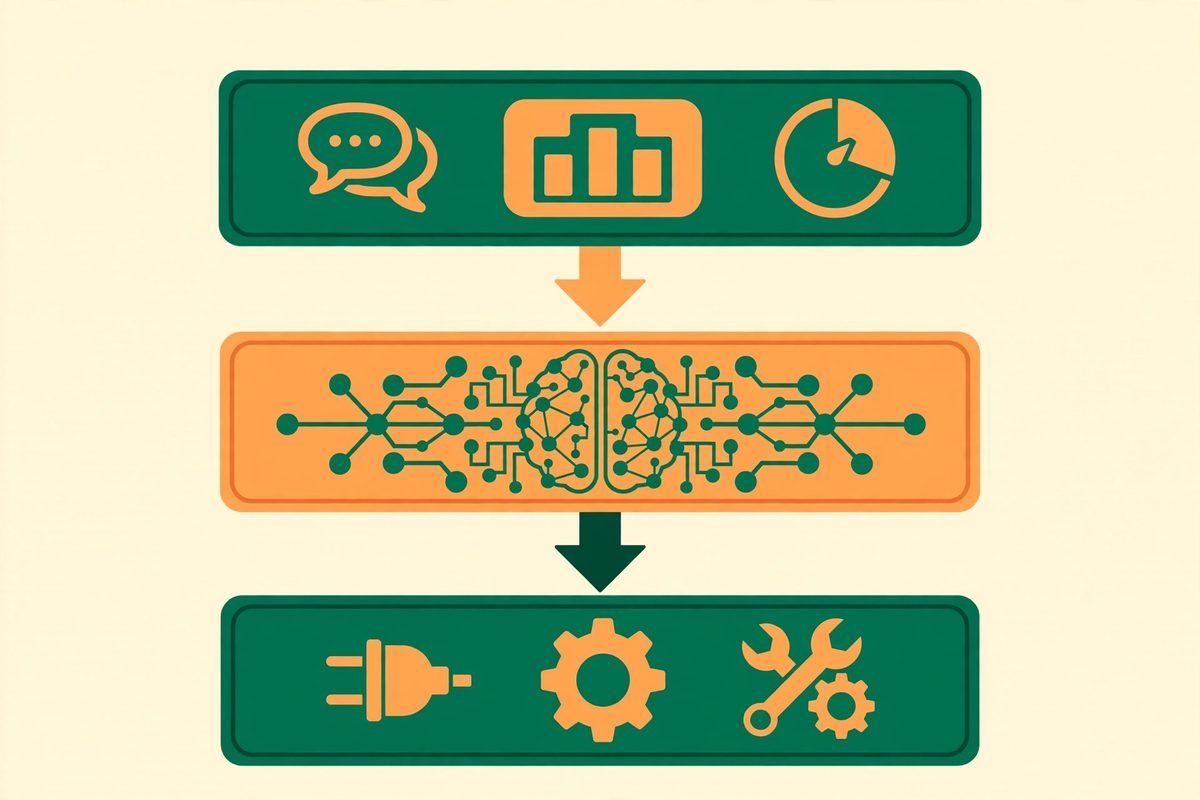
Qorqbot is not a harness, and the distinction matters. A harness is the scaffolding that lets an agent call tools. Qorqbot sits one layer above your harness, providing the tools, the MCP connections and the user experience around it. The system is organised into two layers plus a third, unusual component that does the tailoring.
The operational layer is the working surface: the user experience for you and the agent to work with clients, CRMs, tables and communications. Integrations listed on the official site include MCP, WhatsApp, Gmail, Outlook and phone, with a dashboard interface and CLI streaming for people who live in a terminal. This is the layer your team actually sees — the place where work is tracked, decisions are surfaced and signoffs happen.
The agentic layer is where custom skills, workflows and tools are built, with what the maker calls an easy plug-and-play architecture. Because the code is open, you can adjust Qorqbot at any depth for your own use case: add a new layer, add a new operational object type, or adapt the chat interface to use your own custom models. For a development agency, that openness is a real advantage — you are not waiting on a vendor roadmap to add the one integration your client needs.
Then there is the Overseer, a special agent whose only job is tailoring the system to you. It reads your transcripts, threads and comments and suggests “deltas” to the agentic layer. That goes beyond remembering preferences: the Overseer has full ability to add new skills, make new plugins, formalise workflows and create or edit tools. It has full control over the harness Qorqbot runs in. This is the most ambitious — and the most consequential — part of the design. An agent that can rewrite its own tooling gets more useful every week, but it also means the system’s behaviour can drift from what you originally approved. The signoff gates and the fact that everything runs on your own computer are the counterweights, and they need to be treated as load-bearing, not decorative.

Pricing: free for personal use, $10 a month for commercial work
Pricing is where Qorqbot is refreshingly straightforward, and we verified every figure below on the official pricing page on the day of writing.
- Personal — $0 forever. For your own projects. Every feature, no trial. It runs on your computer, uses your own model subscriptions, and is also free for non-commercial organisations.
- Commercial licence — free until 1 January 2027, then $10 per month (billed $120 annually). For one person at work. It includes everything in Personal, plus company, client and paid work, unlimited agents and use on all your computers. No card is needed to start, and nothing is charged automatically — the maker says every work account is emailed first.
- Team licence and hosted servers — coming soon. Until they arrive, each person at work needs their own commercial licence, and Qorqbot runs on your own computer.
- Enterprise — talk to us. Invoices, a security review or your own terms are handled directly.
The economics are worth spelling out. There is no per-seat AI token markup and no usage meter on the agent itself: you pay $120 a year for the licence, and your model costs stay inside the Claude or Codex subscriptions you already pay for. Compare that with hosted agent platforms that charge per seat per month on top of model costs, and the total cost of ownership is dramatically lower for a small team. The honest counterpoint is that you are supplying the infrastructure — your computer is the server, so uptime, backups and security are your responsibility until hosted servers arrive.
One detail worth noting for privacy-conscious buyers: the licence works by email sign-in so the maker can count users and track work accounts. The pricing page states that they receive your email and basic install details, but never your conversations, files or agent work. That is the right line to draw, and it is consistent with the product running locally rather than in a vendor cloud.
Who it is for — and who should wait
Qorqbot fits best in a specific shape of business. If you recognise your operation in the first list, it is worth a pilot. If you are in the second, wait for the team and hosted tiers.
Good fit: solo operators and small agencies already paying for Claude or Codex; operations-heavy small businesses with repeatable multi-step workflows such as client onboarding, inbox triage, CRM hygiene and follow-up sequences; technical teams comfortable running software on their own machines and adjusting open code; and any business where the same judgement-heavy routine repeats weekly and currently eats a founder’s mornings.
Wait for now: teams that need multi-user access today, since there is no team licence yet; organisations in regulated industries that need a formal security review, audit trails or a data-processing agreement before an agent touches client data; and anyone who wants a finished, polished product with support SLAs. Qorqbot is in early access, the maker runs his full operations on it himself and is actively looking for partners — that is an honest position, and it is also a clear signal about maturity.
Watch-outs and honest limitations
No review of an early-access agent tool is honest without the caveats, so here they are, plainly.
- It is early access from a solo maker. One person runs the product and his own business on it. That is admirable and it is also a concentration of risk: roadmap speed, support and long-term maintenance all depend on one operator.
- The Overseer is powerful and largely unproven. An agent with full control over the harness that can add skills and rewrite workflows is a genuine innovation — and a genuine attack surface. Signoffs help, but you should understand exactly what the Overseer can change before you grant it that scope on a machine holding client data.
- Provider independence cuts both ways. You escape lock-in to Qorqbot’s pricing, but you still depend on your Claude or Codex subscription pricing, rate limits and terms. If a lab changes its subscription terms, your agent’s economics change with them.
- Local-first means you are the infrastructure. Your computer must be on, backed up and secured. There is no hosted fallback yet.
- No published benchmarks. There are no independent performance figures, and 116 Product Hunt upvotes is a signal of interest, not evidence of reliability. Treat every capability claim as something to verify in your own pilot, not as a specification.
How it compares to the alternatives
The comparison that matters is architectural, not feature-by-feature. Most of what you can buy today falls into three camps, and Qorqbot is a deliberate hybrid of the second and third.
Chatbots such as ChatGPT and Claude on the web are reactive: they answer brilliantly when prompted and do nothing between prompts. They are the wrong shape for “reply to this client thread and update the CRM” because the work never starts by itself. Qorqbot’s whole bet is that the starting, the carrying forward and the finishing are the product.
Hosted agent platforms give you proactive agents but host your data, charge per seat per month, and add their own model markup. They are the right choice when you need multi-user access, uptime guarantees and someone else to run the infrastructure today. Qorqbot trades those comforts for local control and a $120-a-year licence — a trade that suits a small, technical team and does not suit a 50-person operation yet.
Open harnesses give you the building blocks and leave the operational layer to you: the dashboards, the approval flows, the CRM wiring, the learning loop. If you have engineers, you can build all of that. Qorqbot’s argument is that you should not have to — it ships the layer above the harness, open code included, so you start from a working operation rather than a toolkit. That is a fair claim, and the Overseer is the part no harness ships: a system that improves its own tooling as it watches you work.
From our experience
We build AI automation for clients at MTD Technologies, and the pattern we see again and again is this: agents rarely fail on the first draft. They fail on follow-through — the third email in a thread, the CRM field nobody updated, the task that quietly died between two tools. That is why Qorqbot’s proactive framing caught our attention. The products that survive in real businesses are the ones that close loops without being chased, and the signoff gate is the correct design for getting there safely: automate the legwork, keep the judgement with the human.
Our practical advice is to pilot it the way we pilot any agent for a client. Pick one internal workflow with a clear paper trail — inbox triage plus CRM updates is the classic — and run it for two weeks with signoffs on for everything. Measure three things: how many tasks completed without intervention, how many signoffs you actually had to correct, and how much time the supervision itself cost. If the supervision costs more than the work it saves, the tool is not ready for that workflow, whatever the marketing says.
Do not hand it client-facing actions on day one, and do not let the Overseer rewrite tooling on a machine that holds client data until you have watched it do so on a test workflow and understood what changed. The $120 annual licence is trivial next to a part-time hire; the real cost is setup and supervision time, and that is where most agent pilots quietly fail. If you want help scoping that pilot properly, our AI automation services team does exactly this kind of evaluation — or browse the AI Tools Directory for other tools we have reviewed. And if you would rather talk it through first, contact us and we will give you a straight answer on whether an agent fits your workflow at all.
Frequently asked questions
Is Qorqbot free?
For personal use, yes — $0 forever, with every feature included, running on your own computer with your own model subscriptions. Commercial use is free until 1 January 2027, after which a commercial licence costs $10 per month, billed $120 annually, for one person.
Does Qorqbot replace my Claude or Codex subscription?
No. Qorqbot is provider-agnostic and runs on top of the AI subscriptions you already pay for, such as Claude or Codex, or hosted models if you prefer. It is an operational layer above your model access, not a replacement for it.
What are signoffs in Qorqbot?
Signoffs are approval gates. Sensitive actions and decisions are held for your approval instead of being executed automatically, so the agent can work in the background while you stay in control of anything that matters.
What is the Overseer agent?
The Overseer is a special agent inside Qorqbot whose job is tailoring the system to you. It reads your transcripts, threads and comments, suggests improvements to the agentic layer, and can add new skills, create plugins, formalise workflows and edit tools — it has full control over the harness Qorqbot runs in.
Can my team use Qorqbot?
Not as a team product yet. A team licence and hosted servers are coming soon; until then, each person at work needs their own commercial licence, and Qorqbot runs on each person’s own computer.
Qorqbot is a genuinely interesting answer to the right question: not “can an agent write a good email” but “can an agent run the business while I do the work only I can do”. It is early, it is a solo effort, and the Overseer deserves careful supervision — but the architecture, the local-first privacy stance and the honest pricing make it one of the more credible agent launches of the month. Try the free personal tier, pilot one workflow with signoffs on, and judge it on completed loops rather than first impressions. If you would like a second pair of eyes on the pilot, talk to us — we will tell you plainly whether it is earning its keep.